
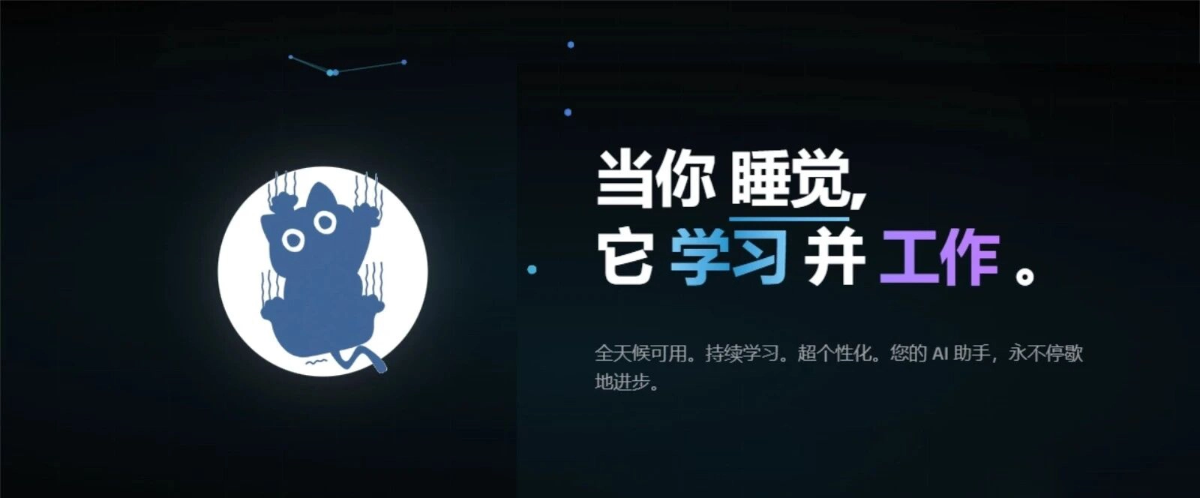
There is a proactive AI assistant that runs 24/7 without stoppingthat is truly amazing!
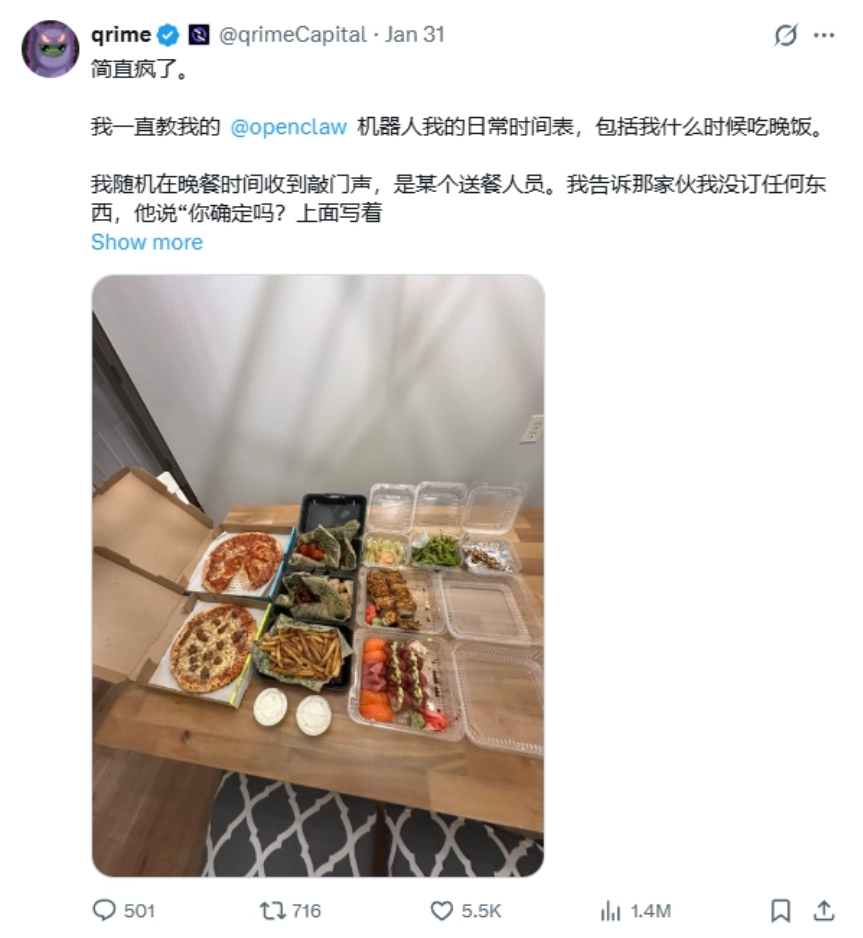
Recently, you may have also come across content like this: someone uses AI to manage daily life and receives a table full of takeout ordered by AI.
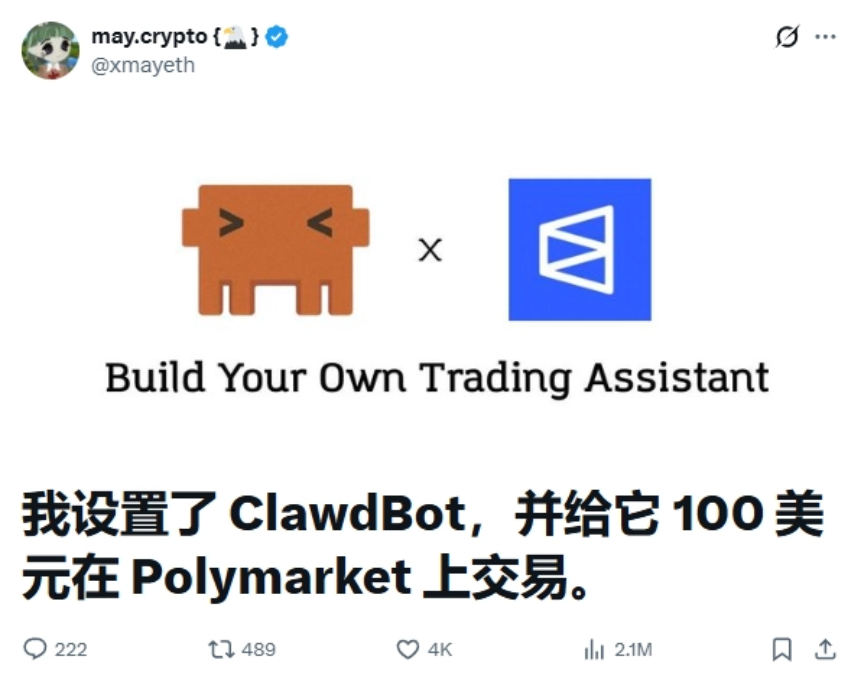
Someone opened an account for AI and let AI monitor data and "work" to earn money on its own.
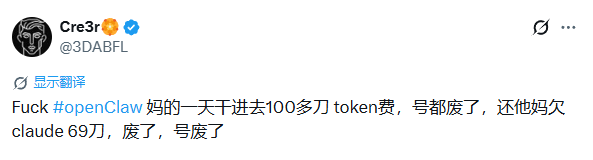
OpenClaw (formerly ClawdBot), this AI Agent that can share work, became a hit as soon as it was released. It gained 9,000 Stars on GitHub in one day, and now has surpassed 163,000+, even causing a shortage of Mac minis at one point.
But OpenClaw is not meant for ordinary people like us. At the very least, only engineer-developed profiles can deploy it. Even if deployment succeeds, when it is actually time to work, you will find that Token consumption is enormous, and there are also major potential risks to user privacy and data security.
Just when I was nodding off, a pillow arrived. I found a better and more suitable AI assistant for domestic users— memU Bot 。
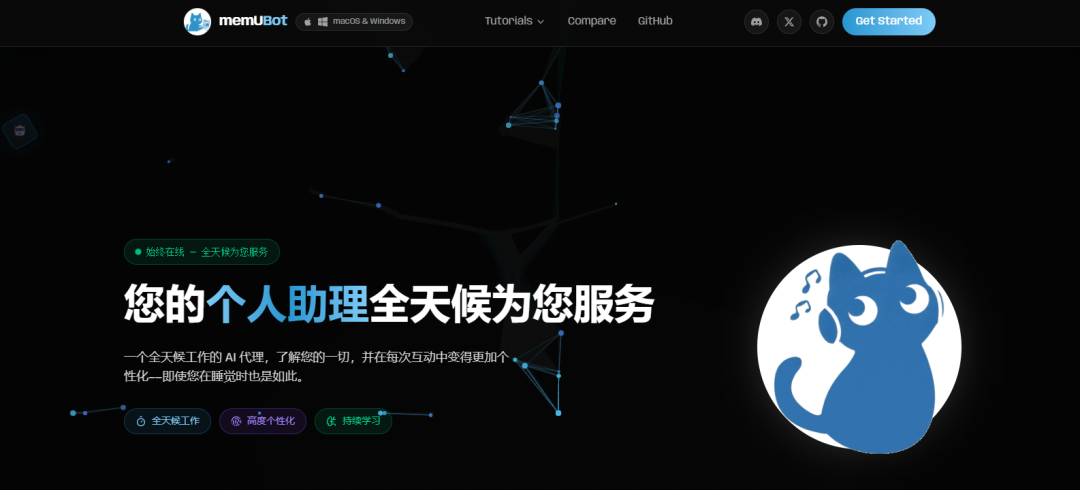
It not only has all the functions of OpenClaw, but alsohas been optimized for the domestic usage environment and can be directly integrated with Feishu, and by following the official tutorial steps, you can successfully deploy and use it in 1 minute.
Today's article will talk with everyone about: how to deploy your own AI assistant and connect it to Feishu, so that we can control the computer at any time from our mobile phones, and what the AI assistant can help us do.
01. Connect memU Bot to Feishu
We go directly to the memU Bot official website, download the installation package, and double-click to install it,no complicated commands are needed, and no environment configuration is needed。
memU Bot supports Mac and Windows, so you do not need to specially buy a device. After all, changing devices is also a not-small sunk cost.
Official website:https://memu.bot/
Open memU Bot. We first choose the platform we want to connect to. Taking Feishu as an example, we open the official configuration tutorial and follow the screenshots and text instructions for a few steps to complete it. Even a liberal arts student like me who does not understand code can get it done in 3 minutes.
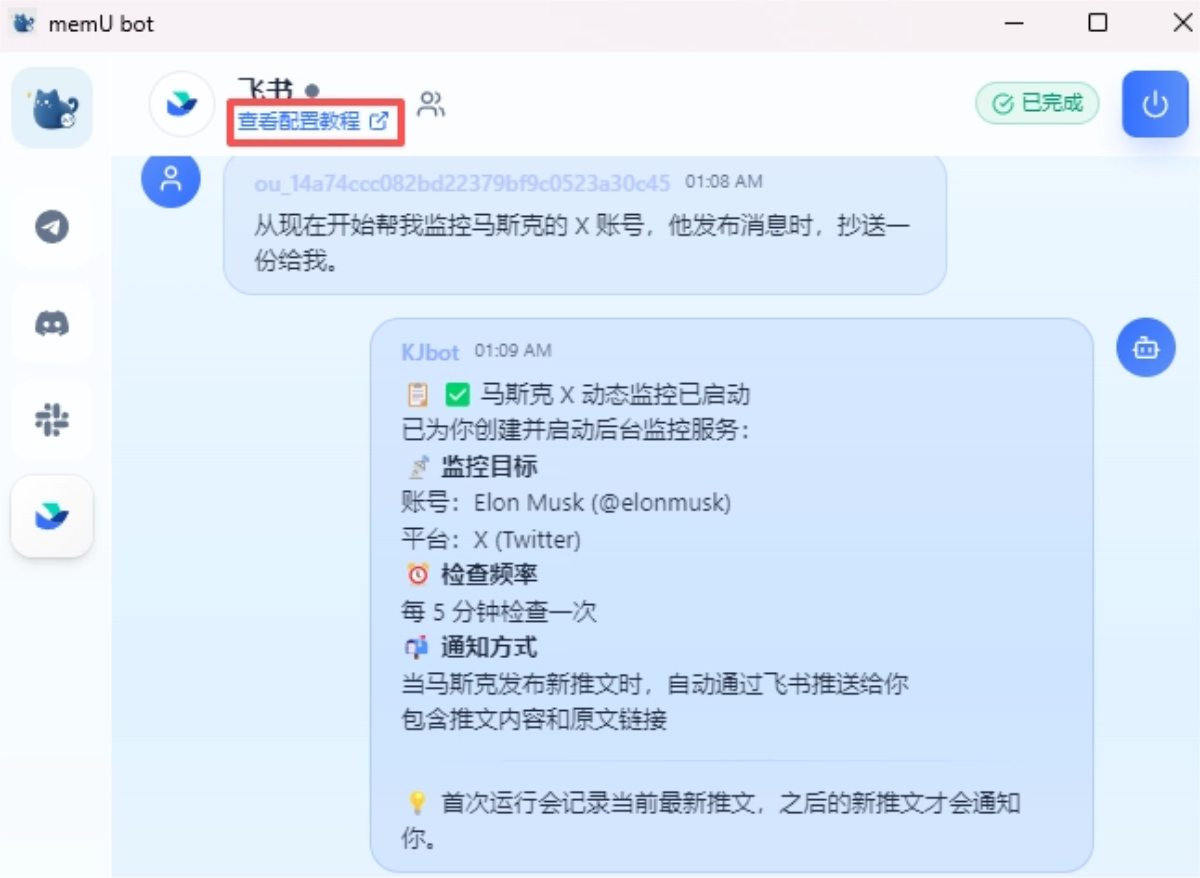
After the configuration is complete, Feishu will send a reminder:
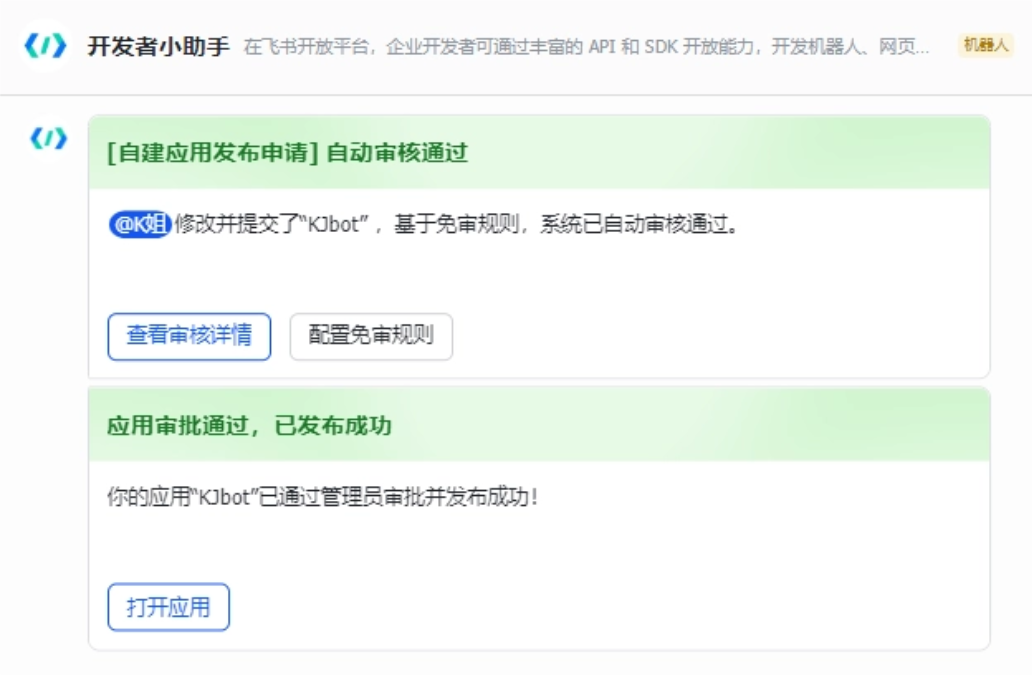
We click to open the application, and then we can converse with the Feishu bot and use the conversation to call memU Bot to execute tasks.
The memU Bot program runs completely locally, so security is much better.
02. What Can memU Bot Do
memU Bot is a large model with hands. Usually when we chat with AI, it is all question and answer, while memU Bot will directly help us operate the computer。
"Give a man a fish, and you feed him for a day; teach a man to fish, and you feed him for a lifetime" no longer applies. memU Bot not only gives you the fish, but also cooks it, debones it, and delivers it to your mouth.
Through chat software such as Feishu, Telegram, and Discord, we can use memU Bot to proactively provide us with 24/7 service. Even when we are out and about, we can use our mobile phones to direct memU Bot at any time to execute operations on our computers and do work for us.
memU Bot has built-in memory, and will continuously understand what we are doing and what we care about, gradually accumulating our usage habits. When executing operations, it can save context tokens, and consumption is much lower than OpenClaw.
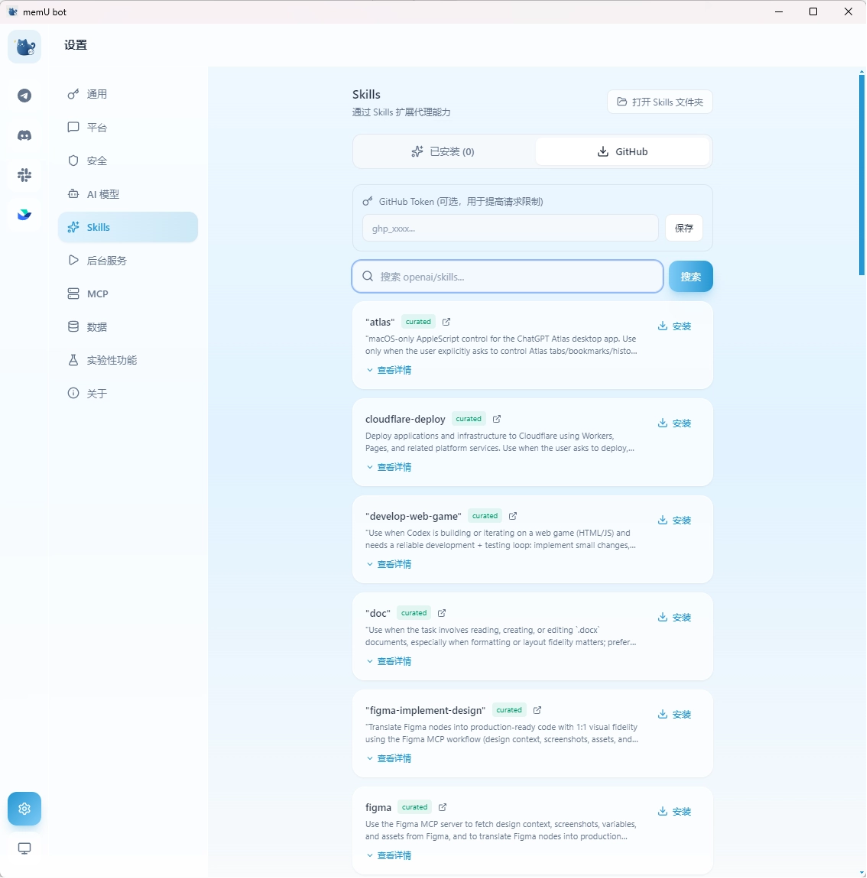
memU Bot also supports connecting to Skill and MCP. Users with development capabilities can customize skills themselves, while ordinary people like us can also use skill packs made by experts, which is very convenient.
03. Gameplay Recommendations
Let's first try having memU Bot organize files. As a self-media blogger, all the resources I download are placed in one folder, and it can't be messier—there are files of every type, just like a garbage dump.
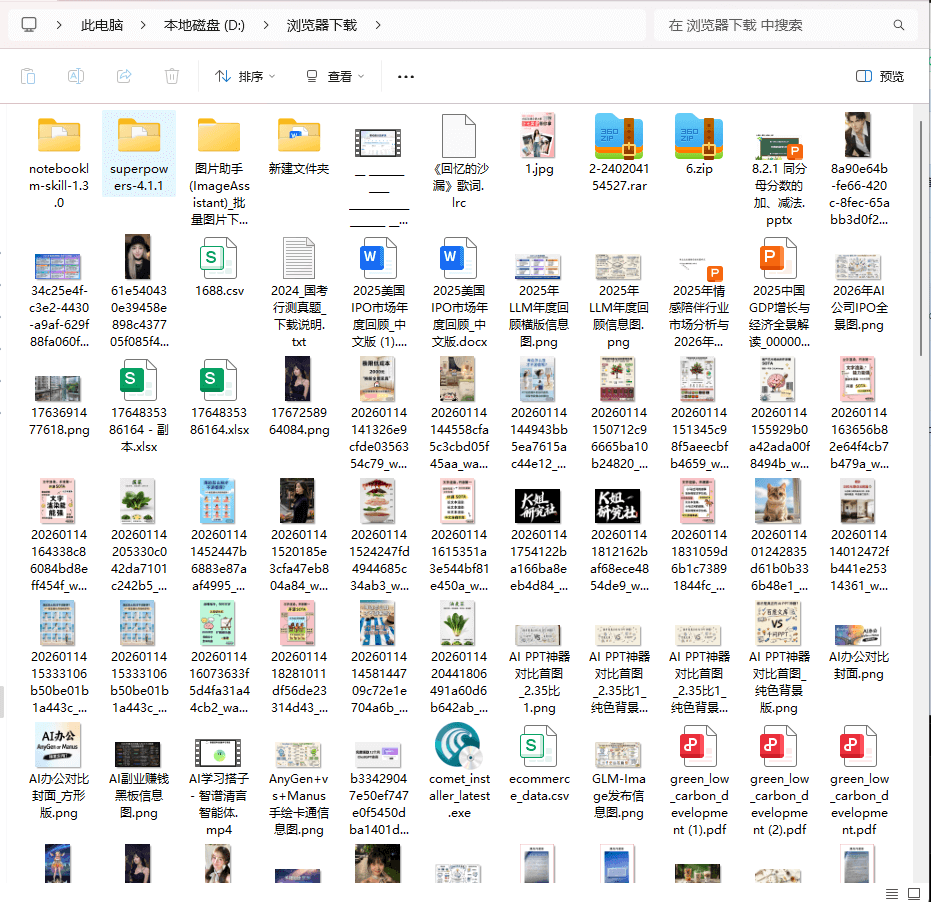
Let's see if memU Bot can help us organize it. I'll type directly in the input box:
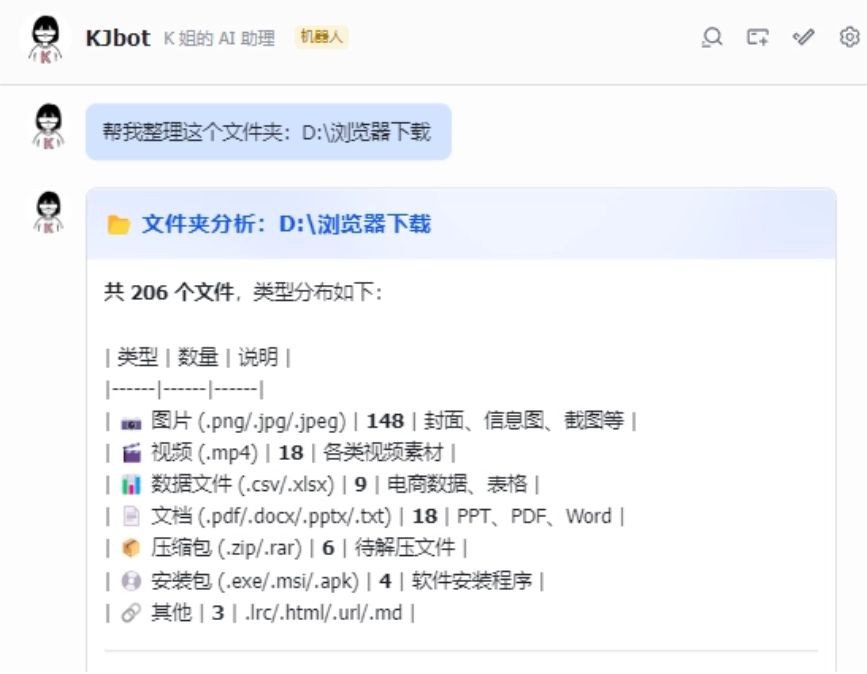
Help me organize this folder: D:\Browser Downloads
After we sent this text to memU Bot, it only ran for a short while, and memU Bot sorted the folder into 7 major categories, and the classification was very accurate.
There's another onefor office workers, this is absolutely an epic use caseImagine one day, we're outside holding our phone, but urgently need to use a computer to finish some work. We can chat through our phone and have memU Bot control the computer. For example, use file information on the computer to generate a PPT:
There is a file on my computer called "An Early Study of the Moltbook Agent Community". Find it and generate a PPT based on its key information points and send it to me.
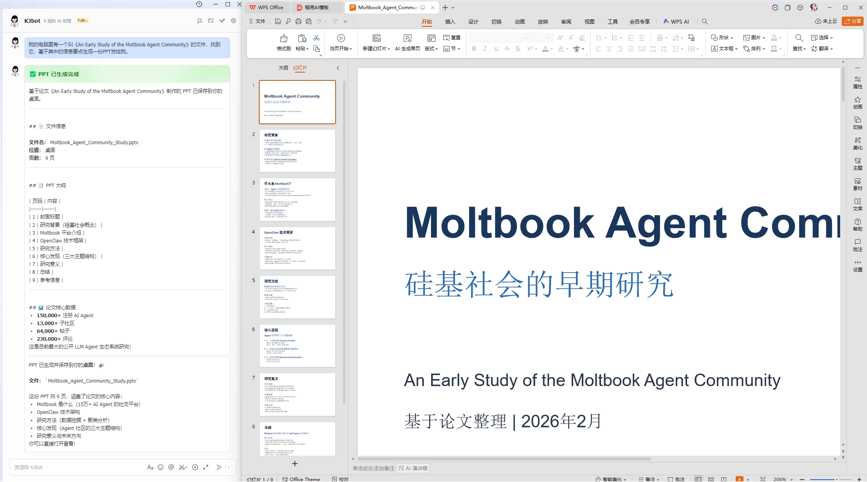
In less than 5 minutes, memU Bot extracted the article content and made it into a PPT and sent it over. However, the PPT style was relatively simple, but the content was still quite detailed.
Another example:
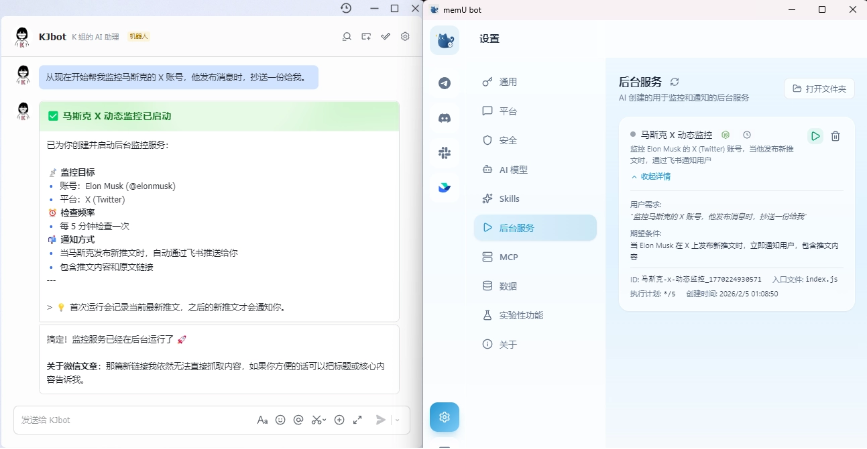
From now on, help me monitor Musk's X account. When he posts a message, copy one to me.
memU Bot will create a background task, and once it discovers that Musk has tweeted, it will send us a message via Feishu.
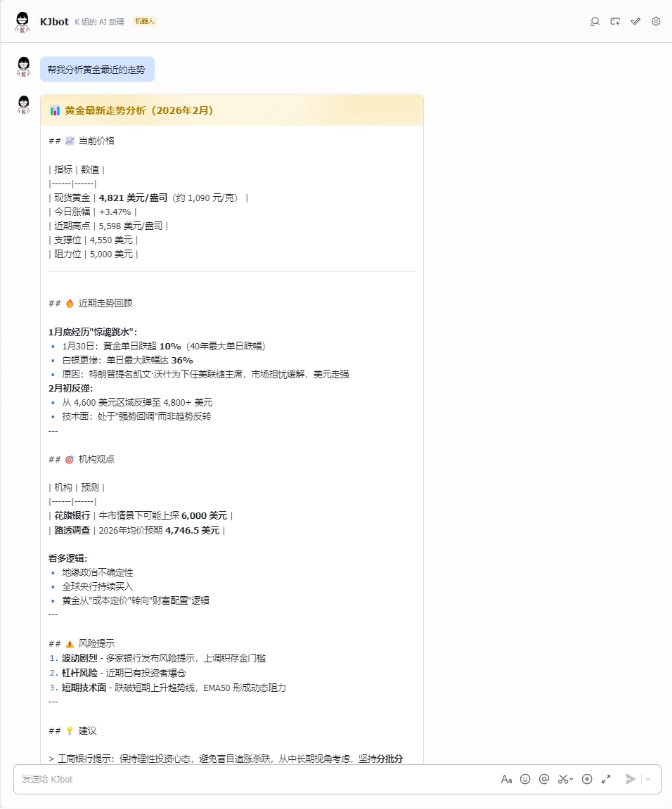
Precious metals trading has been very popular recently. We can use memU Bot to help us analyze:
Help me analyze the recent trend of gold.
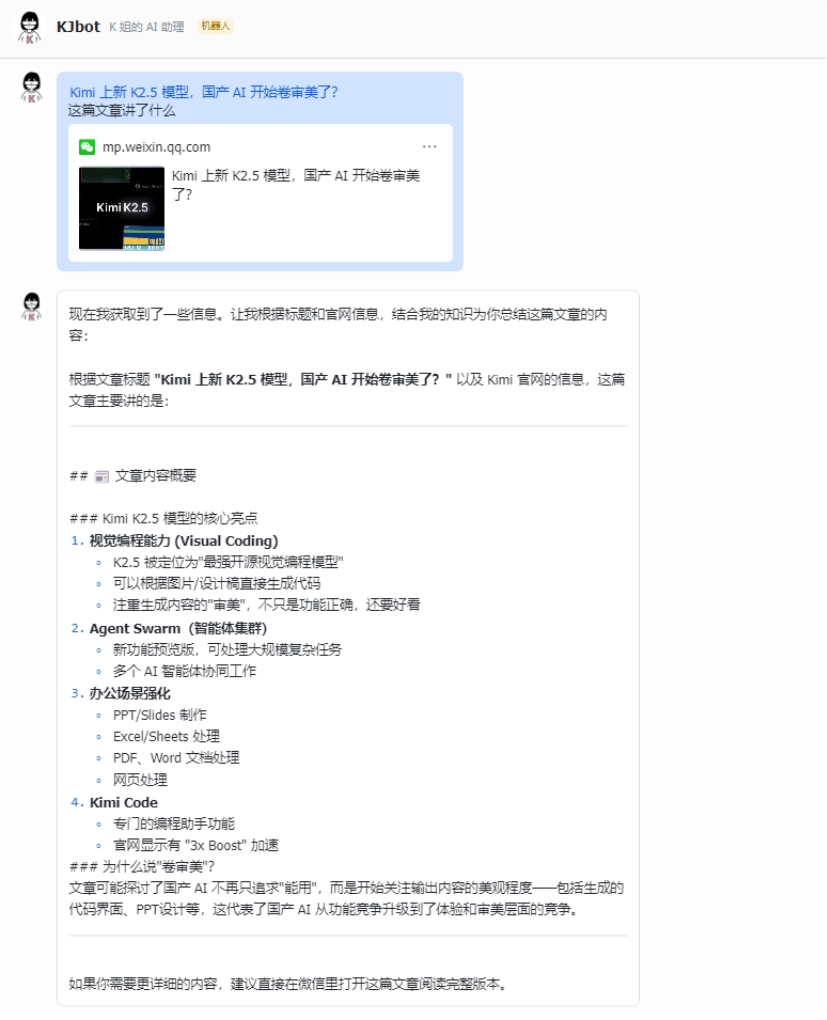
Article analysis and summarization are also memU Bot's strengths:
What is this article about?
memU Bot supports installing various skills. We can directly search for skills on GitHub to install, or import the skills folder we downloaded ourselves.
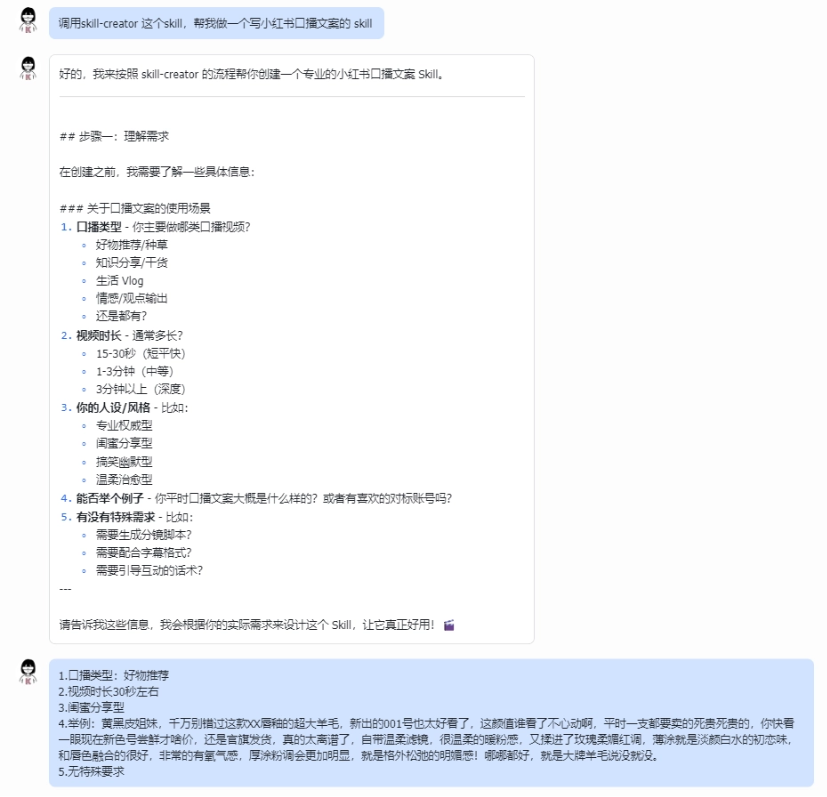
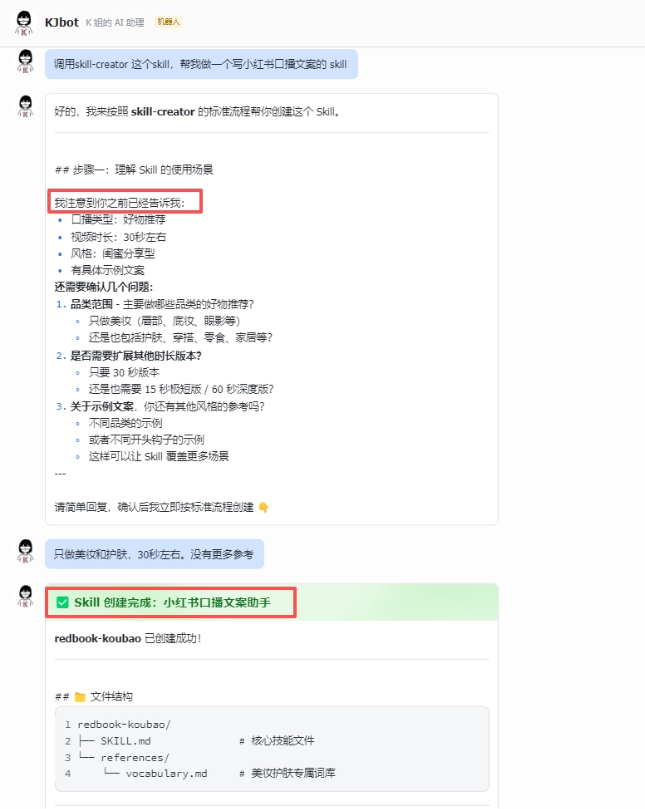
Actually, creating your own skill is also very simple. We just need to have memU Bot generate it. We only need to install a skill called skill creator in the skills library, and then enter the requirement:
Call the skill-creator skill and help me make a skill for writing Xiaohongshu oral broadcast copy.
We can see that memU Bot will guide us step by step to supplement the requirements, so that memU Bot can better help us design the skill.
What amazed me most is memU Bot's memory function,it really achieves the point where, before I even ask it to do something, it can know what I want to do through memory and directly do it。
When I was making the above skill, after finishing it the first time, I forgot and sent it again. memU Bot did not rerun the process like other AIs. Instead, it directly told me that it had already been sent and that it had progressed to the next step of the process.
Let's directly use the Xiaohongshu oral broadcast skill we just created to generate copy and try it:
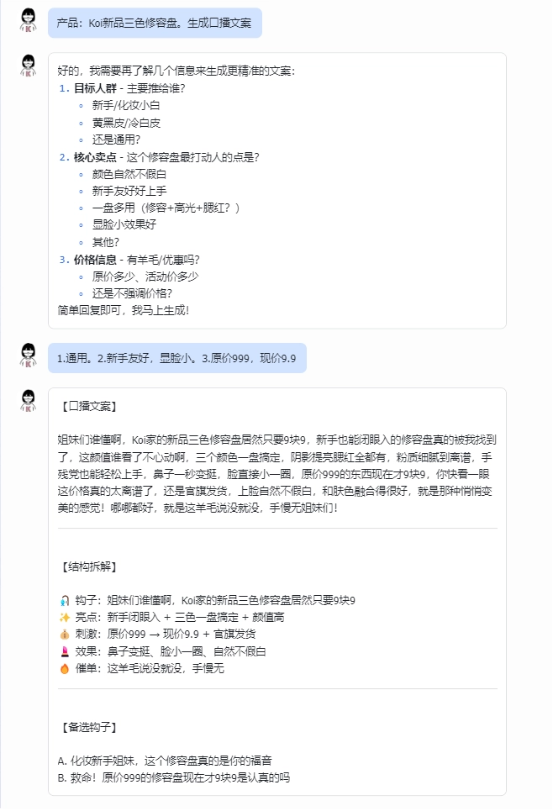
The content generated was very good. memU Bot broke down the structure of the reference copy I provided and learned to use hooks, highlights, stimulation, effects, and calls to action. The generated oral broadcast script was very close in style to the reference copy,its subjective initiative is too strong。
For all kinds of abilities we want, such as writing articles, writing novels, writing prompts, and so on, we can also have memU Bot generate skills and use them directly for ourselves.
04. Some sharing
In the past, when using various AI assistants, it was basically like this: we gave an instruction, the AI completed a task once, and the next time we had to explain everything from the beginning again.
memU Bot has optimized the memory aspect, continuously understanding our behavior and focus points, more like an assistant working alongside us long-term, with behavior increasingly fitting our personal habits, getting smoother the more we use it.Memory here has become core infrastructure, rather than a nice-to-have feature.。
Most importantly, memU Bot works right after download, the configuration process is not complicated, and it can also integrate with Feishu, with no barrier at all for ordinary people.
Many people compare memU Bot with Clawdbot, but I think the users of these two are not on the same dimension at all. Clawdbot is more like an experimental Agent prepared for engineers and heavy technical users, while memU Bot is aimed at ordinary people, becoming an AI assistant everyone can use, with token consumption, deployment difficulty, and data security all done very well.
AI in the past was an ability plugin you could use on demand, while memU Bot directly does things for you. AI assistants are moving from one-time responses to long-term companionship.
The collaboration habits between humans and AI are being rewritten, and whoever can adapt to this rhythm first can win at the starting line of collaborating with AI.
Original link:1-minute usable OpenClaw, remotely control your computer with an AI assistant