
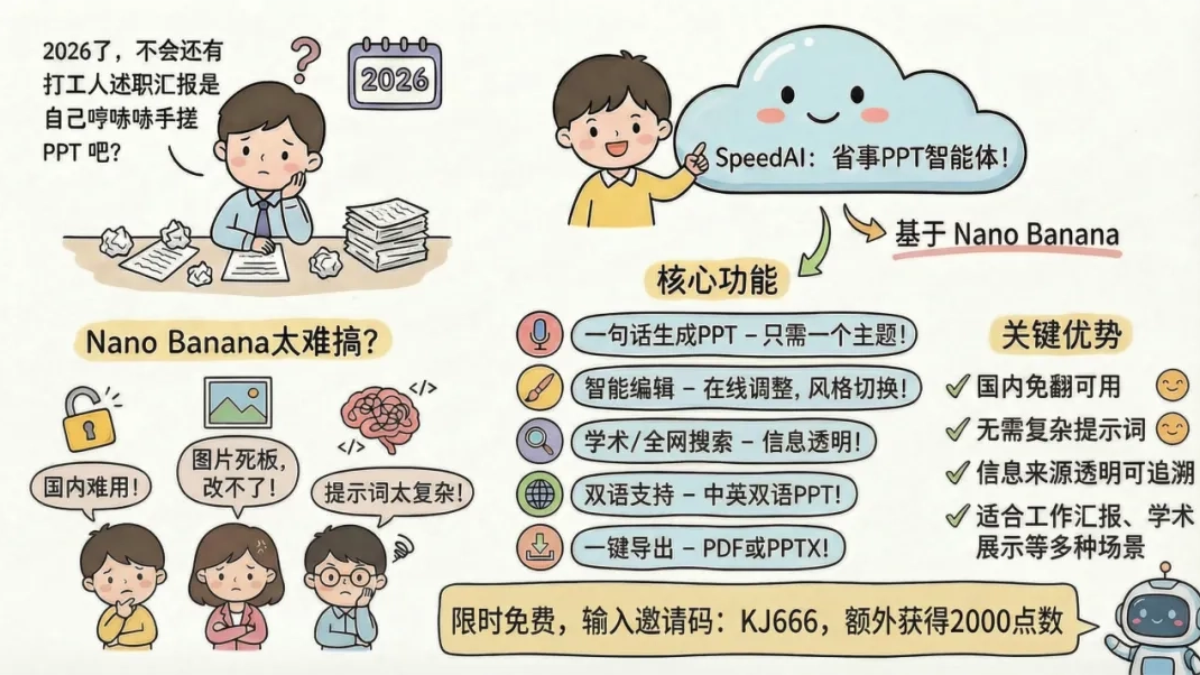
It's 2026, surely there aren't still office workers huffing and puffing, hand-crafting their own PPT for performance reports, right?
When people want to use AI to make PPTs and save time, many people's first reaction is Nano Banana. Indeed, many experts use Nano Banana to make PPTs, and the quality feels as premium as a business launch event.
But when it's their turn to use it, many friends run into quite a few problems, such as it being unavailable in China, the generated images not being editable, and wanting to modify just one place being very troublesome. To achieve the same effect as the experts, you still have to struggle with prompts.
I recently discovered a super convenient Agent. In China, you can directly use Nano Banana, and in 10 minutes I produced two PPTs. The layout, accompanying images, and texture are all top-notch, and office workers can directly take them to report and it's completely fine.
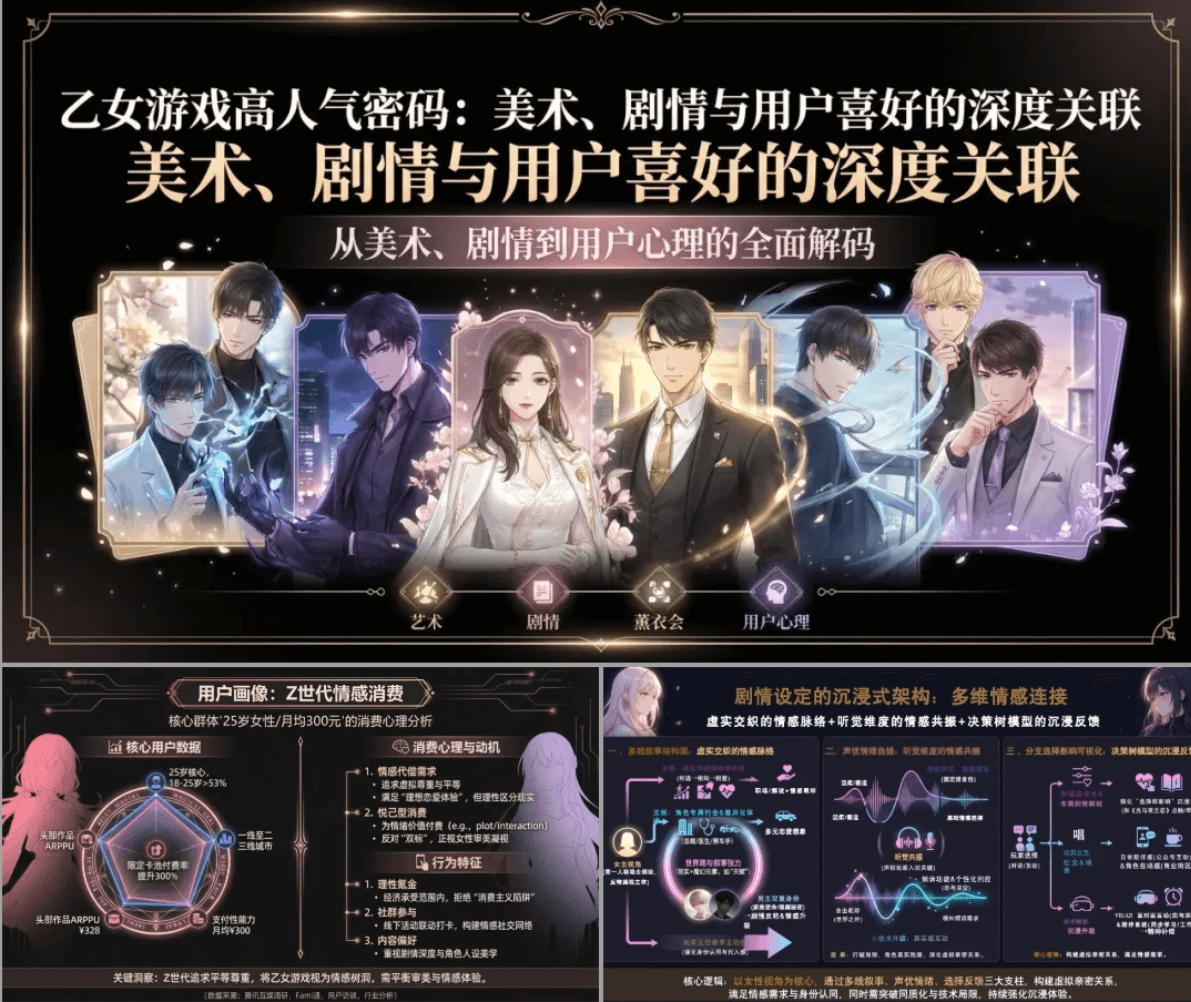
What I'm sharing with everyone today is a PPT agent based on Nano Banana— SpeedAI, available domestically without needing to bypass restrictions, with free quota every day, and without complex prompts, you can create a premium feel.
01. Domestic Version Nano Banana PPT Agent
We open the SpeedAI official website, click on the research agent in the left menu bar, and select the PPT function.
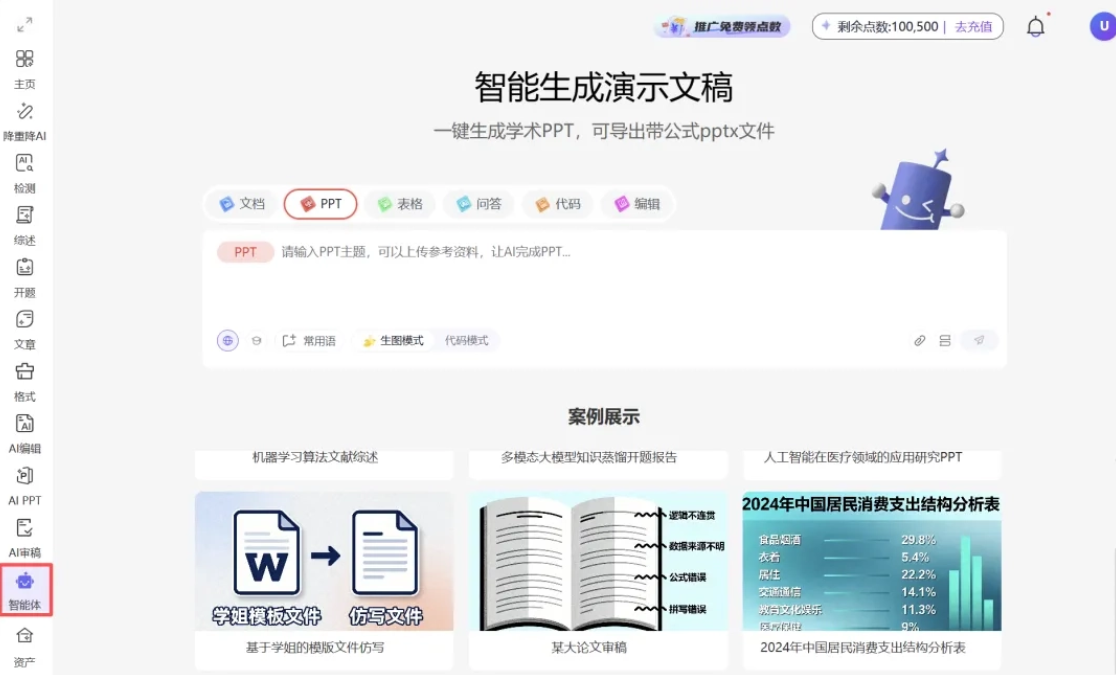
Official Website:https://kuaipaper.com
The mobile end can be used directly viaFeichi Xingchen Research AssistantWeChat mini-program. In Agent mode, select the PPT function.
Generate PPT in One Sentence
We only need to input the topic and SpeedAI can complete the entire PPT production workflow.
SpeedAI's information sources are very rich. It can be based on our ideas, files, and knowledge base, and also supports searching the entire internet for materials or academic resources。
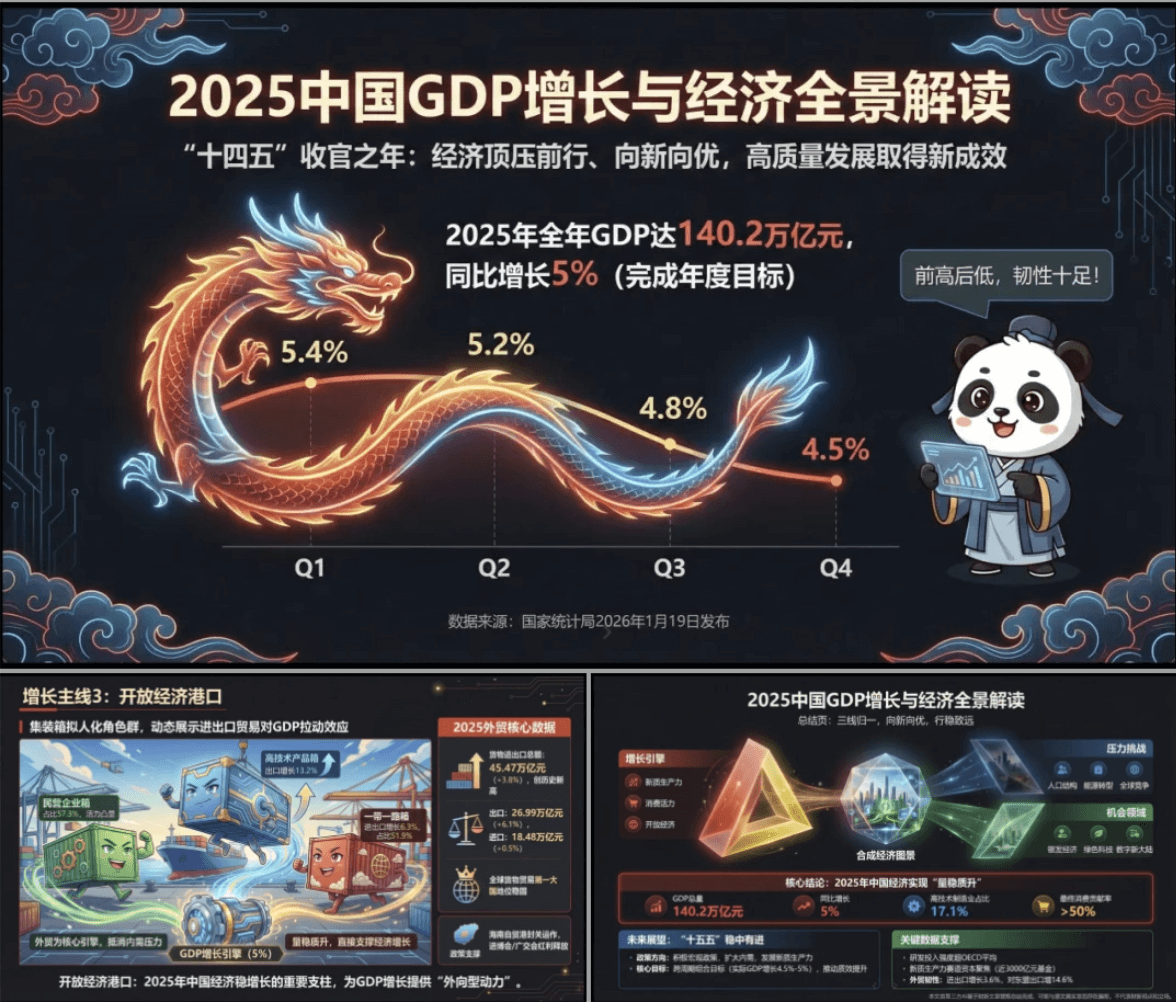
For example, the National Bureau of Statistics recently released China's 2025 GDP data. We use SpeedAI to make a PPT interpretation. We input a sentence briefly describing the topic and style:
Prompt: Generate a PPT, anime popular science style, with the theme "2025 China GDP Growth and National Economic Operation Panoramic Interpretation." Develop it around three main lines: where growth comes from, where pressure lies, and where opportunities are.
SpeedAI will further confirm key details, such as providing multiple titles, visual styles, target audiences, and presentation effects for us to choose from. It can also directly set how many pages, and every item supports manual changes, and more requirements can also be added.
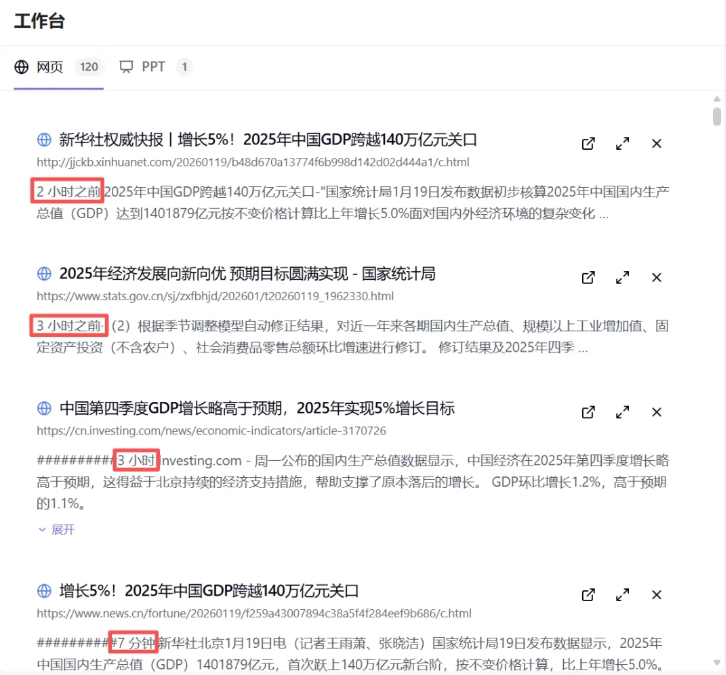
SpeedAI fully displays the information sources it searched, for example here it found 120 related information source webpages. Authoritative sources such as Xinhua News Agency and China Economic Observer were all included as references. This is much faster than me manually opening webpages to find materials, and it even retrieved information published just 7 minutes ago!
Let's take a look at the final generated result:
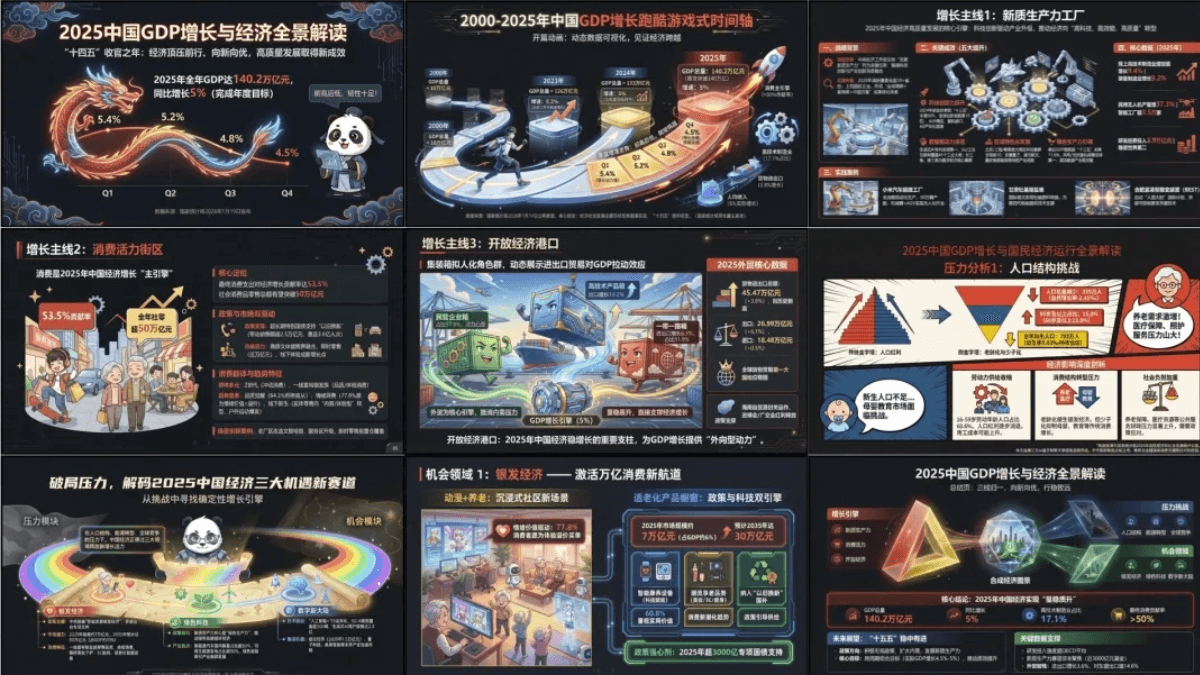
Isn't this visual effect quite cool? To be honest, if I had to write the prompt myself, even if I racked my brains, it would be very hard for me to make this kind of style.
The theme I gave was "2025 China GDP Growth and National Economic Operation Panoramic Interpretation." SpeedAI directly used a soaring dragon to express the GDP fluctuation situation for each quarter. The high-raised dragon head and winding body express the characteristic of quarterly GDP year-on-year growth rate being "high at first and then low," which is very creative.
Auspicious cloud patterns, pandas, and other elements were also added to the picture, which fits the China theme and also matches the requirements of the anime popular science style.
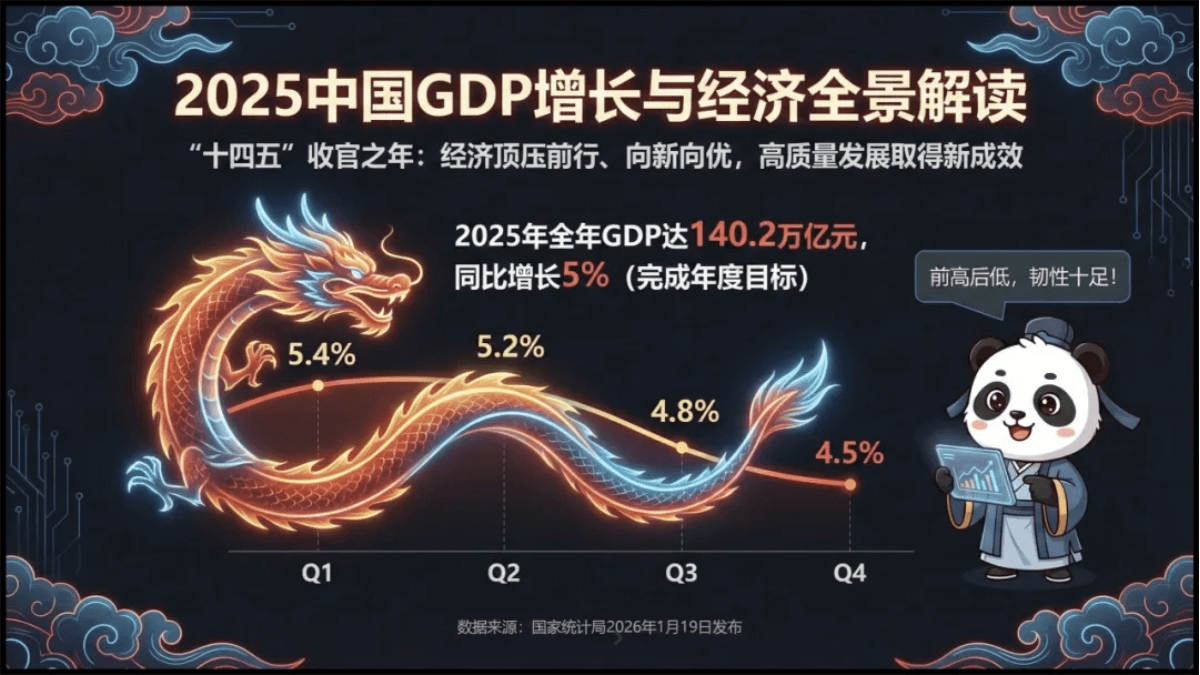
The presentation of data is very intuitive:
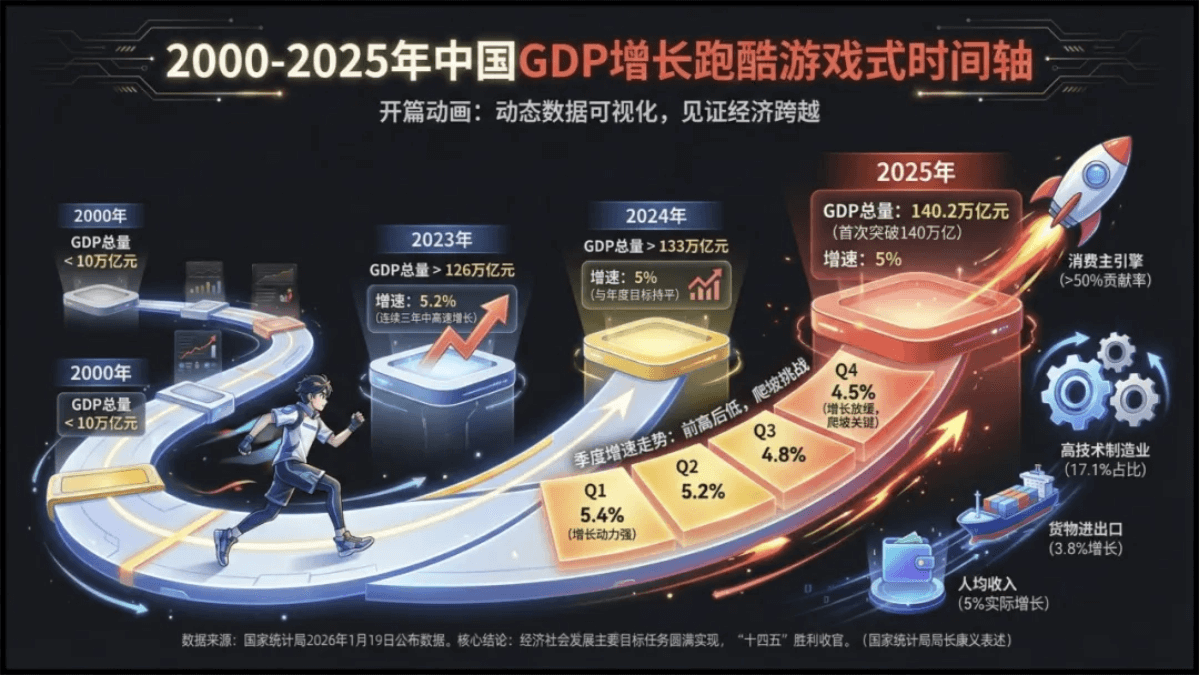
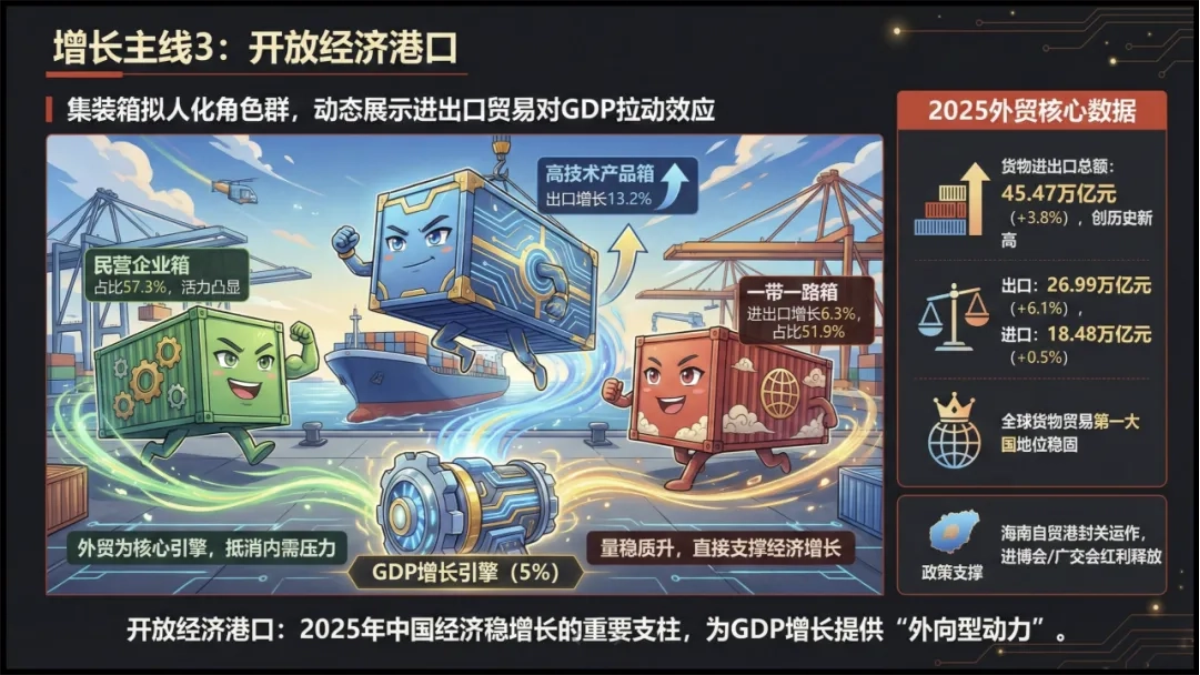
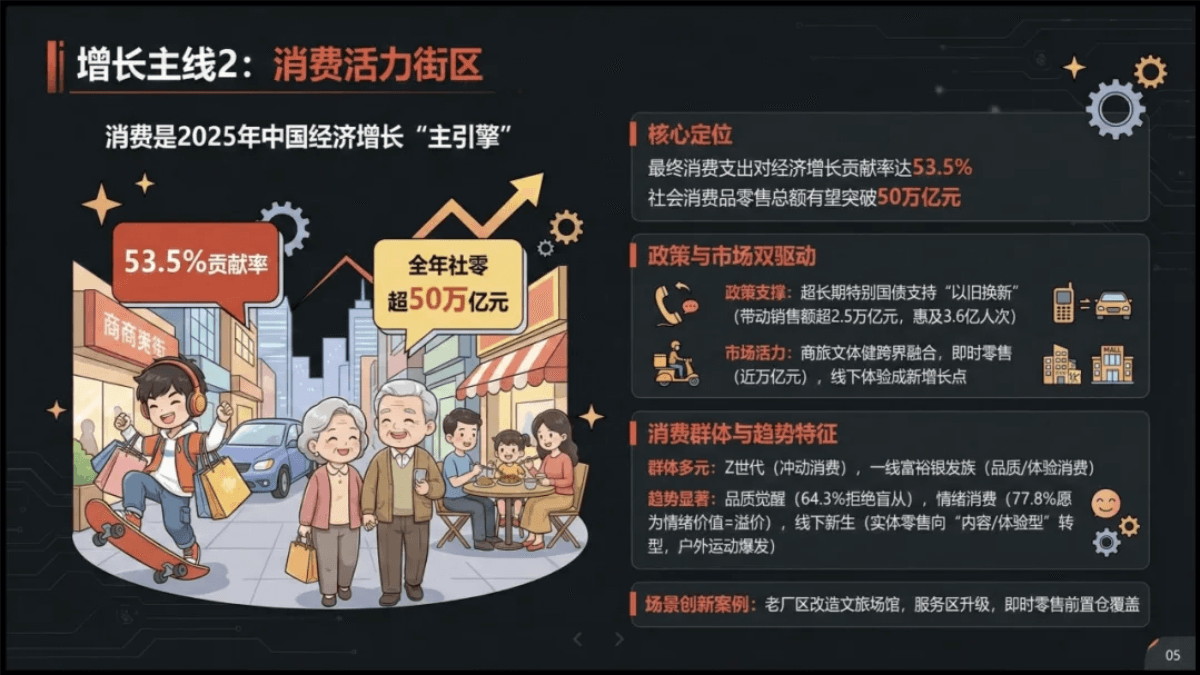
The accompanying images and text content fit perfectly, and the layout is also very exquisite:
Intelligent Editing
AI-generated PPTs are not 100% ready to use directly either. SpeedAI supports online editing and adjustment, making it convenient for us to continuously optimize the content.
For example, in a 2000-2025 China GDP growth timeline, the data display is intuitive enough, but one piece of data is duplicated. We can choose a region to modify: select the area on the page that needs editing, and enter an instruction to edit:
Prompt: Remove the duplicate data.
In addition to partial content adjustments,SpeedAI can also modify the content and style of the entire page。
Change the cartoon style to a hand-drawn style in one sentence:
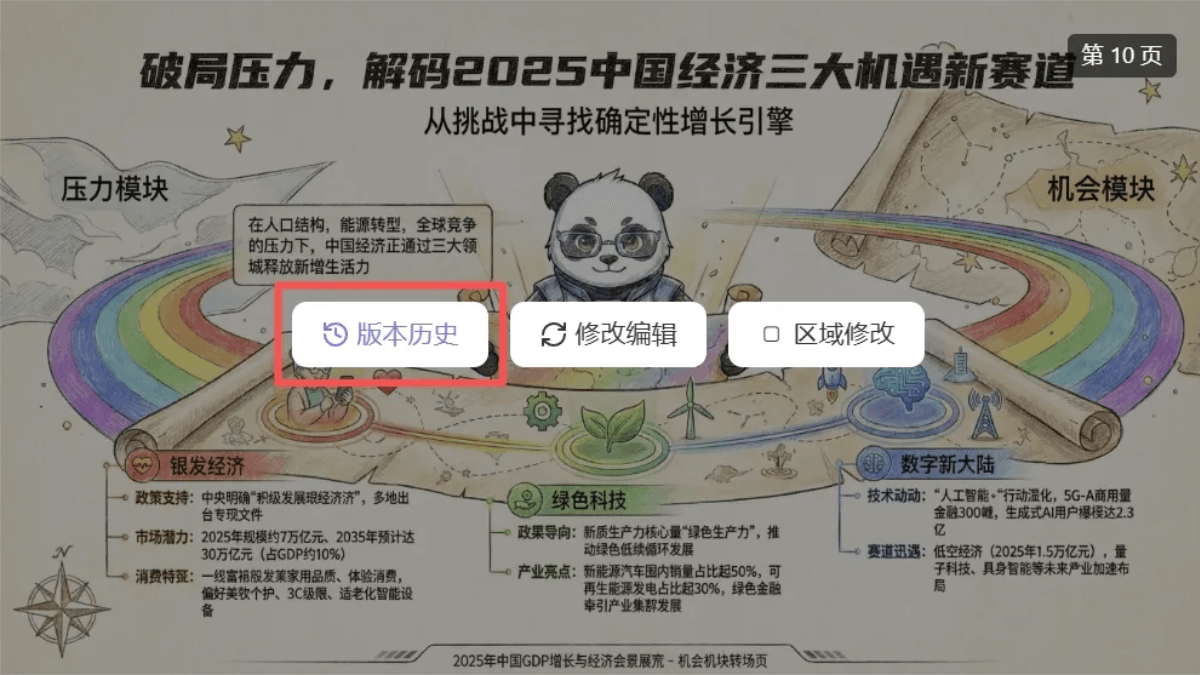
The most thoughtful thing is that SpeedAI saves every version of historical modifications, so we can edit boldly and freely, and switch back to any version with just one click.
One-click export
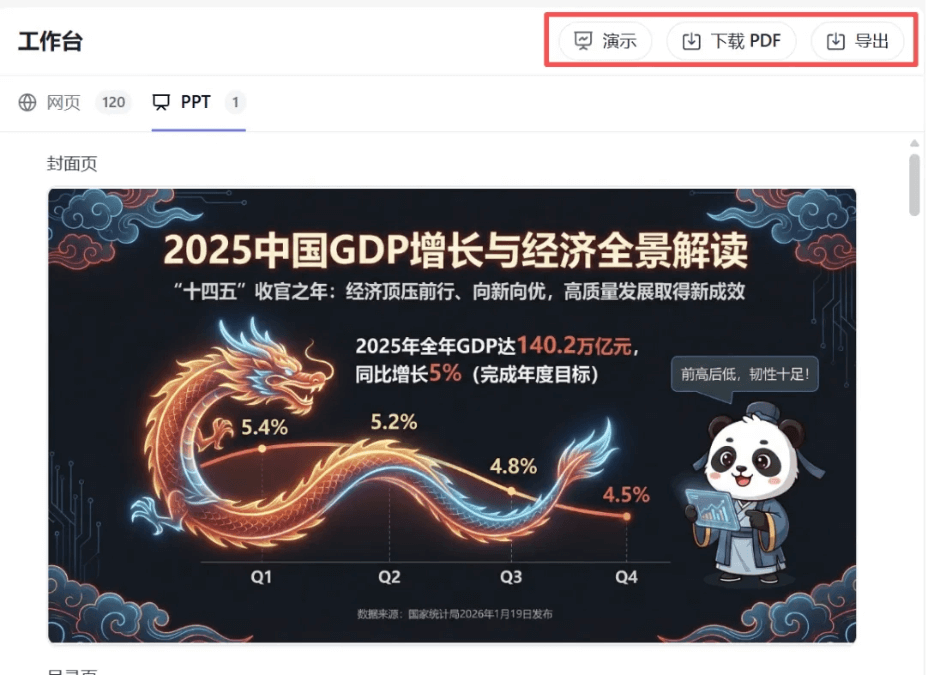
The generated PPT supports online preview and can also be exported with one click as a PDF or PPTX file, making it convenient for presentations or for opening and editing in WPS or Office.
02. Achieving PPT freedom
Many AI tools for making PPTs have a very awkward point: they all claim to support web-wide search, but we have no idea which information sources were cited, and we still have to manually search and confirm key information and conclusions before we dare to use them.
SpeedAI fully displays the searched web pages, and also categorizes them well, making it very convenient for us to review and verify. If the team has a knowledge base, SpeedAI can also output based on the knowledge base, making the tone more consistent.
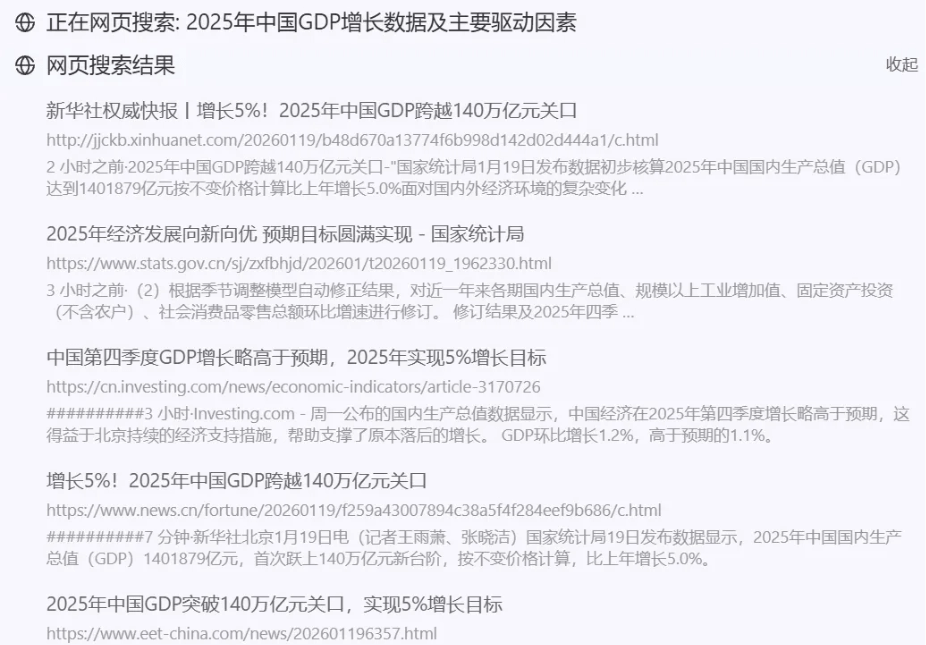
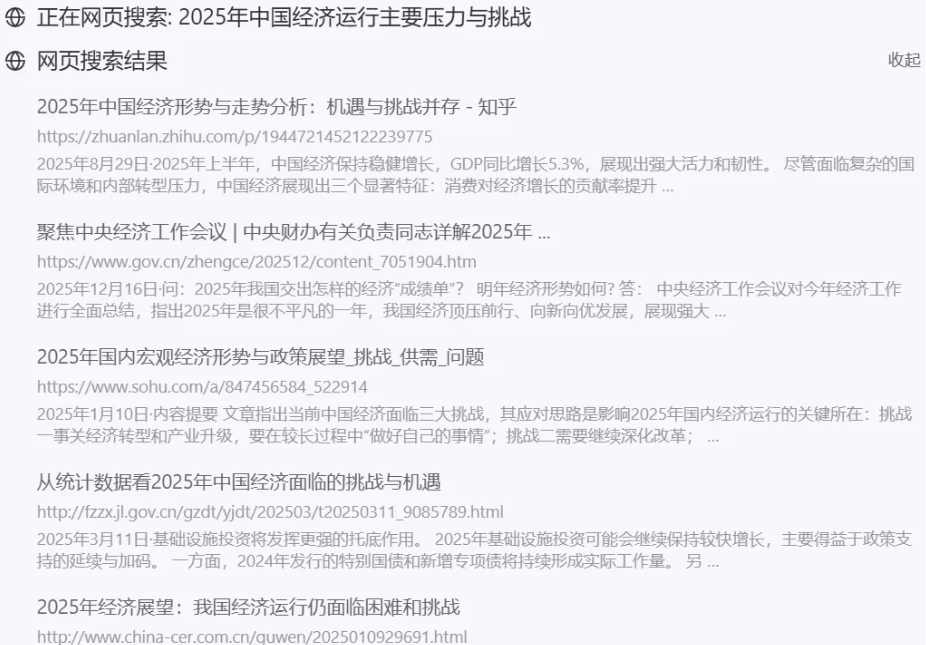
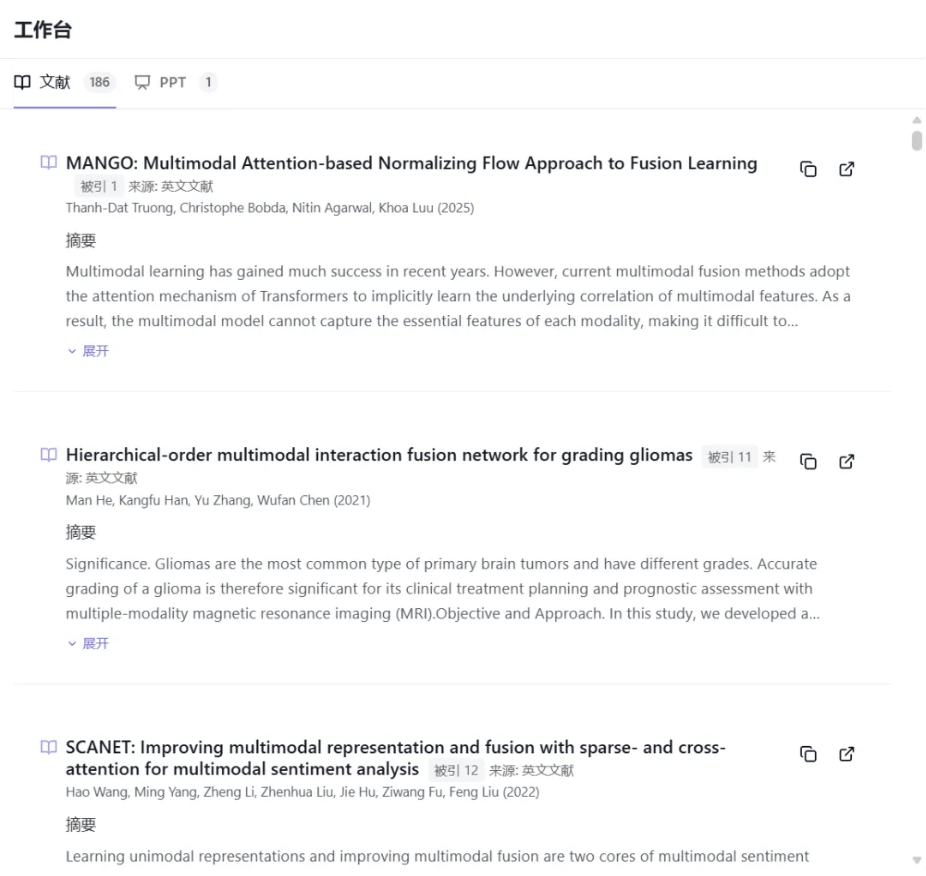
When supplementary materials are needed, SpeedAI supports web-wide information retrieval and also supports academic search, using academic literature materials, making it suitable for both more creative and more rigorous scenarios。
For example, for something like an annual meeting lucky draw PPT that needs a sense of atmosphere, we can useweb-wide search。
Prompt: Generate an annual meeting lucky draw PPT, with an overall festive style, clean and high-end layout, suitable for large-screen display.


The style is very festive, and the theme fits well.
For an academic report PPT, we useacademic search。
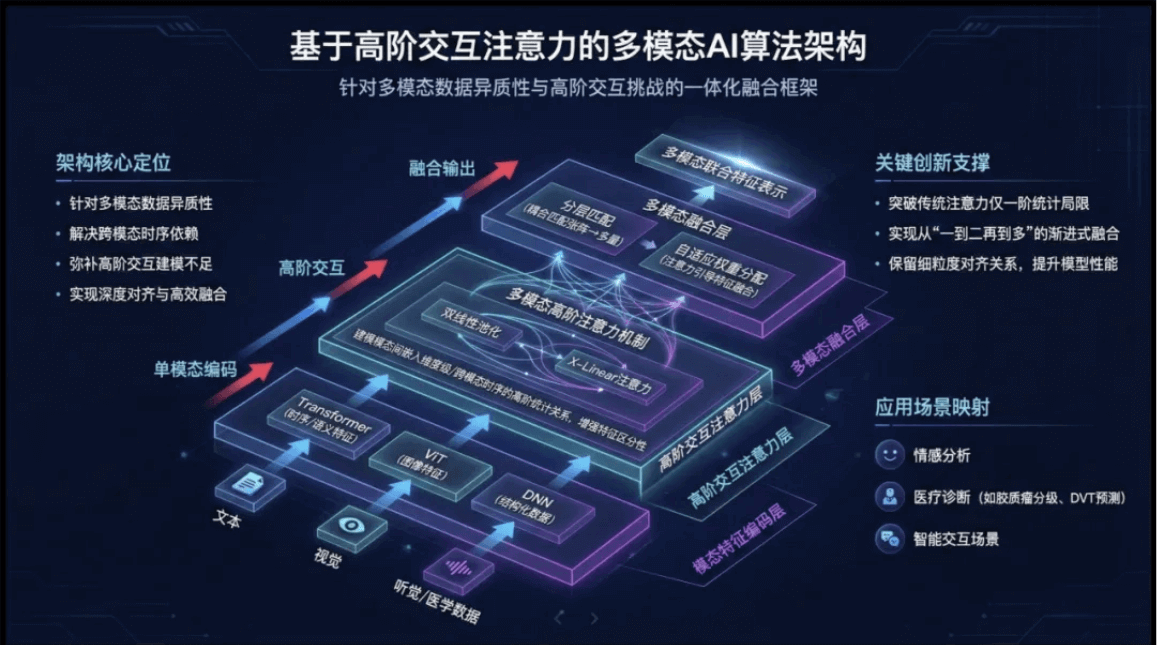
Prompt: Generate an academic report-style PPT, with a tech feel and academic style, on the theme of "Multimodal AI Algorithm Design and Application Based on Higher-Order Interactive Attention," suitable for oral reports at group meetings and academic conferences.
SpeedAI's information sources will prioritize literature as the source, making arguments and conclusions easier to trace.
The overall work is very high-end, the combination of text and images is also good, the information density is just right, and the overall look and expression are very strong, so it can be used directly as a group meeting report presentation.
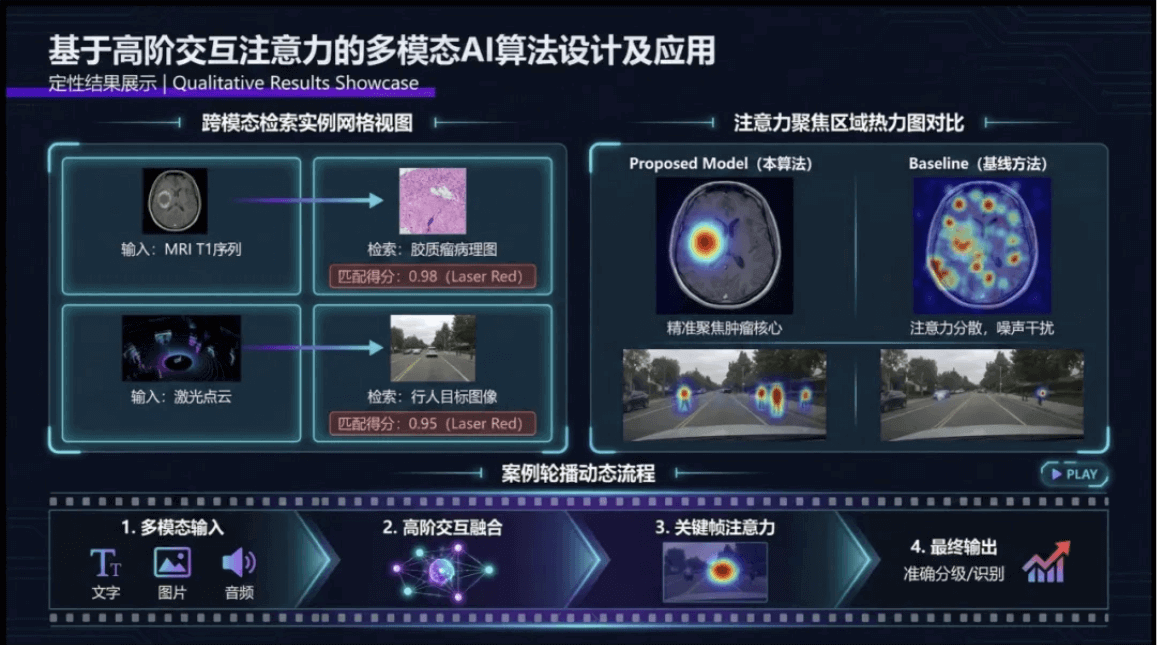
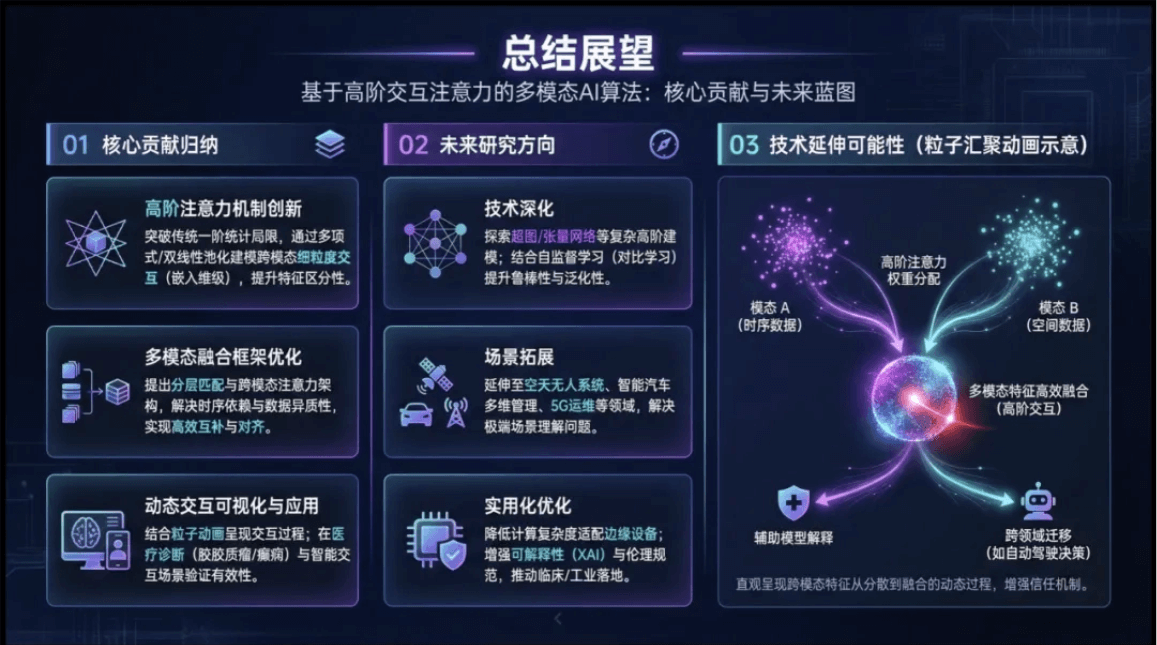
SpeedAI can also directly generatebilingual PPTs, for example, let's try making a Chinese-English bilingual story-based courseware.
Prompt: Generate a story-based PPT, in a children's picture book watercolor illustration style, on the theme of "Húlún Tūn Zǎo," requiring Chinese-English bilingual display.
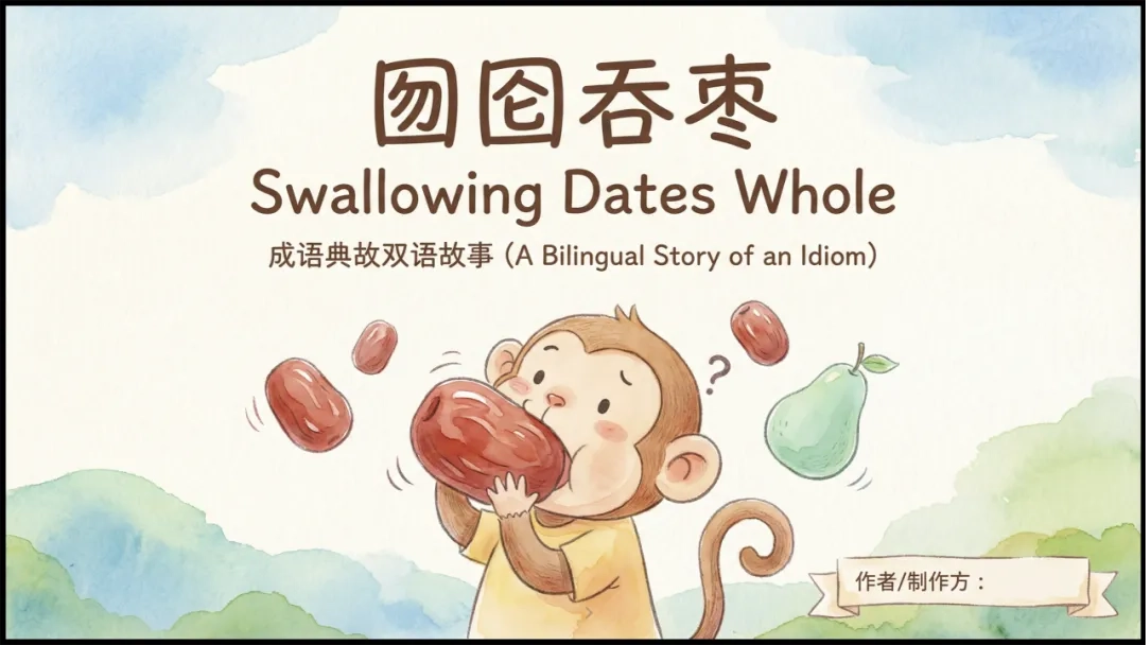
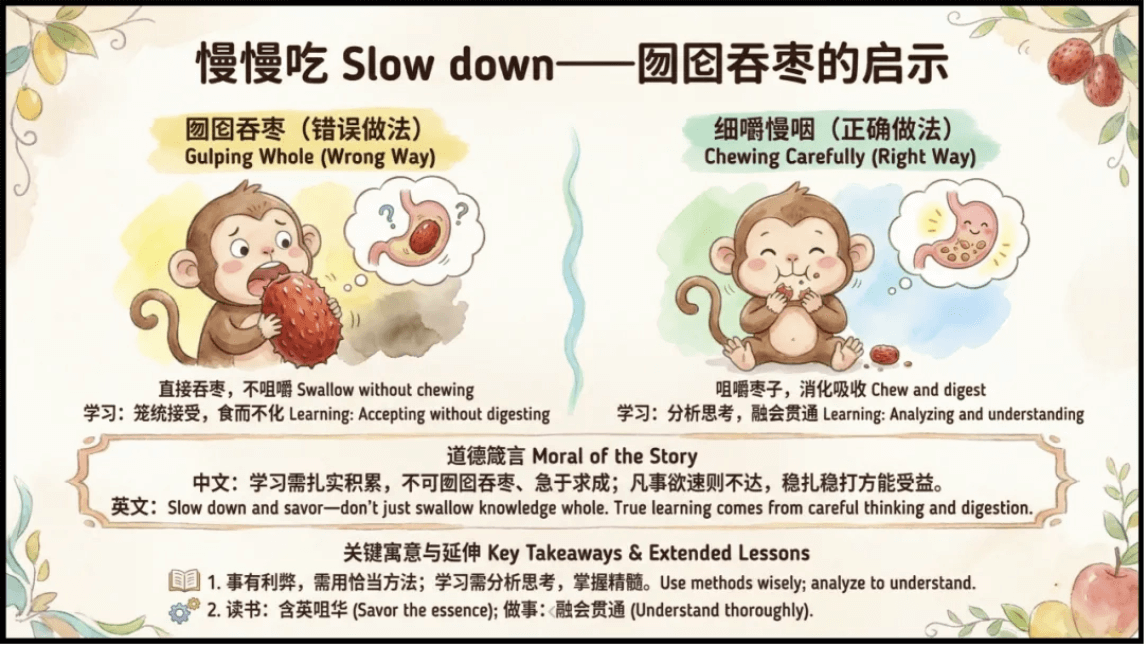
Chinese and English are placed in the same set of layouts, with Chinese telling the story and English as the extension part, which is very suitable for classroom explanation and display.
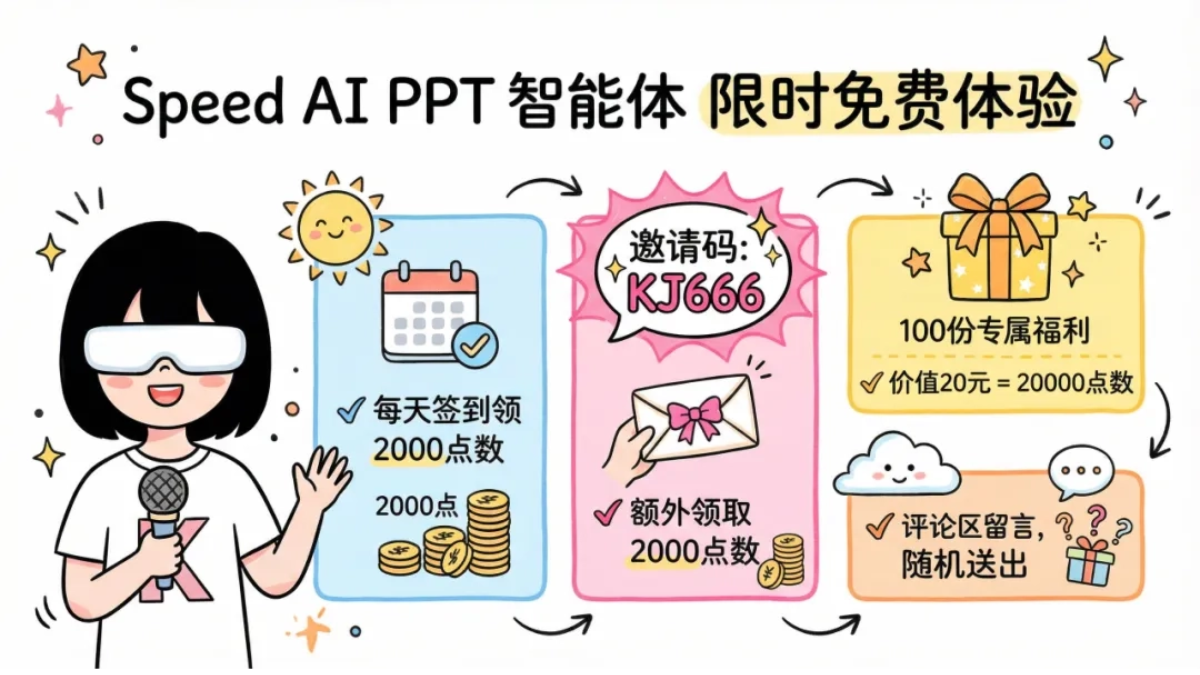
Currently, SpeedAI's PPT agent is free to experience for a limited time, and daily check-ins can earn 2,000 points as backup.

For friends logging in for the first time, fill in K-jie's exclusive invitation code:KJ666, and you can receive an additional 2,000 points.
K-jie has also prepared 100 exclusive benefits worth 20 yuan each (20,000 points in total) for everyone, so you can experience more ways to use SpeedAI.
Scan the QR code to follow and leave a comment in the comment section, and K-jie will give them out randomly~

03. Some sharing
The PPTs generated by SpeedAI are of very high quality, though there are still some minor flaws. For example, when the information density is high, text rendering occasionally turns out less than ideal and needs some local optimization. However, this does not affect SpeedAI's direct usability in most presentation scenarios.
What impressed me most is the ease of getting started. You don't need to write a bunch of prompts, and the output already looks very polished. After generation, you can edit it directly, and every version is retained. It's highly practical.。
As AI-generated PPTs keep improving in quality, we can finally say goodbye to the headaches of searching everywhere online for materials, templates, and prompt-writing techniques.
Describe the style in one sentence, and SpeedAI handles the materials, outline, layout, and images all at once. We only need to review and check the final result, which really makes things much easier. In the future, the focus of work presentations will shift toward judgment, aesthetics, and oral expression skills.
SpeedAI discloses information sources, making content and conclusions more verifiable, which is especially critical for demanding scenarios such as presentations, research, and training. More and more academic and scientific research communities will be more willing to accept using AI to make PPTs.
In addition, SpeedAI can be used without a VPN, can search the entire web and academic materials, and its export formats can directly connect to local office software such as WPS and Office. This is what truly gives AI PPT creation the chance to move from a novelty tried by a few to a daily workflow for most people.
Original link:Making PPTs with Nano Banana, usable in China without a VPN!