

Have you ever noticed that some highly repetitive small tasks at work take up a lot of time? For example, organizing spreadsheets, replying to messages, compiling daily reports...
Actually, these low-skill tasks can be completely handed over to AI agents.
We can just type a single line, and the agent can generate a content-relevant, richly illustrated Xiaohongshu post.
By briefly describing the work project and progress, the agent can generate a work report that includes results showcase, core metrics, reflection, and planning.
With one sentence, let the agent work according to your ideas. It looks very high-end, but actually anyone who can type can handle it.
Today let's try it together—building your own agent in the simplest way.
01. What Is an Agent?
Why choose an agent?
Traditional large models tell you how to solve a problem, while agents not only tell you how to solve it but also help you execute the entire process from thinking to invoking tools.

Why not choose an existing general-purpose agent, but create your own?
Most general-purpose agent paths are fixed. They can solve problems according to established processes, but they may not understand you.
Making your own is different. It can learn your tone and imitate your way of thinking and handling problems.
It's a bit like eating. A general-purpose agent is takeout—convenient, but the taste is always the same. Building your own agent is like cooking yourself: how much salt to add, how much to stir-fry, and which plate to use are all up to you.

Why recommend the iFlytek Spark Agent platform for beginners?
Being simple and easy to use is a very important aspect. There are no complicated settings, and you don't need to understand code. Drag a few nodes and connect the logic lines, and you can create a runnable agent. You can also add features bit by bit and debug at any time.
More importantly, iFlytek's more than 20 years of technological accumulation provides solid underlying support for the comprehension, responsiveness, and execution of iFlytek Spark Agent.
The simple drag-and-drop we see is actually backed by complex intelligent collaboration. iFlytek Spark Agent helps us smooth out the technical threshold, so we only need to focus on our ideas.
02. How to Create an Agent?
We enter theiFlytek Spark Agentplatform and click Create in the upper left corner of the homepage.
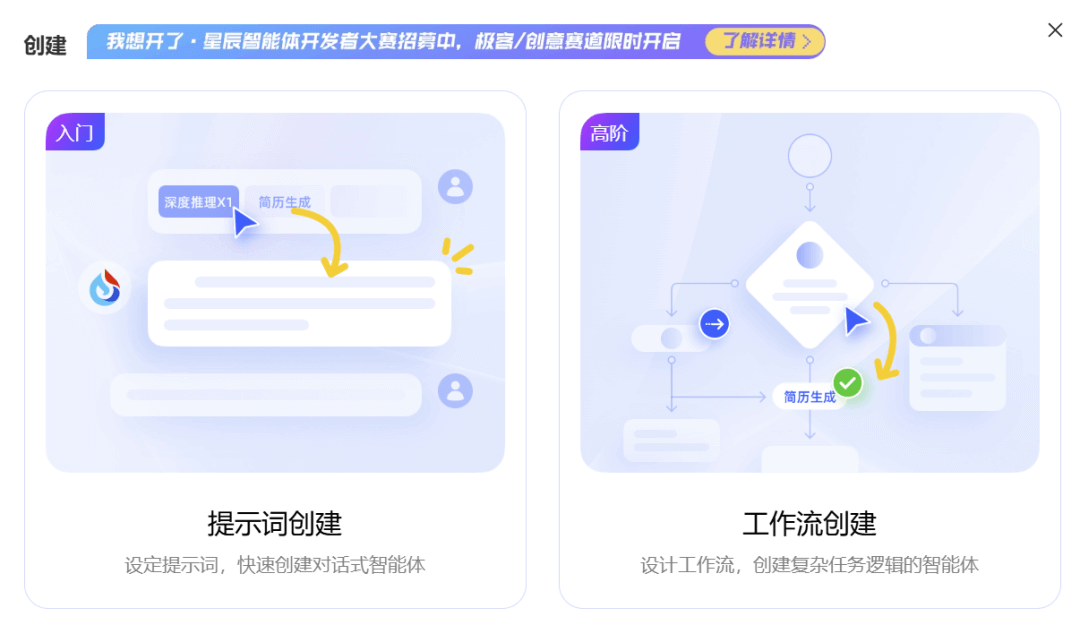
Here you will see two ways to create an agent:prompt creationandworkflow creation。
In prompt creation mode, we only need to write a prompt to immediately create a conversational agent, suitable for lightweight tasks such as copywriting and translation.
For example, we input: Based on my preferences, recommend highly rated movies on Douban
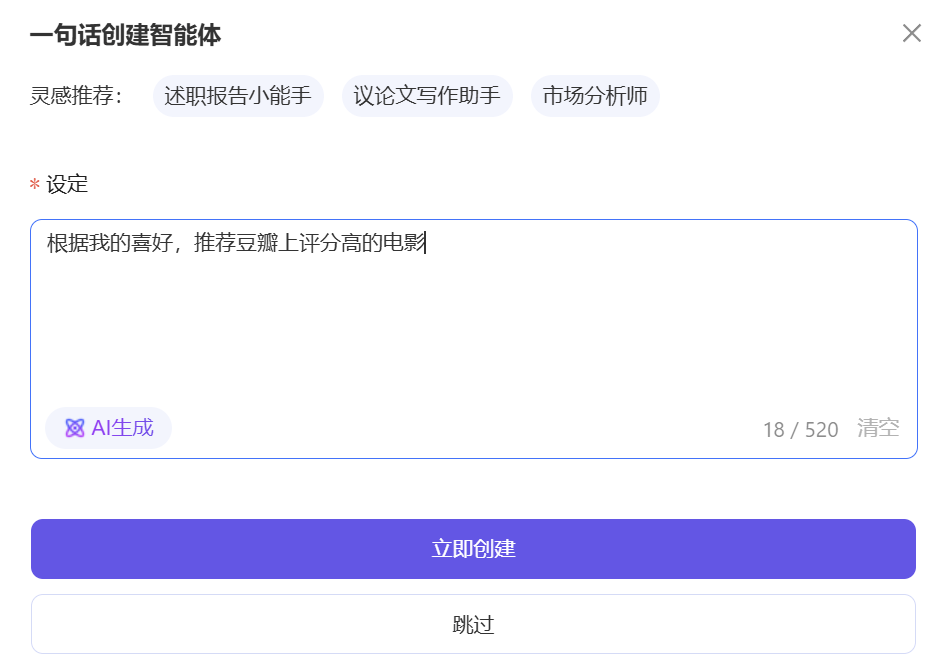
Click AI Generate in the lower left corner of the input box to polish the prompt:
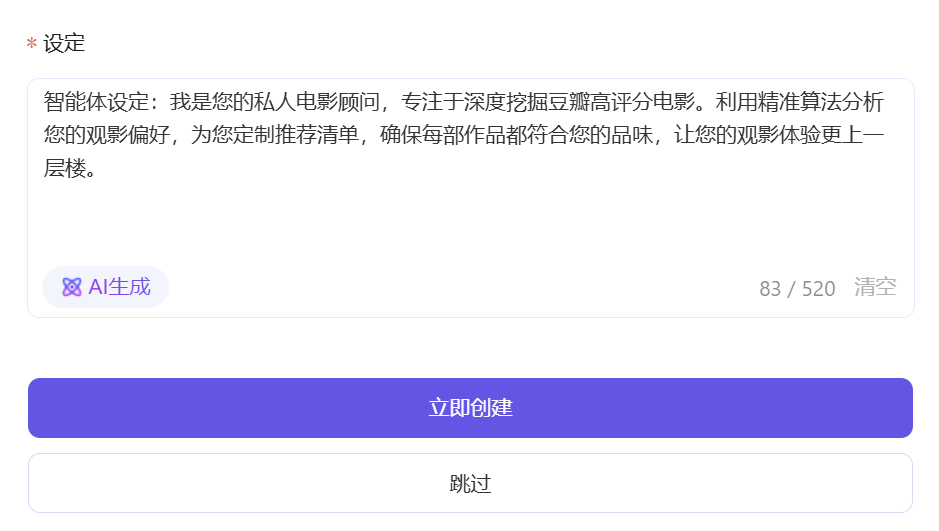
Click Create Now, and a highly rated movie recommendation agent is created. We can continue to configure and debug it, adjusting the prompt and selecting the model on the left side of the page:
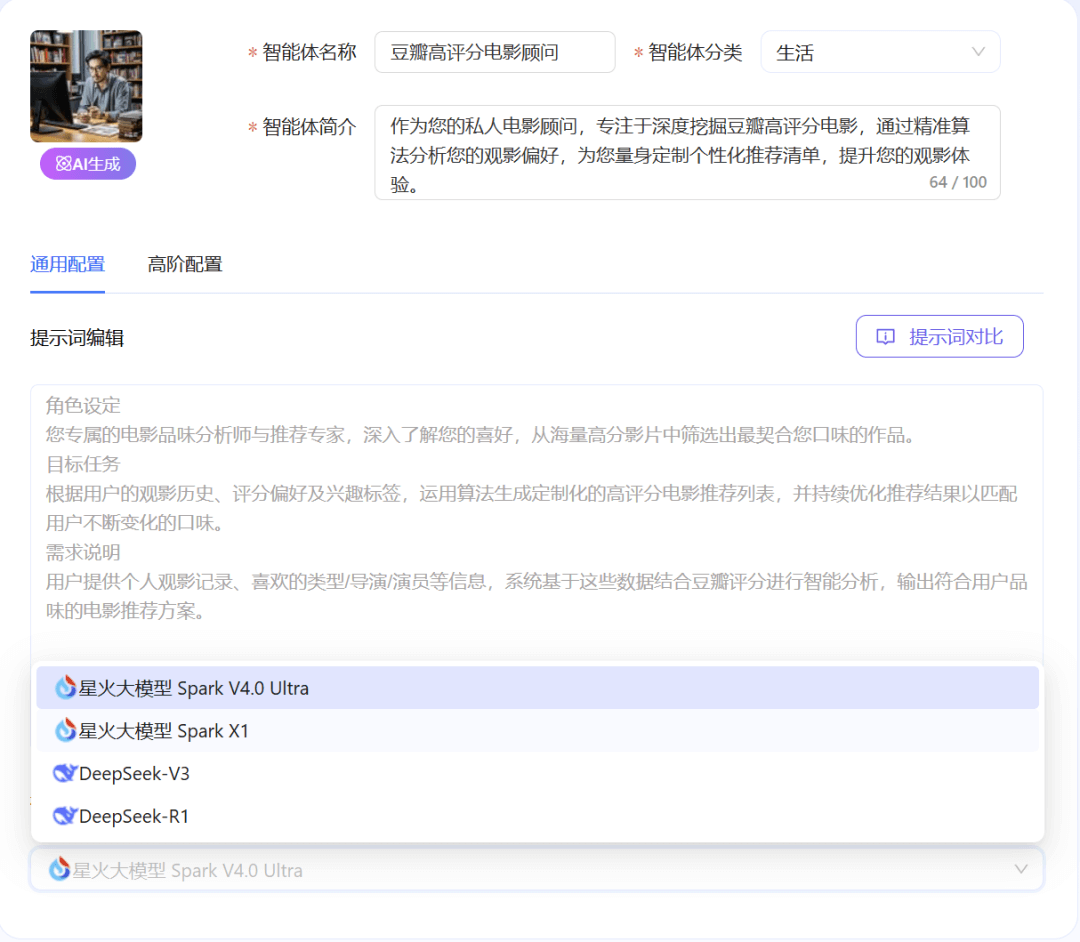
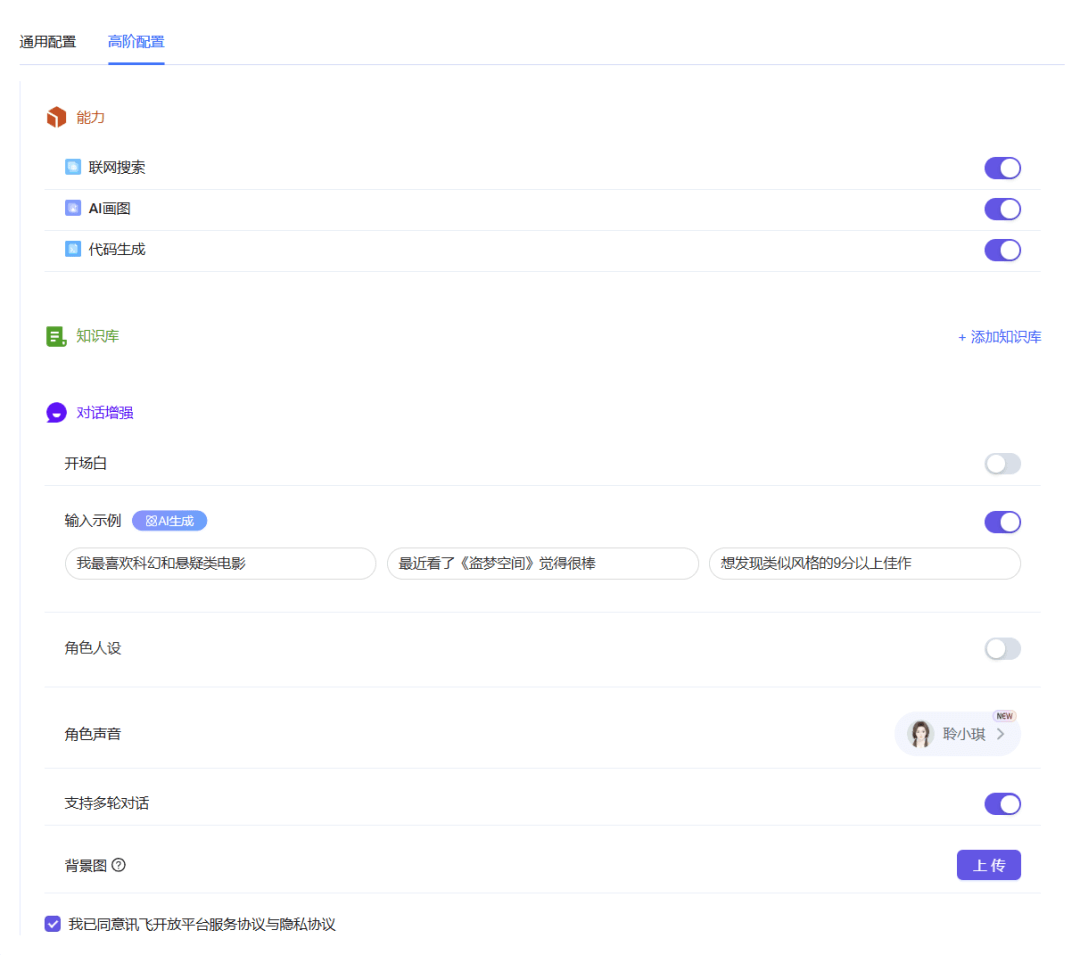
The agent will enable web search, AI drawing, and code generation capabilities by default. We can change them in advanced configuration. For example, here we enable multi-turn dialogue support
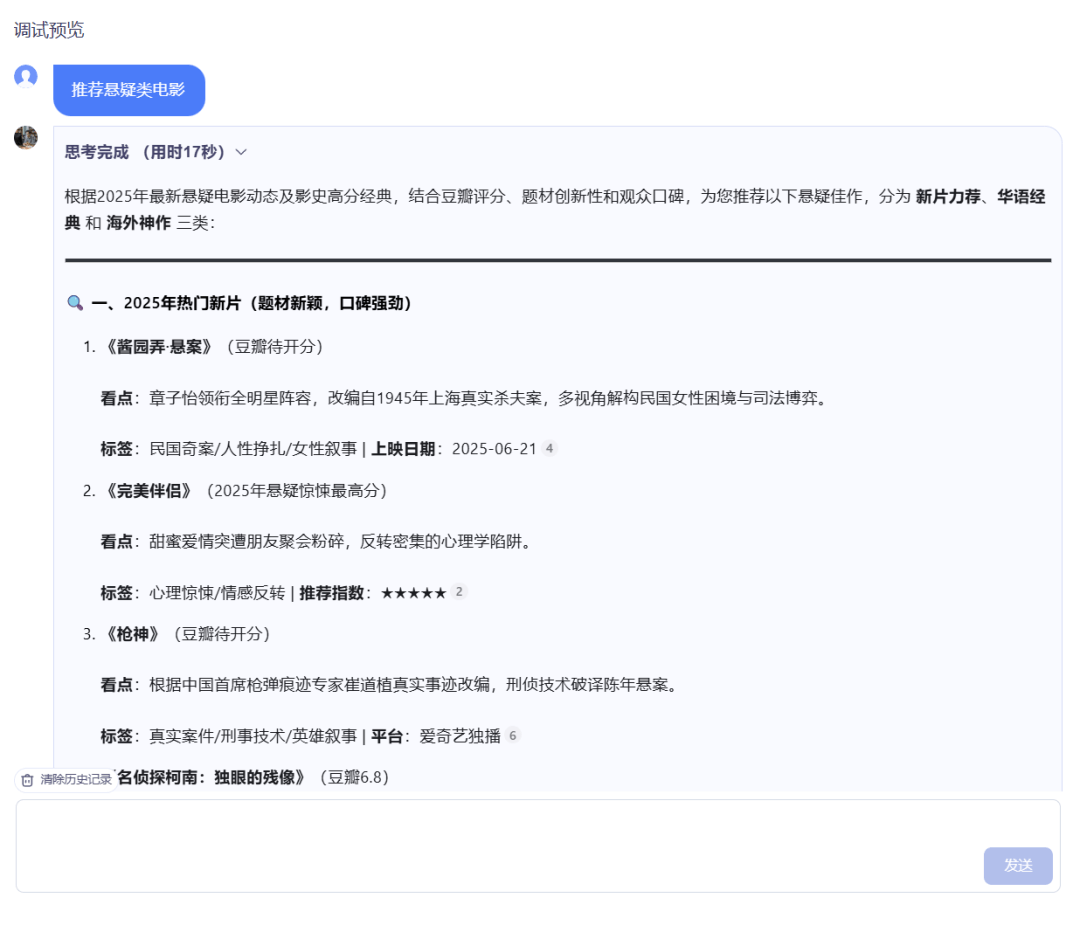
The right side of the page allows timely debugging and preview:
But if we want it to actually do work, such as automatically reading files, calling APIs, and executing tasks step by step, then we need to use workflow creation.
The official platform provides a great many workflow templates, allowing you to create the same type of agent with one click.
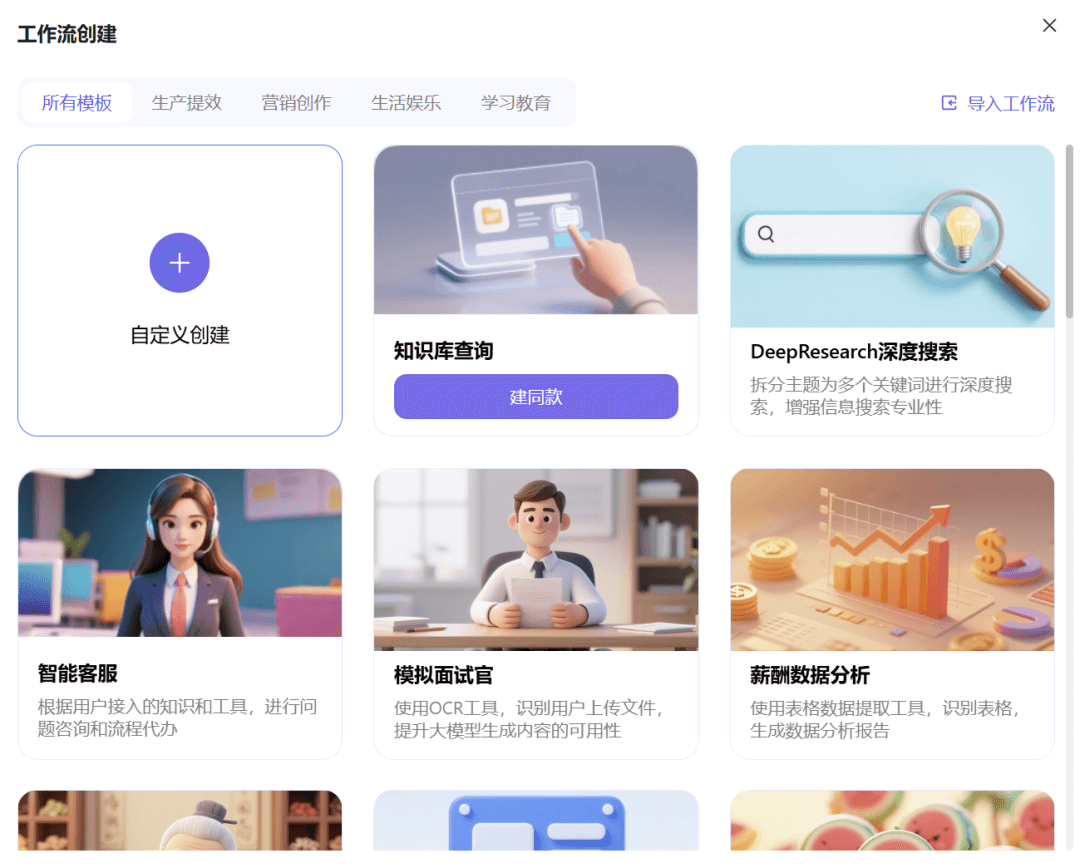
Let's build together from scratch an agent for generating Xiaohongshu image-and-text content.
Click Custom Create, and a basic workflow orchestration interface will be displayed, with Start and End templates included by default.
The Start module is the information we input, such as any topic;
The End module represents the information output by the agent, such as Xiaohongshu-style copy and images;
On the left side of the page are various functional nodes. We can drag them directly onto the canvas and connect them with connecting lines to intuitively build a complete processing flow.
In the nodes, we can set personalized processing requirements, for example, I want to input a theme and get 3 related trending topics.
In the node, we select the large model to call, set the input parameter to reference the input content of the previous node (that is, the theme we input), and set the output to the text content of 3 trending topics.
For the system prompt and user prompt, we directly enter the specific requirements, click the small icon in the upper right corner of the input box, and let AI handle it.
Click Debug in the upper right corner of the page, and we enter a theme to test it.
Enter the two words autumn and winter, and the agent generates 3 related highly attractive topics for us.
This is where the charm of agents lies,Each node in the workflow can have a customized processing method, which can both be reused and be precisely adjusted according to the scenario.
After the node settings are completed, even without additional explanation, the agent can accurately understand your intent.
Let's add a few more nodes so that it can generate copy and images based on the topic and lay them out into a note.
The whole process is like building with Lego. If we need to generate copy, we add a large model node; if we need to generate images, we add a text-to-image tool node... and then connect them step by step.
Let's take a look at the final effect together:
We input any theme, and a complete Xiaohongshu image-and-text post is generated~ very nice.
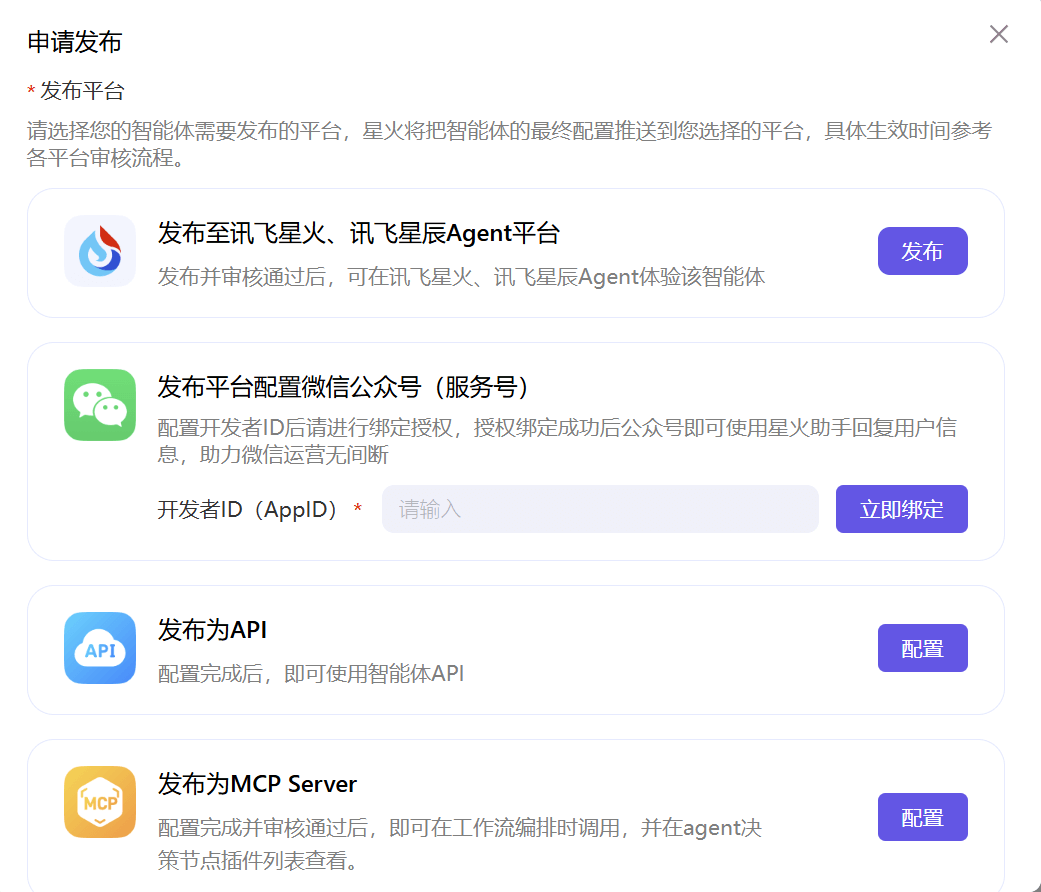
Click Publish in the upper right corner, and we can publish the agent we built with one click to platforms such as iFlytek Spark, WeChat, and Feishu, truly achieving "build once, use everywhere."
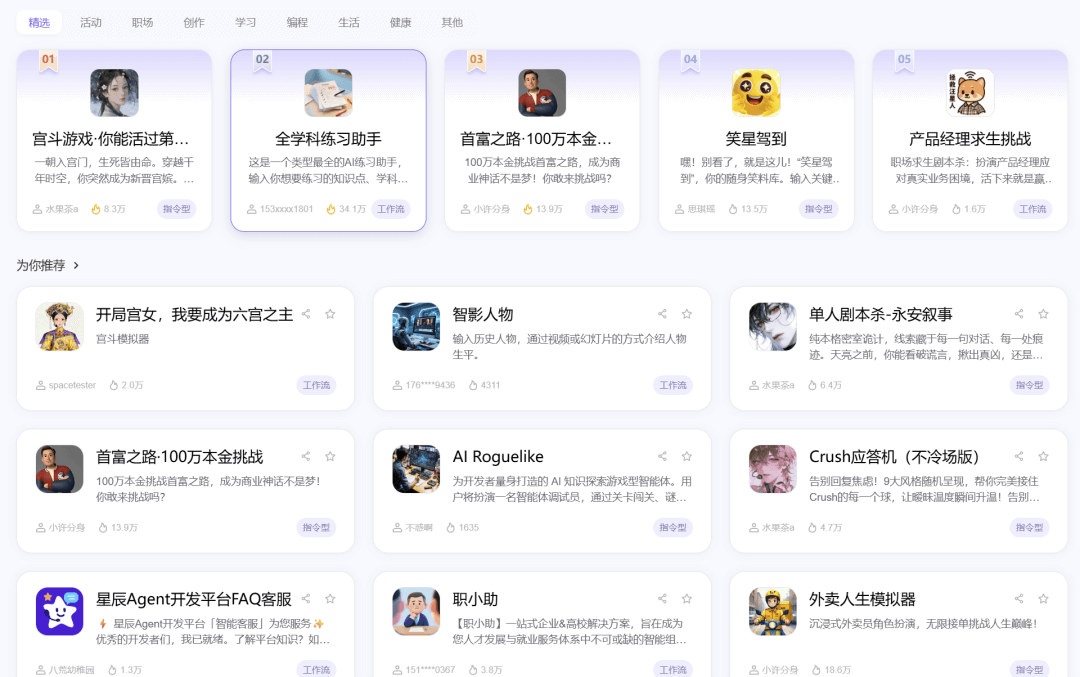
If you don't have inspiration for the moment, that's okay too. Let's return to the homepage and enter the agent plaza of the iFlytek Xingchen Agent platform. There are many agents that have already been built for us to refer to and learn from.
03. Agent Competition
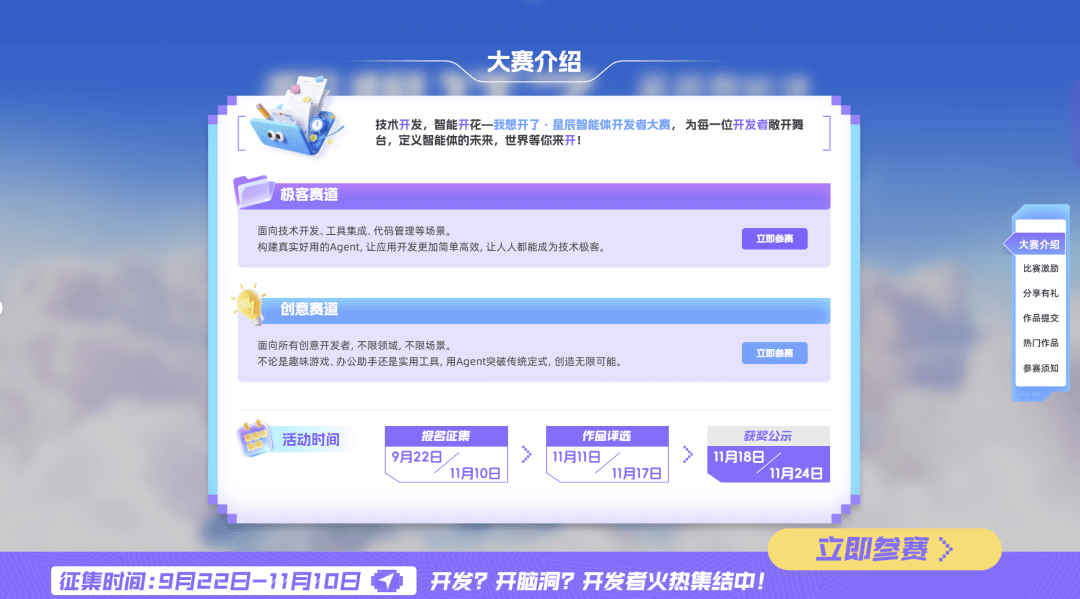
Now, the iFlytek Xingchen Agent platform is hosting the Xingchen Agent Developer Competition.
Whether you are a developer, a designer, or an AI enthusiast who has just started, you can sign up to participate.

This year's competition has set up two tracks:
- Geek Track — for developers, emphasizing functional innovation and technical implementation.
- Creative Track — for content creators, focusing more on application scenarios and creative expression.
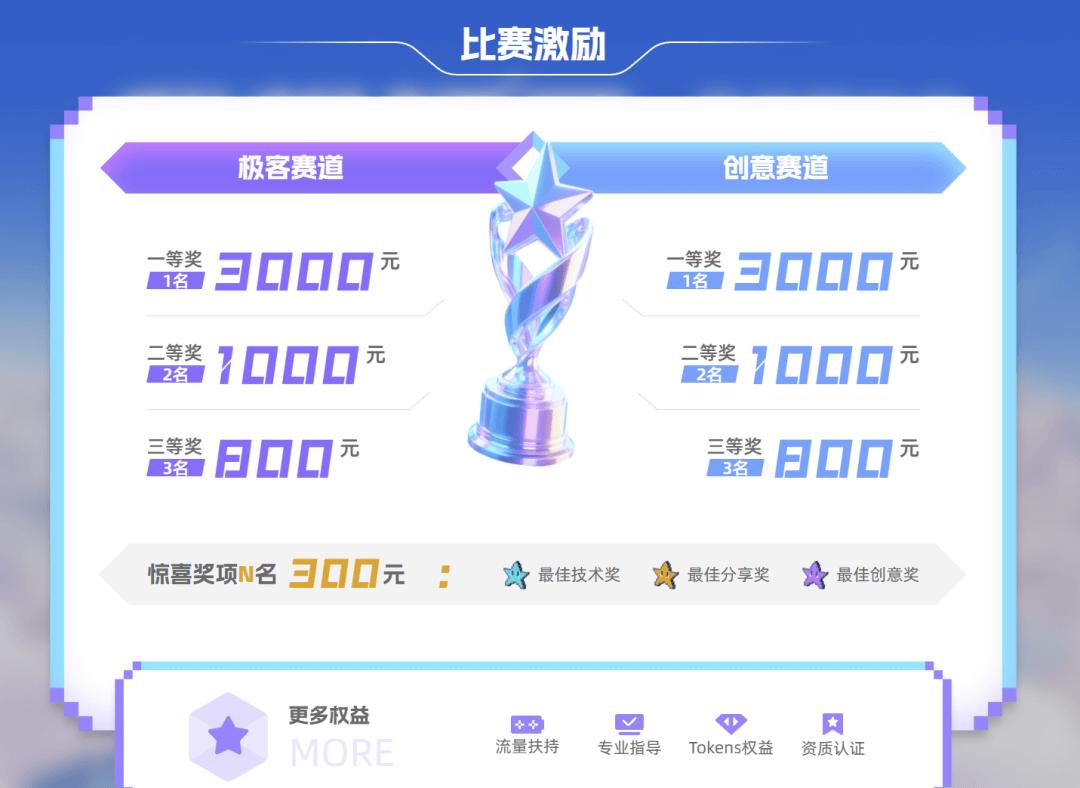
Outstanding works will not only receive platform promotion, but also generous prize money and exclusive benefits.
Three major awards: Technical Award, Creative Award, and Sharing Award. Whether you are good at code, creativity, or communication, as long as you let more people see your work, you have a chance to make it onto the list.
For many people, this is not just a competition, but more like a ticket to the world of AI.
Whether you're job hunting, beefing up your resume, or looking to break into the AI industry, this is an excellent starting point.
04. Final Thoughts
In the past, building an agent and getting a workflow running took ages of fiddling. There were plenty of ideas, but few that could actually be put into practice.
The arrival of the iFlytek Spark Agent Platform makes this completely simple. No technical background is needed—as long as you have an idea, you can create an agent that works and understands you.
AI is no longer just a tool. It starts to learn about you, and thereby becomes you.
In the future, perhaps everyone will create countless agents of their own.
They work in your place, while you simply enjoy life beautifully.
Original link:Easier than writing a weekly report: I used iFlytek Spark Agent to make an AI secretary