

Our daily office work today is basically inseparable from these few things: Wiki, cloud documents, the Office trio (Word, Excel, PPT), plus various AIs — Copilot,Workflow, Agents, and even new forms that may emerge in the future.
The problem is, these tools each go their own way now.
To write a proposal you have to switch to a document platform, to make a data table you have to open Office, and to run an AI workflow you have to switch to yet another set of tools. Not only is your train of thought easily interrupted, reusing information is especially troublesome.
Isn't there a platform that can integrate all these functions?!
Yes!
Hello XingShi, a new-generation AI intelligent text workspace. It puts the knowledge base, documents, tables, PPTs, and audio meeting notes all into the same workspace. From information collection and organization to generation and output, there is no need to switch back and forth.
For people who are used to multitasking, this centralized way of working improves efficiency by more than just a little!
01. Hello XingShi Knowledge Base: Super-efficient knowledge linkage
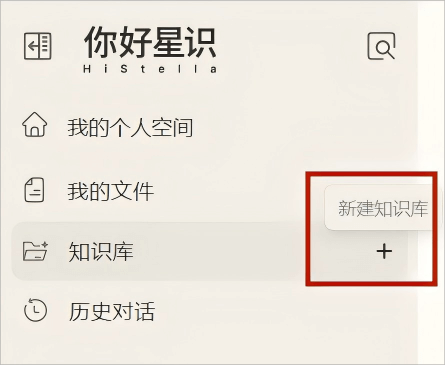
Let's go directly to theHello XingShi official website, and click "New Knowledge Base" on the homepage.
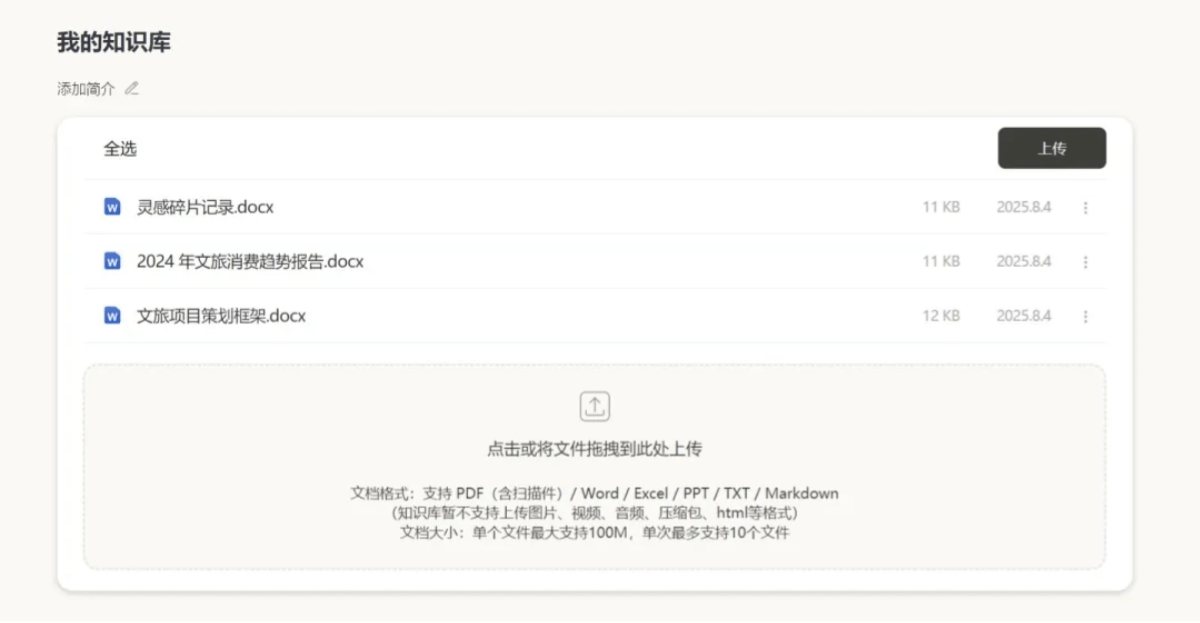
Scattered knowledge and project experience can all be uploaded in batches, supporting common office file formats such as PDF, Word, Excel, and PPT.
Hello XingShi's knowledge base canautomatically organize, locate, generate, and build indexes, proactively weaving scattered knowledge into a web.
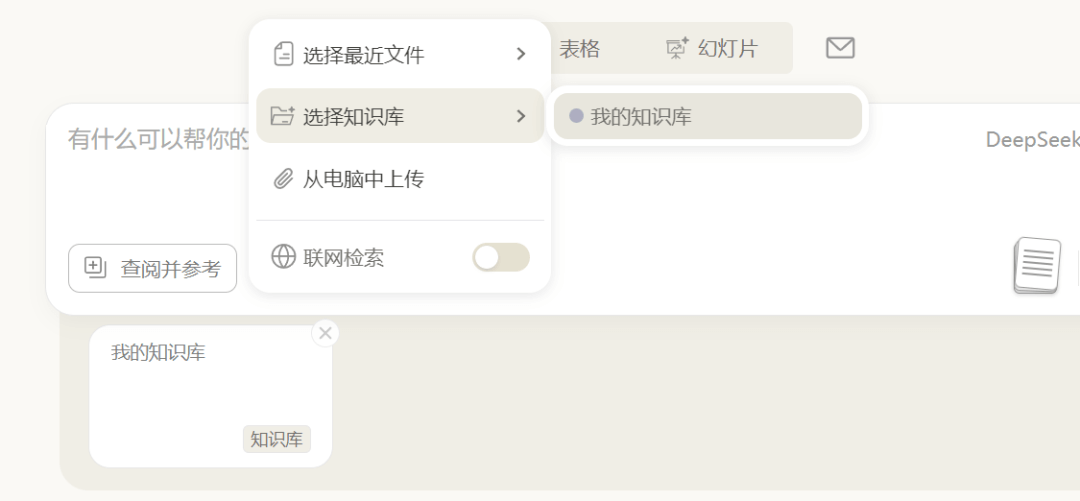
For example, if I ask a question about the content of one of the documents in the knowledge base, firstclick to check and referenceand select the knowledge base I just created.
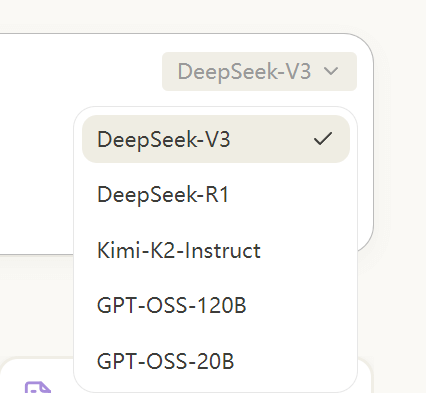
Hello XingShi has multiple large models built in. In addition to the well-known DeepSeek R1 and V3, GPT-OSS-120B, GPT-OSS-20B, and Kimi-K2 have recently been added.
Here I chose DeepSeek V3, which has good performance, broad use cases, and feels more familiar~
Then enter the prompt:
Prompt: Please summarize the characteristics of the cultural tourism industry in 2024.
We can see that it locates the corresponding file in the knowledge base and outputs the content summarized in bullet points.
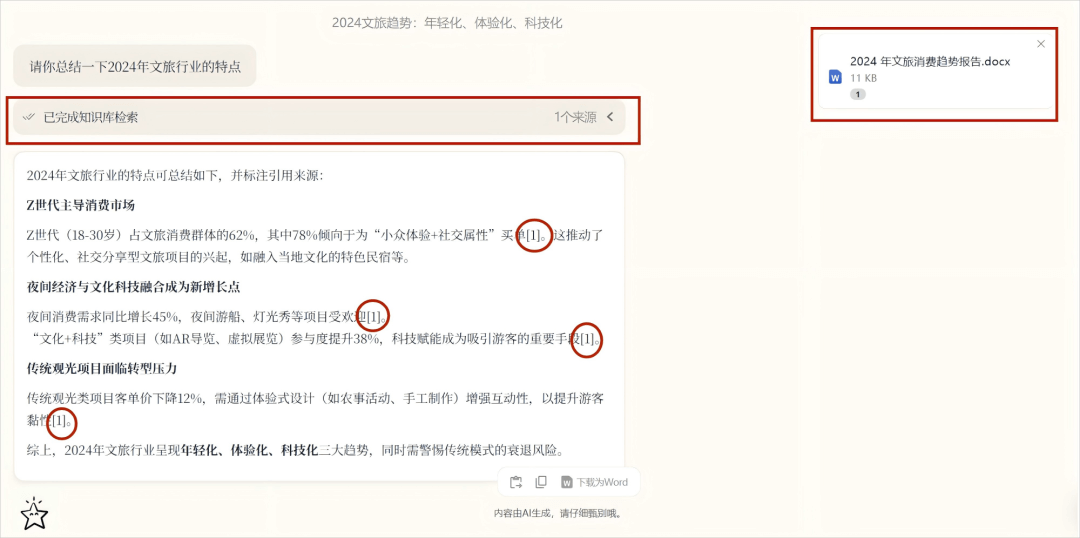
In addition, I have also figured out a few tips for using the Hello XingShi knowledge base precisely! For things like extracting concepts, summarizing chapters, and comparing references,medium granularityquestions, it is super good at them~
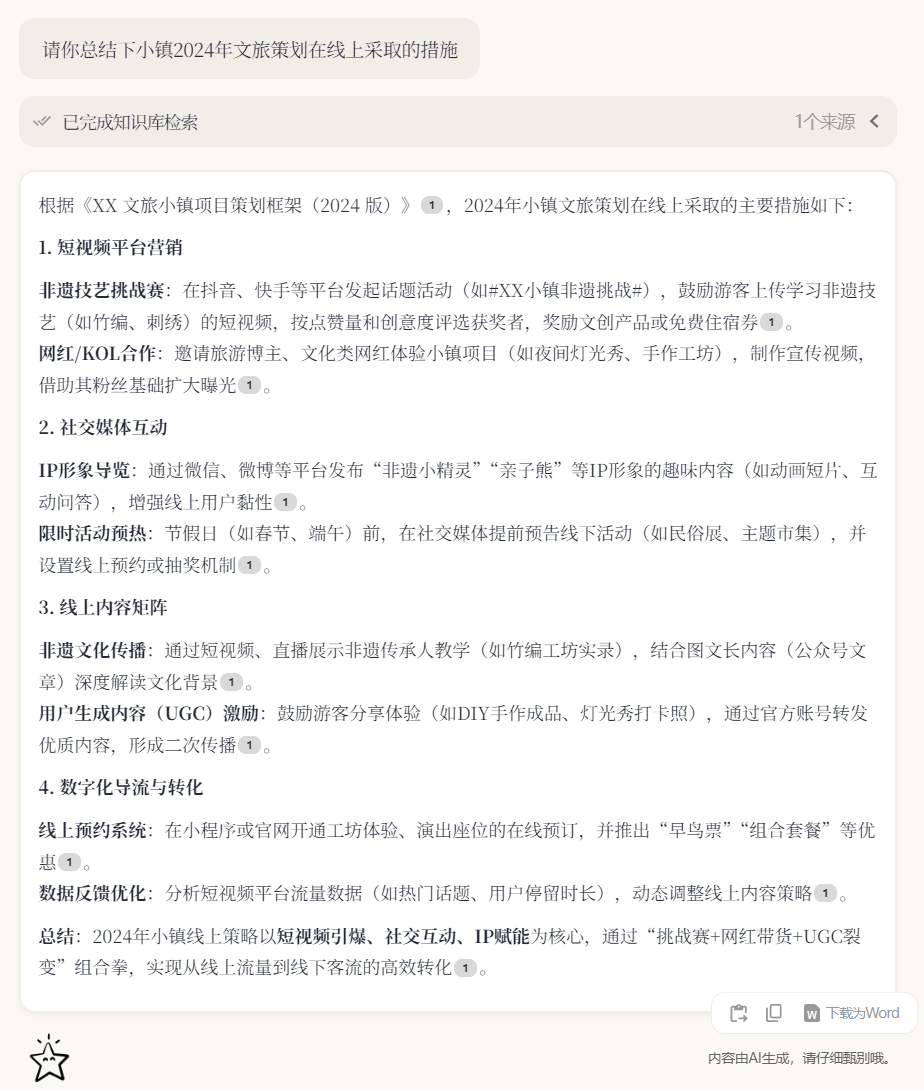
For example, if I ask it to summarize a certain part of the content in the knowledge base, Hello XingShi uses a general-to-specific format to concisely and methodically summarize the content.
Prompt: Please summarize the online measures taken in the town's 2024 cultural tourism planning.
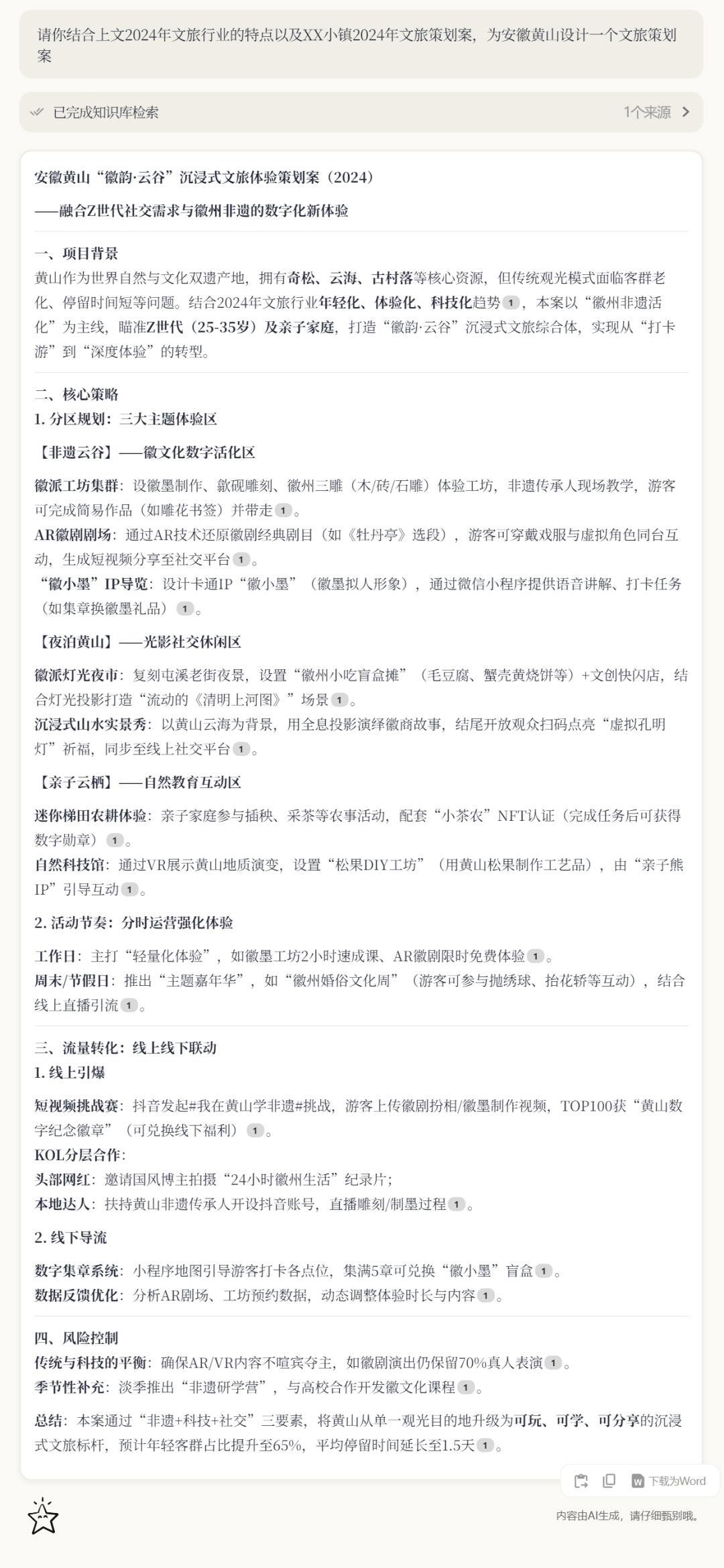
Itsmulti-round follow-up questioningis also very useful. For example, here I asked it to combine the characteristics summarized above and the template in the knowledge base to generate a "Huangshan Cultural Tourism Planning Proposal" for me.
You can see that it integrated the content above and referenced the template in the knowledge base to generate a feasible planning proposal!
Prompt: Please combine the characteristics of the cultural tourism industry in 2024 above and the "XX Town 2024 Cultural Tourism Planning Proposal" to design a cultural tourism planning proposal for Huangshan, Anhui.
02. AI Recording Notes: More Than Just Speech-to-Text
Hello XingShi's AI recording notes are also outstanding! It has powerful functions that integrateprecise transcription, intelligent analysis, and efficient organization.
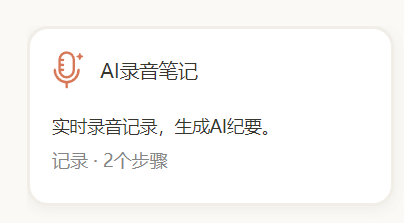
After opening the web page, I only need to clickAI Recording Notes, and it automatically started recording and recognizing.
During testing, I found itstranscription accuracyto be truly stunning. Whether it was everyday conversation or discussions involving specialized terminology, it could present everything precisely.
For example, for complex expressions such as the technical term "energy level transition under quantum entanglement state," Hello Star Vision transcribed them correctly in one go.
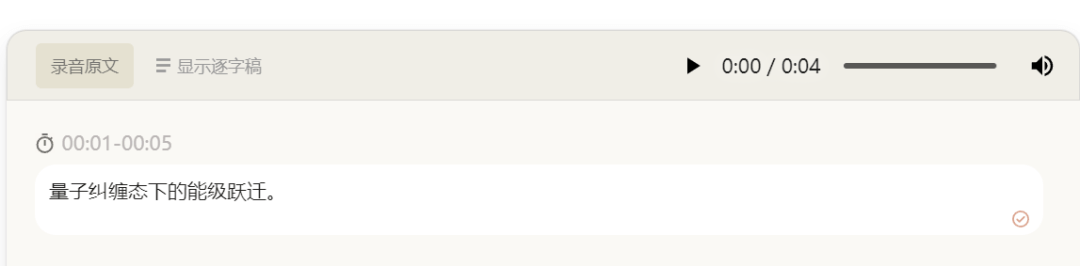
After ending the recording, I opened therecording transcript, and found that it could also automatically identify each person's speaking paragraphs, and it even divided the corresponding time for each sentence for me!
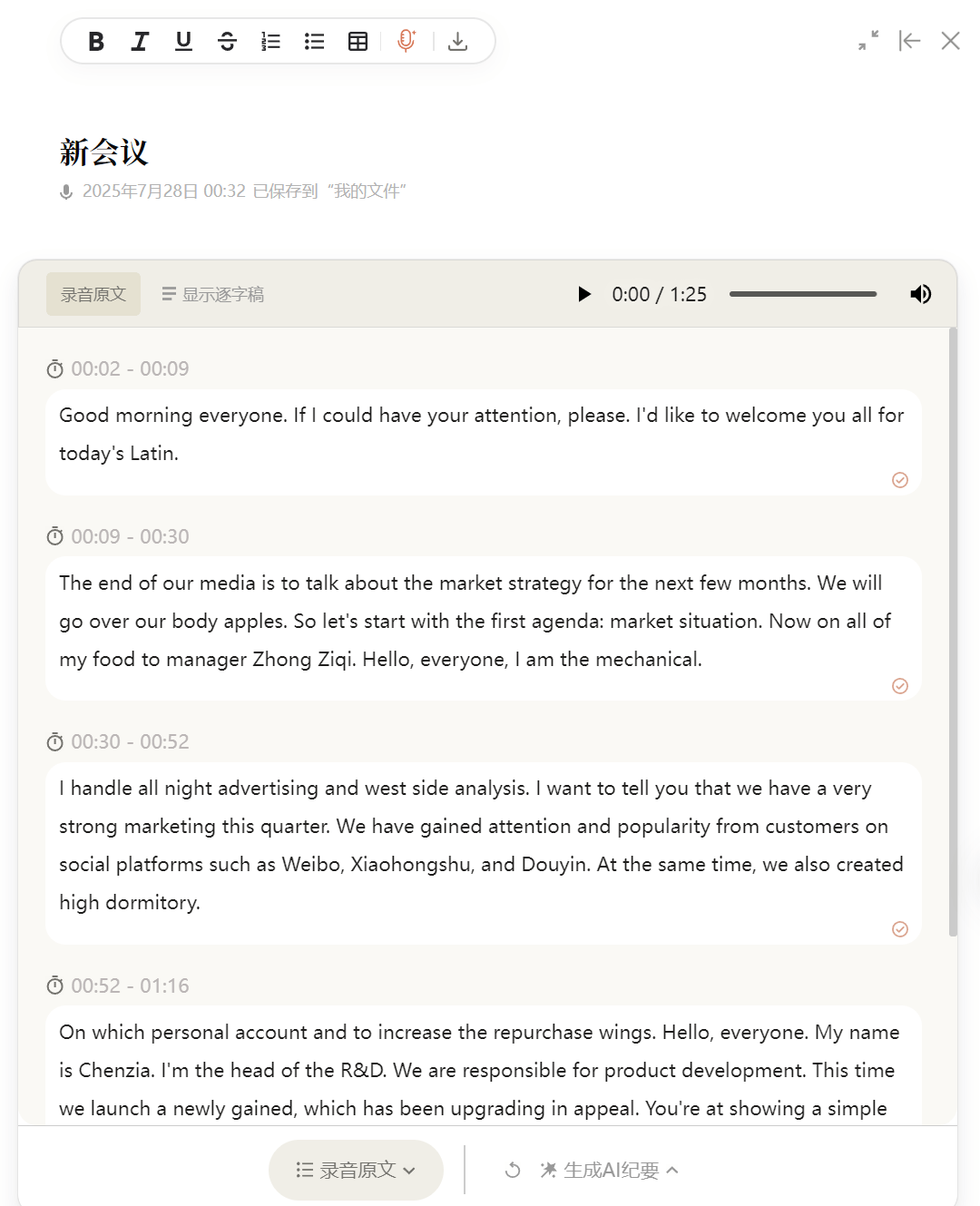
In the past, when we mentioned recording notes, we might have simply thought of speech-to-text. But Hello Star Vision can alsoautomatically organize meetings and generate complete minutes。
For example, here I just clicked Generate AI Minutes at the bottom, and it generated the meeting's basic information and core points for me with one click.
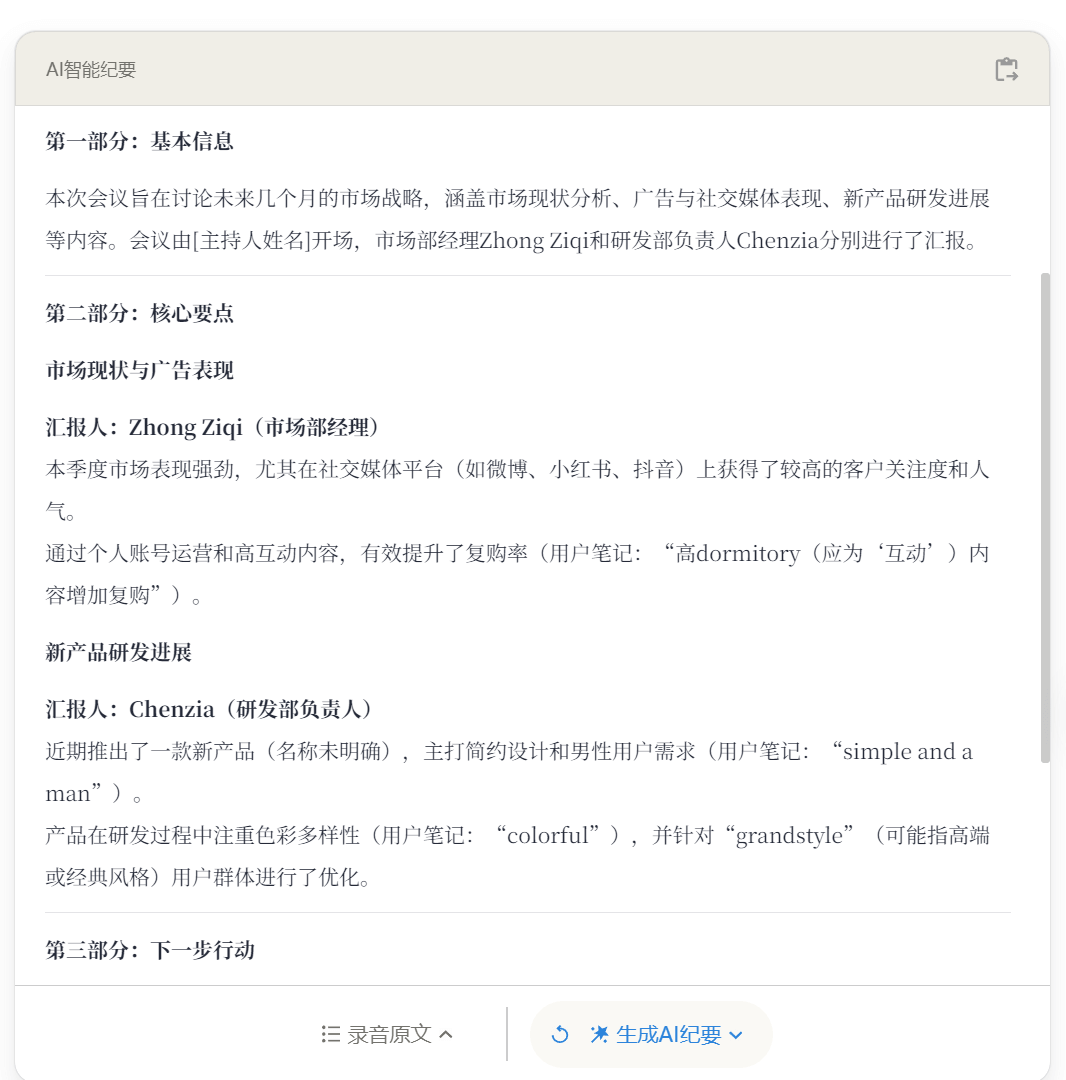
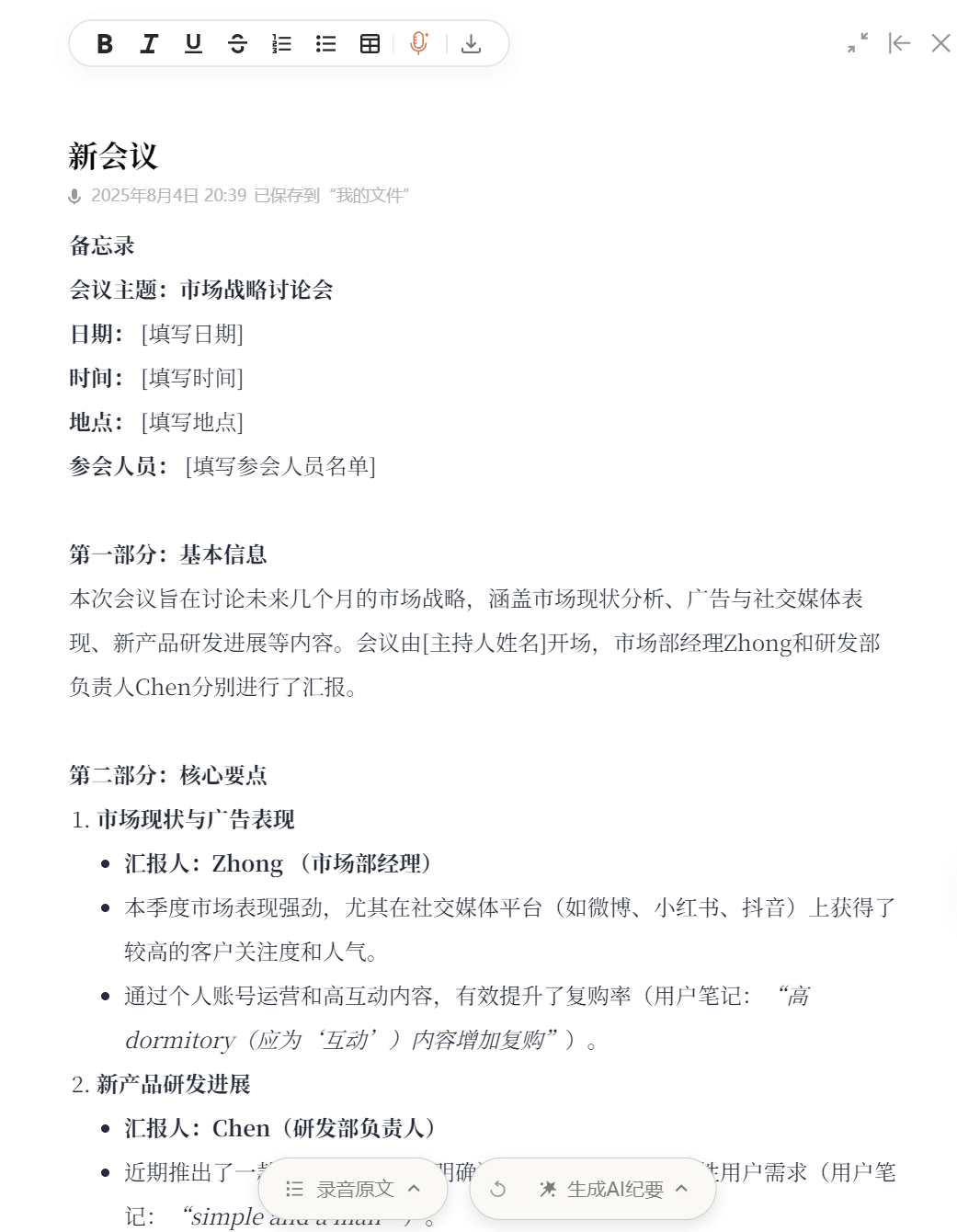
What surprised me was that after I clicked the button in the upper right corner, I found that it could alsosend themeeting minutes to a document with one click for editing. I really no longer have to worry about doing meeting records poorly!
03. Smart Table Assistant
The previous two points already made K-jie feel especially relieved, but unexpectedly Hello Star Vision also launched its Smart Table Assistant feature.
During testing, after I put the files that needed to be supplemented into the target table, I uploaded the reference table file, and then clickedQuick Fill Table。
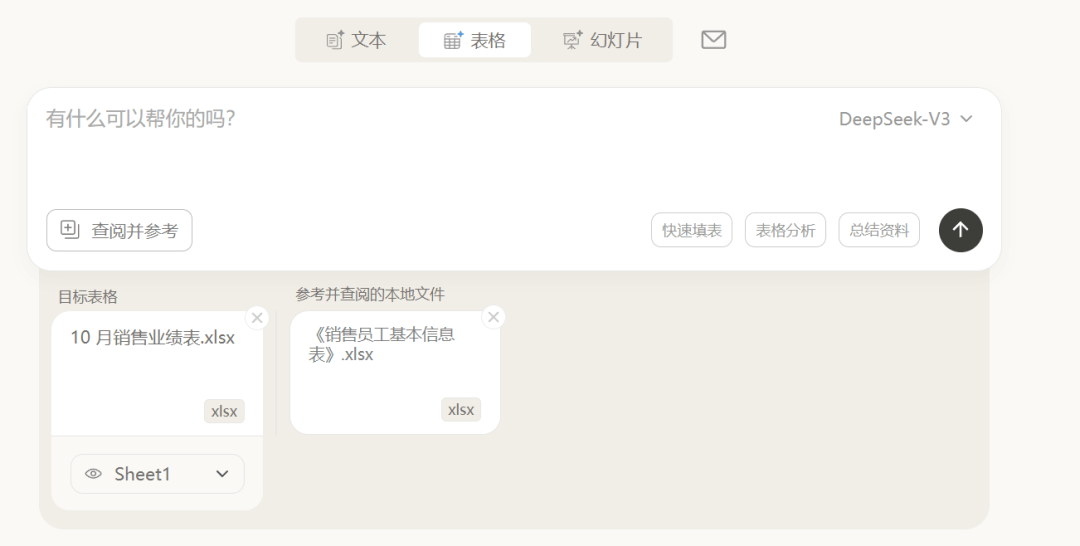
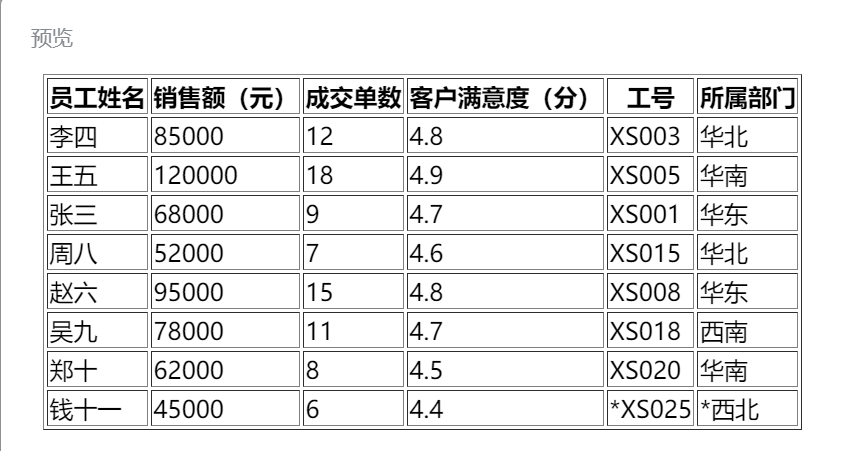
It first generated a piece of code, and after I clicked Run, I got a fully supplemented table. And for content that was not in the reference file, it also marked it in the table for us.
It really saves us workers a lot of time learningExcel functions!


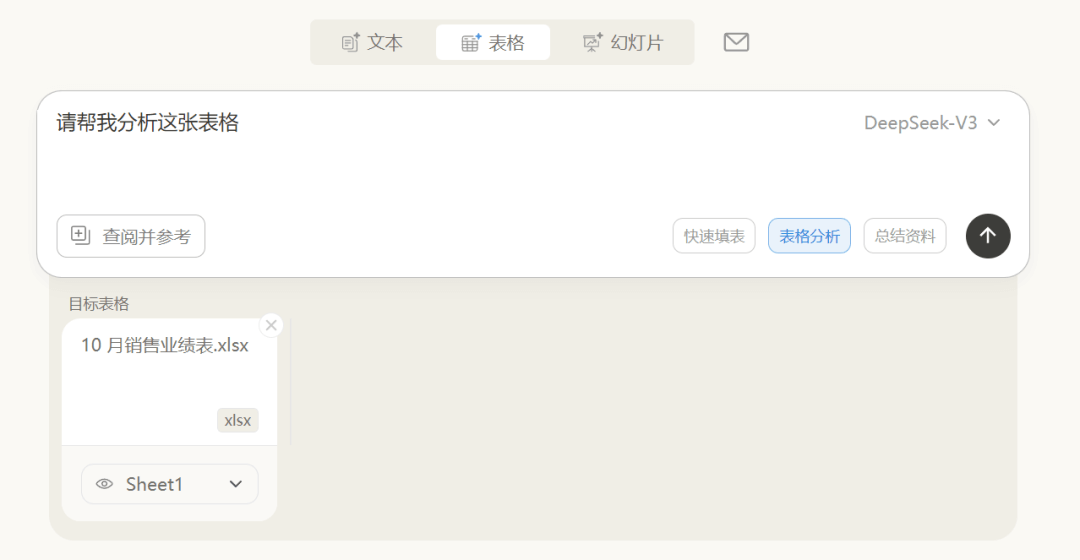
On this basis, I also tried its table analysis feature. I uploaded the file that needed analysis, and then clicked Table Analysis.
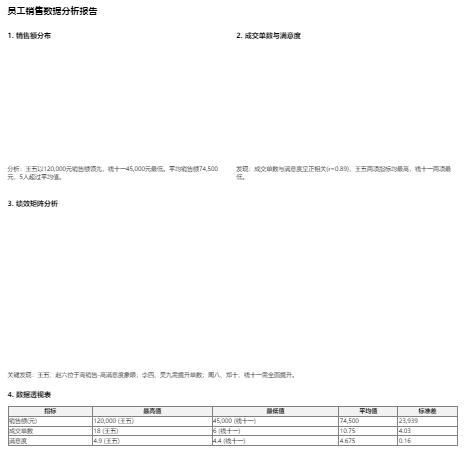
It will conduct visual analysis of the table from different angles, but in actual testing K-jie found that some chart outputs would be missing.
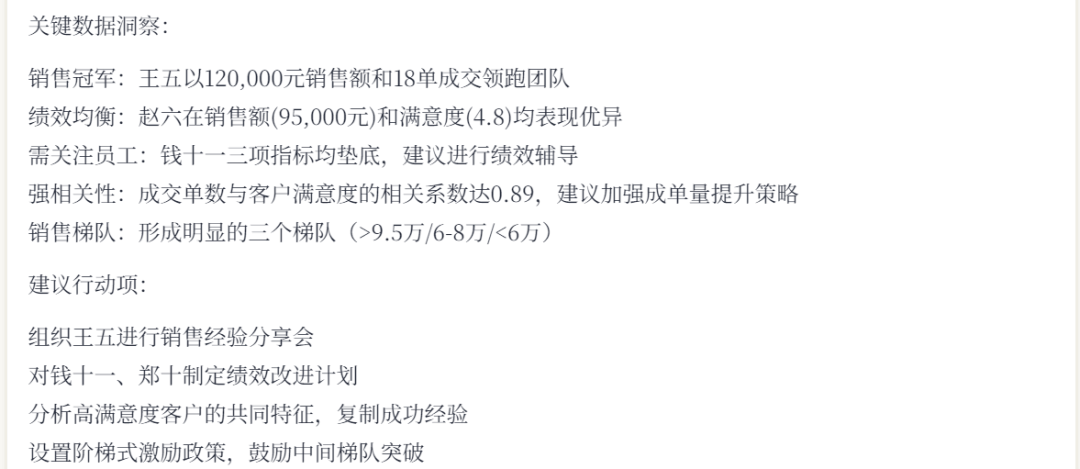
Finally, after I uploaded text materials containing key data, I clicked Summarize Materials.
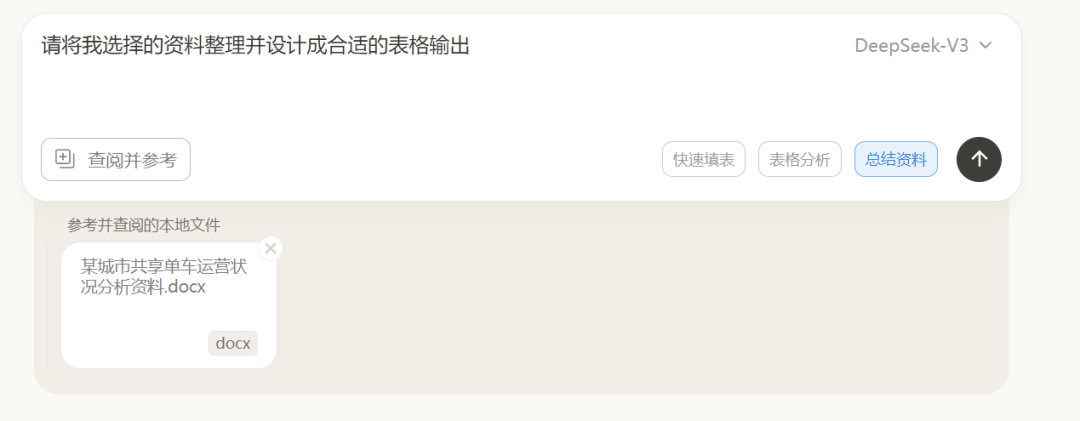
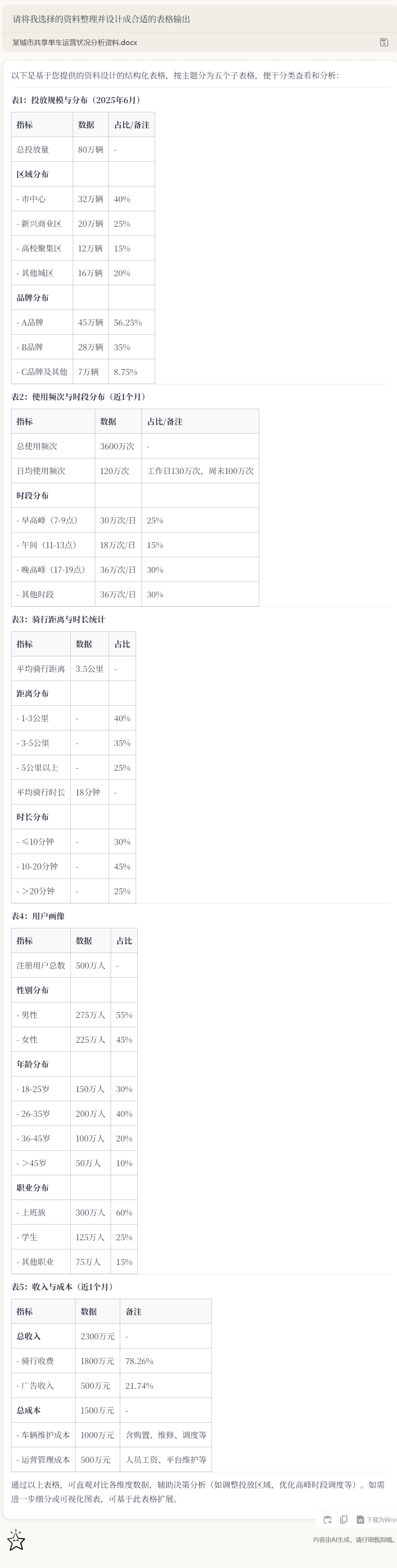
It automatically extracted the core information and generated several sub-tables for me categorized by theme, fully covering all the materials I uploaded!
04. Some Sharing
Hello Star Vision is quite right in its product direction. Many knowledge base tools only "collect"; once collection is done, they become an information graveyard. Hello Star Vision is "collect + use," turning information into content that can directly drive decisions.
Now, Hello Star Vision is also gradually launching features such as slideshow mode and smart workflows, and the office chain is being pieced together bit by bit.
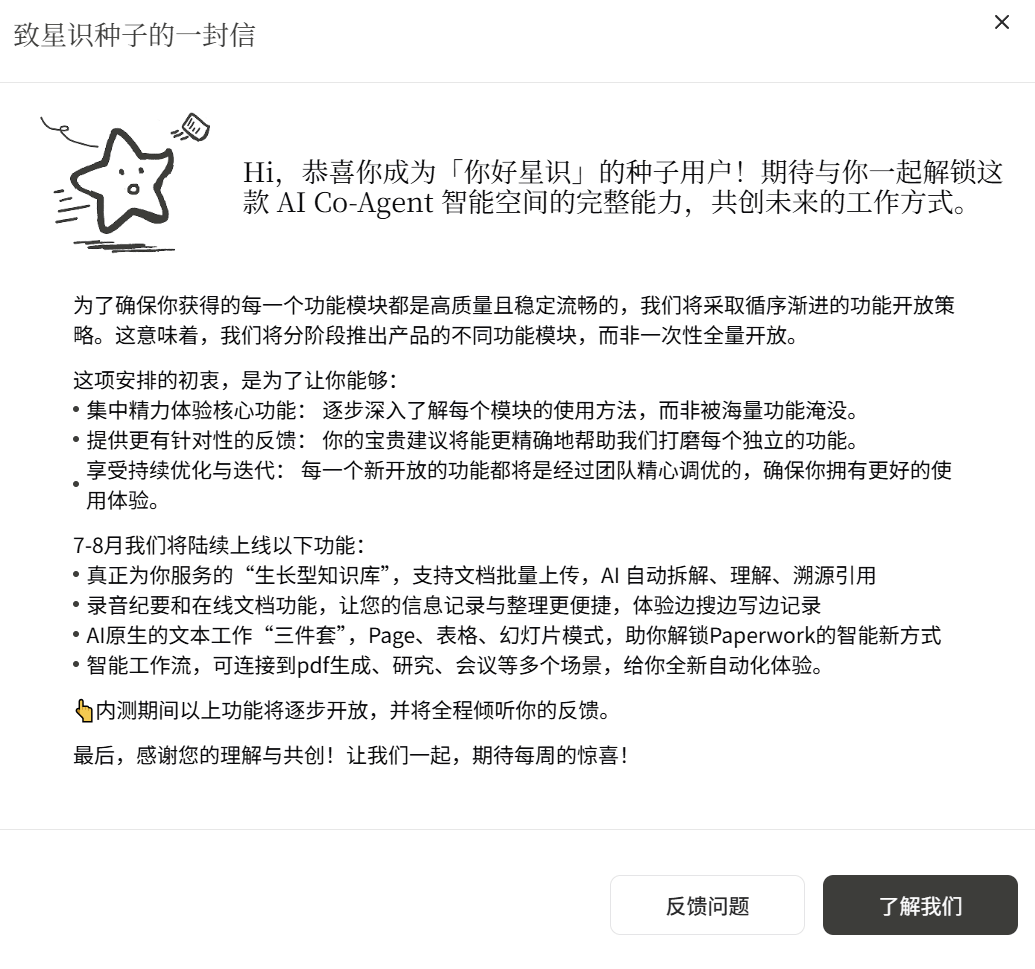
Hello Star Vision has also proposed a new concept—AI Co-Agent.
Future collaboration should not remain only at the level of "person-to-person" coordination, but should also bring AI in to work together and advance the entire process with you.
This is a completely new way of working. The collaboration between people and AI is like adding a tireless, cross-domain colleague to the team:
- recording and organizing key points simultaneously during your meetings;
- when organizing documents, quickly retrieving original citations from the knowledge base;
- when handling tables, helping you withdata cleaningand structured analysis.
After using it for a while, you will find that this is not just an improvement in efficiency, but a fundamental change in the way you work.
Friends who are interested canClick to apply for beta testing~
Original link:After experiencing the "AI Co-Agent" Hello Xingzhi, I found that Office is becoming the tears of the times