
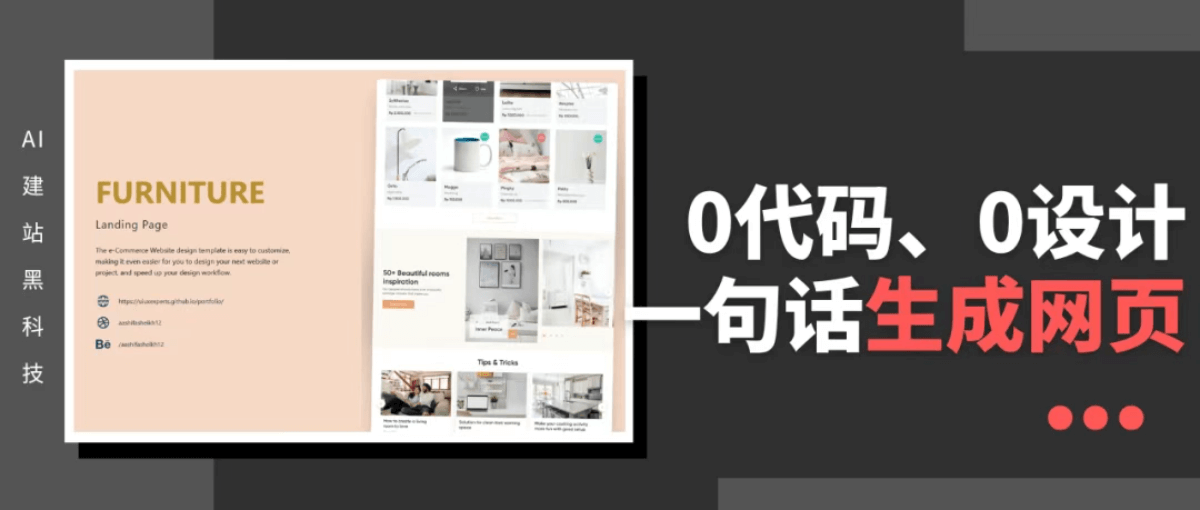
Have you ever thought that you only need to type one sentence and in a few minutes you can have a website of your own?
Today I found thatCoze Spacelaunched a particularly cool feature—webpage generation.
Generate a webpage with one sentence, done in a few seconds, without writing a single line of code throughout the whole process.
From e-commerce webpages to personal portfolios, and various cool animation effects, it can instantly understand your needs.
It can also turn my abstract sketches into an interactive webpage.
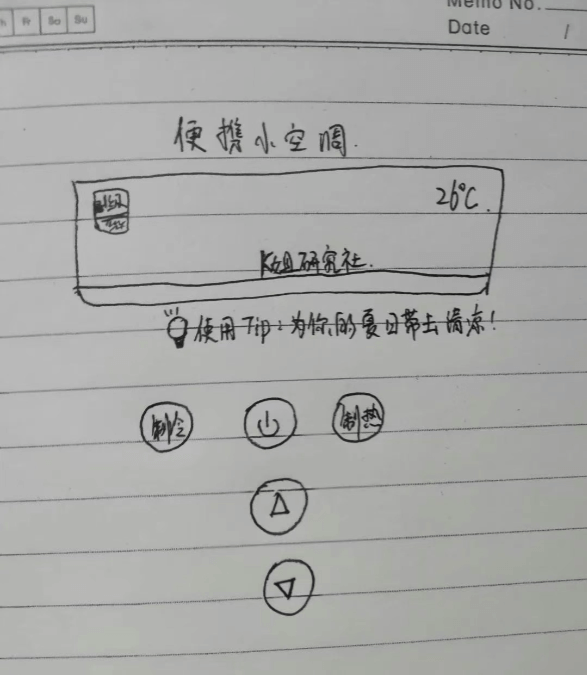
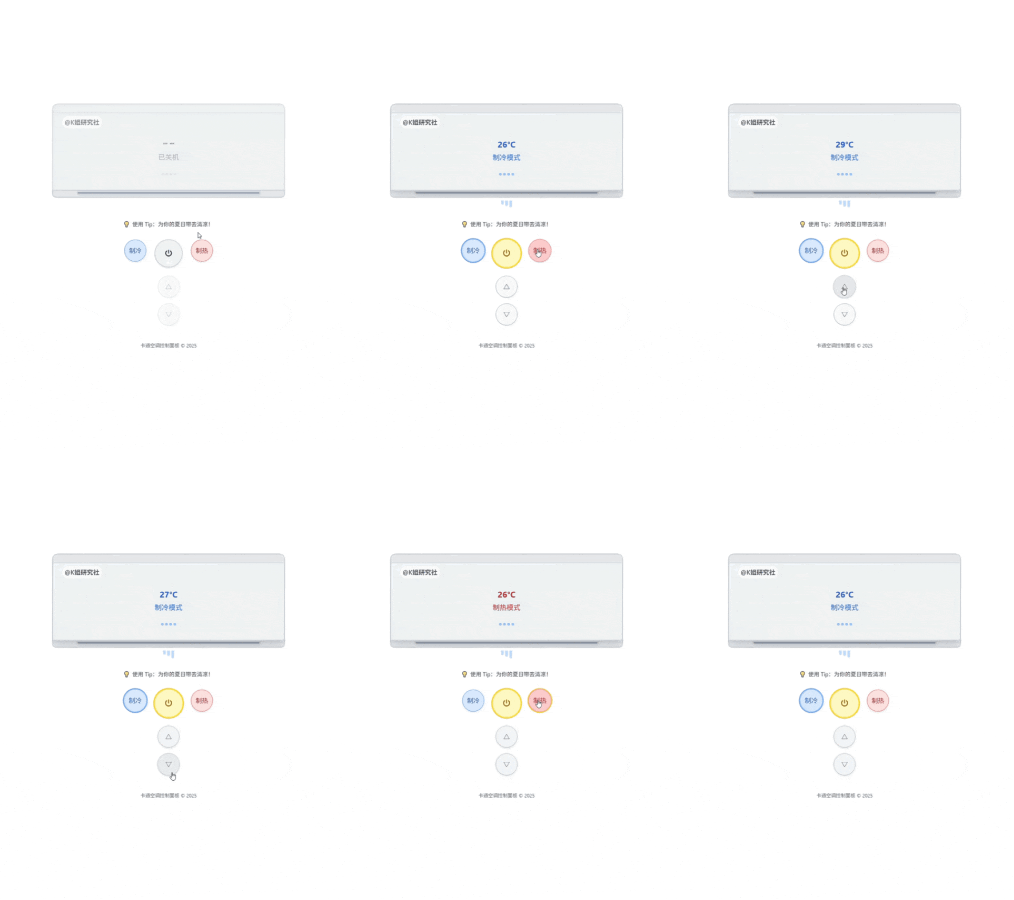
After playing with it for a day, I tested dozens of cases in total, and selected the most representative few to share, which everyone can use as references to make their own webpages.
01. Hands-on Test
Design a webpage based on a reference image
提示词:请为我生成一个简洁、卡通风格的空调网页控制面板,包含以下元素:页面中央是一个「空调显示屏」,显示当前模式(制冷/制热)、温度(默认 26℃)、品牌名(@K姐研究社)空调下方是一个小灯泡图标写一句提示语:「使用 Tip:为你的夏日带去清凉!」;下方排列五个控制按钮,依次是:制冷、开关、制热按钮;温度加按钮(△);温度减按钮(▽)整体布局居中,按钮采用手绘风格圆形,鼠标悬停时有轻微动画;页面背景为白色动态交互效果如下:点击「开关」按钮,切换空调开/关状态;;开机后,显示屏亮起,显示当前温度,并在空调下添加有风吹动的动态效果;播放轻微启动滴音效和持续的风声背景音;关机时,显示屏熄灭,所有风动效果和声音停止,并播放关机音效。按键音效:每点击一次按钮(包括温度调节 / 制冷 / 制热),播放清脆按键音,制造物理遥控器的真实感。温度调节效果:△ / ▽按钮每点一次,显示屏上的温度数字升高或降低; 温度范围为 16℃~30℃;调整时数字有滚动过渡动效,而不是瞬间跳变。 制冷 / 制热切换;点击「制冷」「制热」按钮,切换模式;切换后显示屏文字相应改变(蓝色表示制冷,红色表示制热);同时播放轻微切换音效
It almost restored my hand-drawn draft one-to-one, and its image recognition ability is quite impressive. Moreover, all the buttons can be used smoothly, and it really feels like an air conditioner was generated out of thin air. The cool summer breeze has also blown onto the webpage~
Auxiliary teaching webpage
提示词:请根据高中物理必修2的抛物线运动,总结不同题型,设计一个html语言的教学演示互动的动画我能想到的必要的结果:手动设置初速度、角度、重力加速度、风力,动画演示过程中要留下抛物线痕迹(虚线)、可以在任何一个点暂停,出受力分析 请你再分析不同情况,完善需求,出这个html的动画演示
The entire interface design is very concise, and it can convert physics formulas into visualized charts, suitable for teaching demonstrations.
Similarly, it can also be applied to various scenarios of graph and formula conversion.
Illustrator's personal webpage
提示词:请为我创建一个明亮、插画感强、结构清晰的双页式中文作品集网页,用于展示插画师的风格与作品,支持浏览、筛选、联系功能,充分体现插画师的美学品味和视觉表达能力。整体视觉风格:背景:纯白为底,点缀浅粉、浅紫、浅蓝等柔和渐变色液体波纹,呈现俏皮科技感元素装饰:模块间用圆角卡片式结构,卡片带有手绘风格边框,内容区可叠加透明水彩纹理字体搭配:英文用“Fredoka One”,中文配“阿里妈妈方圆体”,体现趣味性和亲和力动画动效:页面切换/滚动滑入时使用淡入 + 微浮动动效页面结构:第1页:首页(引导页)中心口号语(如:“用色彩讲故事,让灵感自由生长。”)放在页面中央周边装饰:漂浮动态元素,如星星、跳动色点底部按钮:一颗彩色星星形按钮“进入画廊”,点击后平滑过渡到第二页第2页:作品展示页(双栏结构)左侧栏:关于我:配插图头像+简短介绍(适合展示风格、经历、接稿意向)风格标签区:手绘风格按钮(可点击切换不同风格类别)右侧栏:插画作品卡片网格展示,每张包含: 缩略图、作品标题、简短描述、发布时间Hover 时展示放大图+项目详情;进入视图时慢浮现动效联系方式&交互细节:标签点击后重新排列作品,有顺滑动效反馈;“联系我”按钮采用彩色圆角胶囊风格,点击后展开联系方式卡片(微信 / 邮箱 / Behance 等)个人信息填充:关于我:Hi,我是KK,一名自由插画师,现居成都。喜欢用色彩讲故事,擅长梦幻柔和的画风,常创作儿童绘本、女性主题插图与带点奇幻气息的视觉内容。曾为出版社、教育机构、品牌方提供定制插画与视觉企划,也热衷于个人原创创作,定期更新独立画册《慢漫》。风格关键词:梦幻柔光;手绘质感;少女情绪;动物童话;情感叙事;合作与联系:欢迎插画项目合作、品牌联名、授权使用等合作邀约。微信:KK-illustration;邮箱:KK.artworks@gmail.com;Behance:behance.net/KK-art;小红书/微博:@KK插
Basically all the details in the prompt were implemented, and the overall webpage layout and typography look very comfortable.
The dynamic effects of page switching and interactive details such as showing an enlarged image on hover are all done very well.
This kind of webpage form can not only be applied to illustration collections, but also to any of your own portfolios, and can even serve as an electronic resume~
Event invitation
提示词:生成一个柔和温暖、充满童趣与亲密感的中文单页网页邀请函,用于宝宝满月宴的线上邀请展示。页面结构为两页式,第一屏为情感引导,第二屏展示时间地点与 RSVP 信息。整体风格以“奶油黄 + 天空蓝 + 手绘插画”为主,营造新生与欢喜氛围。第一页网页描述:背景与整体排版:背景为浅奶油黄纯色,顶部和底部有大面积留白;页面顶部左右两角各漂浮一只淡蓝色/淡粉色气球(轻微上下浮动动效);页面右上角为小标题:“满月啦!From 小泡芙 👶”顶部文字区:中间偏上的位置展示一段三行手写感软萌文字:第一行:一个小生命;第二行:在星星睡着的夜晚悄悄降临;第三行:也带来了全世界最柔软的喜悦字体为手写体或娃娃字体,颜色为深棕或蓝灰色,字间距舒展;字体大小不一,模拟宝宝涂鸦风,增加温度感;图片展示区: 正中央亲子合照,配柔光白边、轻描花边边框;图片下方是一排动态云朵缓缓飘过,添加律动与童话氛围;邀请提示区:居中插入一行艺术字:“我们邀请你来见见这个世界的新成员!” ;字体为活泼楷体,颜色为甜甜的草莓粉,文字下方有小爱心与奶瓶图标点缀;页底动效与引导:底部用手写箭头 + “点击查看满月宴时间与地址” 引导进入第二页;下方滚动按钮轻轻上下浮动,保持童趣动感;第二页内容:背景延续淡黄主色,加入几只兔子/小熊手绘元素依附在信息框旁;信息区为半透明圆角白卡片,居中展示:活动时间:2025年8月18日 中午12:00地点:上海·望湘园(梅龙镇店)三楼包间联系方式:宝宝爸爸 139****8888红包码 or RSVP 按钮:显示二维码 or 加入日历按钮底部留言:“期待与你共同记录小泡芙的成长第一步。”
This is definitely a demand scenario that everyone can use~ Whether it's a wedding, a child's full-month banquet, or a birthday banquet, a text notice feels too simple, and making an H5 invitation yourself is very time-consuming. Now you can get it done just by typing~
Design a webpage based on a Figma link
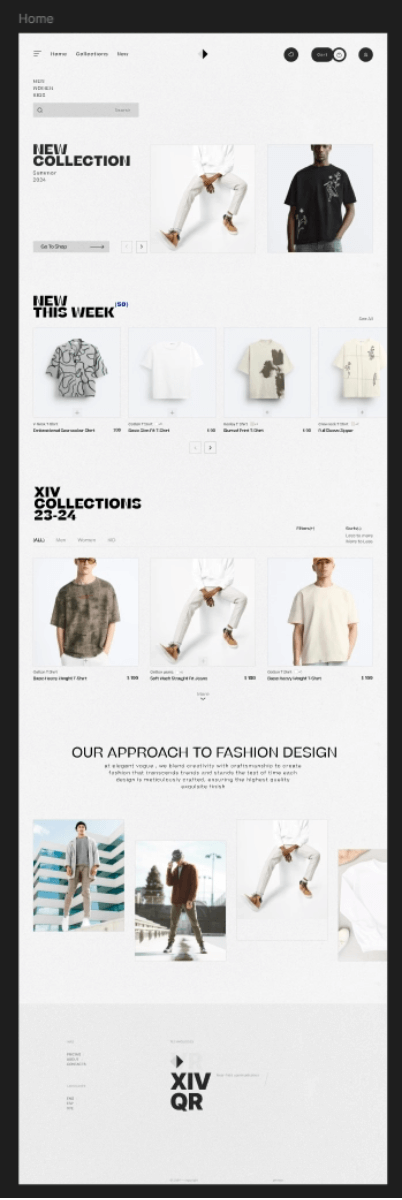
Import a Figma link, and you can directly have it generate an identical webpage.
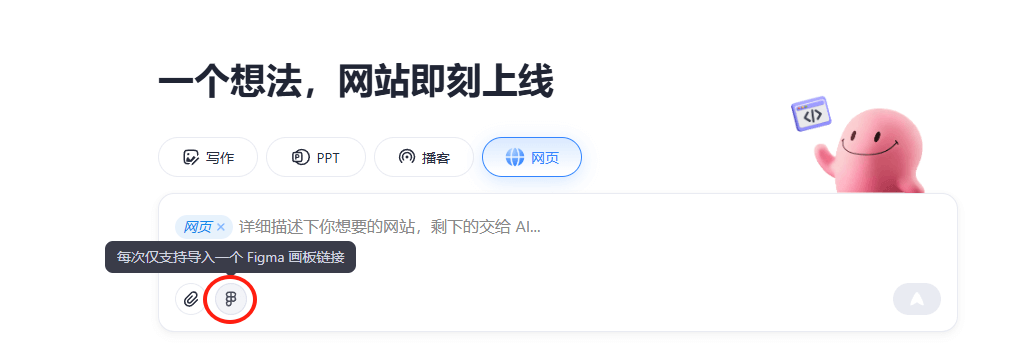
提示词:生成一个一模一样的网页Original Figma webpage:
Generated by Coze Space:
Basically exactly the same~ Excellent designs on Figma can all be perfectly replicated, and there is no need to manually configure APIs or MCP yourself, which is very convenient.
02. Exploring the Boundaries of Agent
It is very simple to use. Open theCoze Spacehomepage, select [Webpage], enter one description, and in a few minutes you can generate the webpage you want.
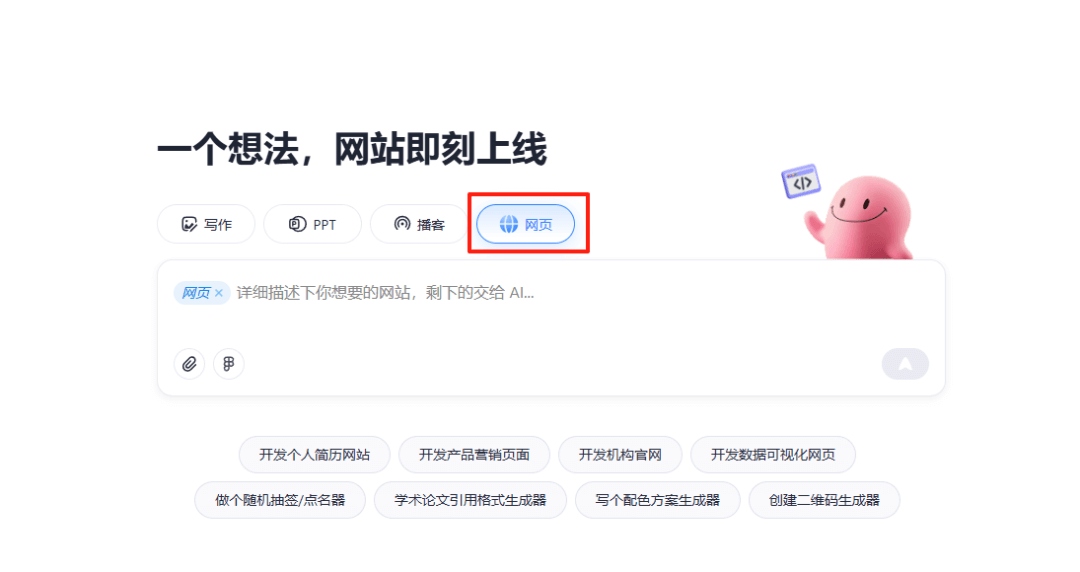
It solved the trouble of someone like me, a beginner who doesn't know how to write code but has a lot of ideas~The key is that it is free and unlimited!
Coze Space, as ByteDance's first general-purposeAI Agent, currently already has writing, PPT, and podcast generation features, and today it also launched webpage generation, broadening the boundaries of the general-purpose Agent a little bit again.
It can "understand" what you are saying, and it can also understand what you have drawn, and it hasthe judgment of a product manager, accurately mapping abstract descriptions such as "portfolio" and "teaching demonstration" to appropriate components and layouts.
It hasdesigner thinking, and can directly build structured webpage sketches, knowing how the page should be divided into sections, what content goes in each block, and how to jump between two pages.
And alsothe execution ability of a professional programmer, if we want to modify the components of any page, as long as we select them, they can be adjusted immediately according to our requirements.
In the end, it is not a single AI capability, but the intelligent collaboration mechanism of Agents: an intelligent agent that understands language, understands structure, and can also do hands-on work. It truly connects the three things of "understanding what is said," "being able to produce it," and "being able to revise it well" into one production line.
03. Some sharing
Coze Space is the handiest among all the web page generation tools I have used, and the results best match what I want.
Generating a web page in one sentence looks like a simple feature, but in fact it is the prototype of a whole new productivity path.
Behind it is not template stitching, but an entire Agent architecture in operation. Resume generation, courseware creation, and system building all follow this same logic.As long as the task is structured enough and the steps are clear enough, it can be broken down by AI and then completed bit by bit. Once the capability is in place, the scenarios naturally open up.。
This is the true meaning of technology - not showing off more tricks, but starting to do the work for you. Productivity is no longer determined by whether you "can do it," but by whether you "want to."
Original link:Just now, Coze Space can generate web pages in one sentence