
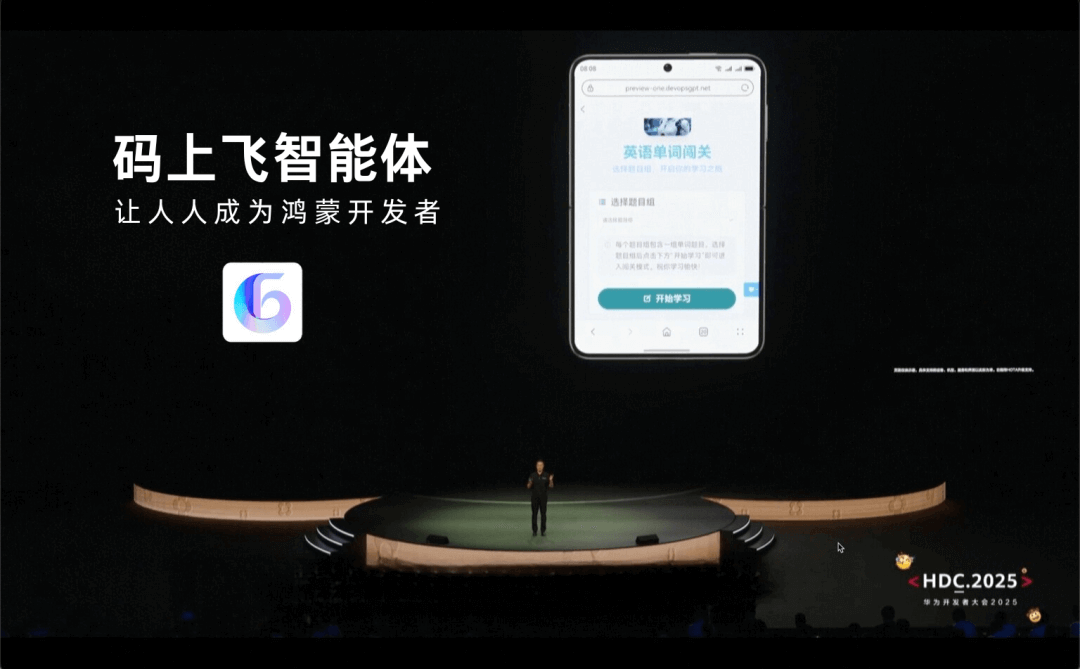
At last week's HDC.2025 Huawei Developer Conference, in terms of AI, I saw that Huawei has also made massive upgrades, and the most stunning thing was the HMAF HarmonyOS Intelligent Agent Framework.
The Xiaoyi assistant has been comprehensively upgraded, launching the Xiaoyi Intelligent Agent Platform, among which theMaShangFeiintelligent agent also caught my eye.
The world's first intelligent agent that supports generating Huawei HarmonyOS apps!
He Gang, CEO of Huawei's Consumer BG, demonstrated on site:Describe the function in one sentence, and the MaShangFei intelligent agent can help you generate an app.
Automatically generate a requirements document, independently complete app development within 10 minutes, support downloading the source code, and the copyright belongs to the user.
No need to write code, no need to learn programming, isn't this born exactly for a novice like me who can't understand code but loves researching all kinds of things?
After learning a bit about it, I didn't expect MaShangFei to also have a web version, so I immediately tried it out, and the results were really quite good:
Mini Game
Pomodoro Timer
Language Master
For a complete layman in app development like me, using it to make apps is really too easy!
Just chat, no threshold at all! As long as you can type clearly, you're good.
Next, let me take everyone through my entire app development process~
01. Generate an app in one sentence
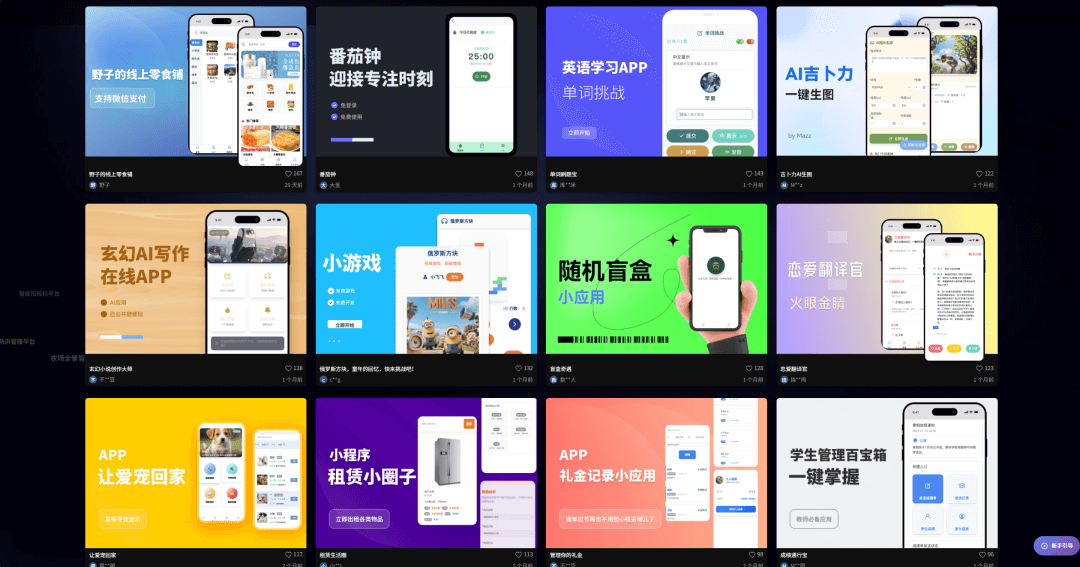
We enterthe MaShangFei official website, and the homepage has a great many app development cases, where you can directly view the entire development conversation process and the final result.
If you don't have any inspiration, you can browse here for reference~
Usually when chatting with friends in groups, I always feel that my speaking level is not enough and that I can't convey my thoughts well in words, so I wanted to make an app like this:
Prompt: Create a "Mouth Strong King" app to solve word shortage troubles for my internet friends.
Provide the function of converting everyday language into high EQ, sharp, contrarian, abstract, and cheesy pickup lines, with each style having adjustable intensity, divided into low, medium, and high levels, and each conversion will produce 3 options for the user to choose from.
The usage flow includes: the user inputs or pastes text, selects the conversion language style and intensity, confirms the conversion, and generates copyable text.
And it can be added to favorites; users can customize the names of favorites and can view and copy the contents in favorites at any time.
After we send the requirement, it will not immediately start generating, butfirst improve and supplement the entire set of functions needed by the program, then organize and list them out.
So even if you only have a very simple description, you don't need to worry that the requirement description is inaccurate.
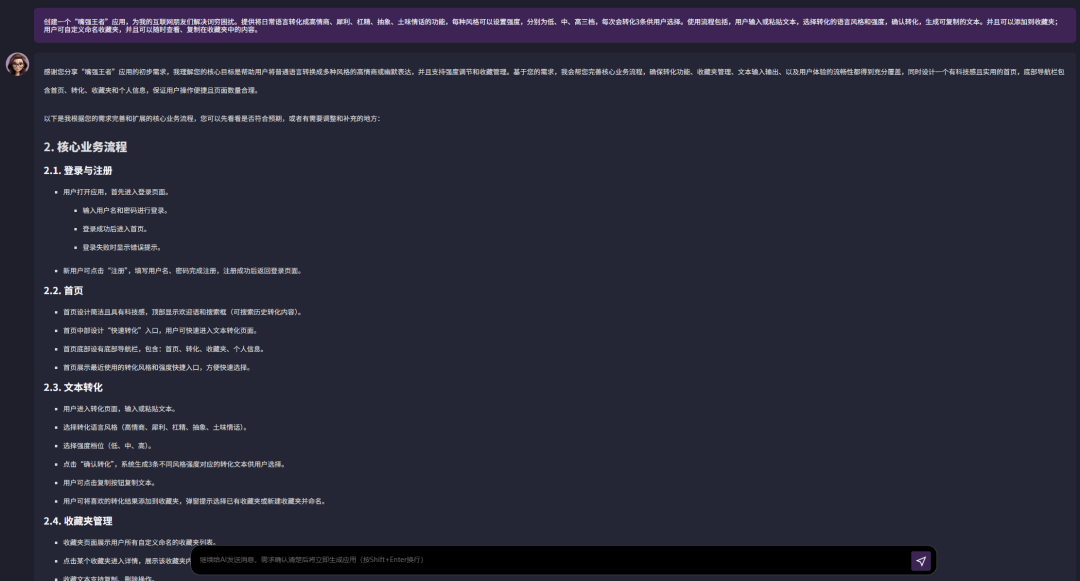
We can focus on looking at the core business process document it generates. If you are not satisfied with its improvement and supplementation, you can ask it to continue optimizing.
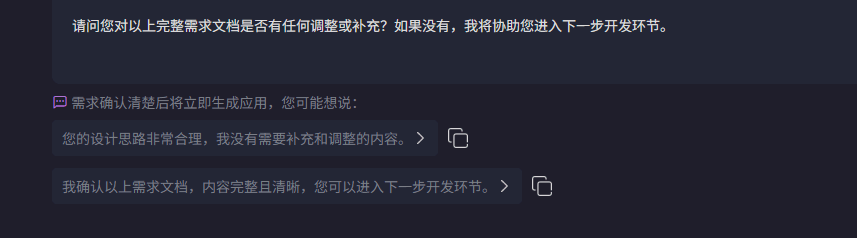
At the end of its reply, it will provide two convenient replies.
One is equivalent to agreement and confirmation, and one will display block-by-block content evaluation. We can click the copy button after the reply to copy it into the dialog box for editing with one click.

I think what it generated is already very good, and for now I don't have any more ideas, so I directly confirmed it.
It organizes acore business process document, and we click confirm below again.
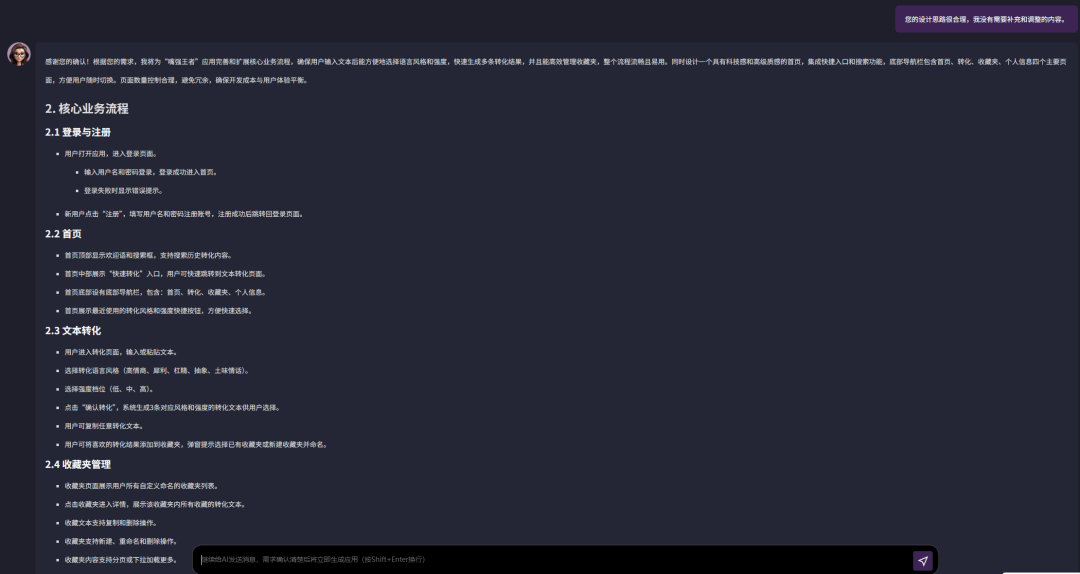
It organizes aRequirements Document。
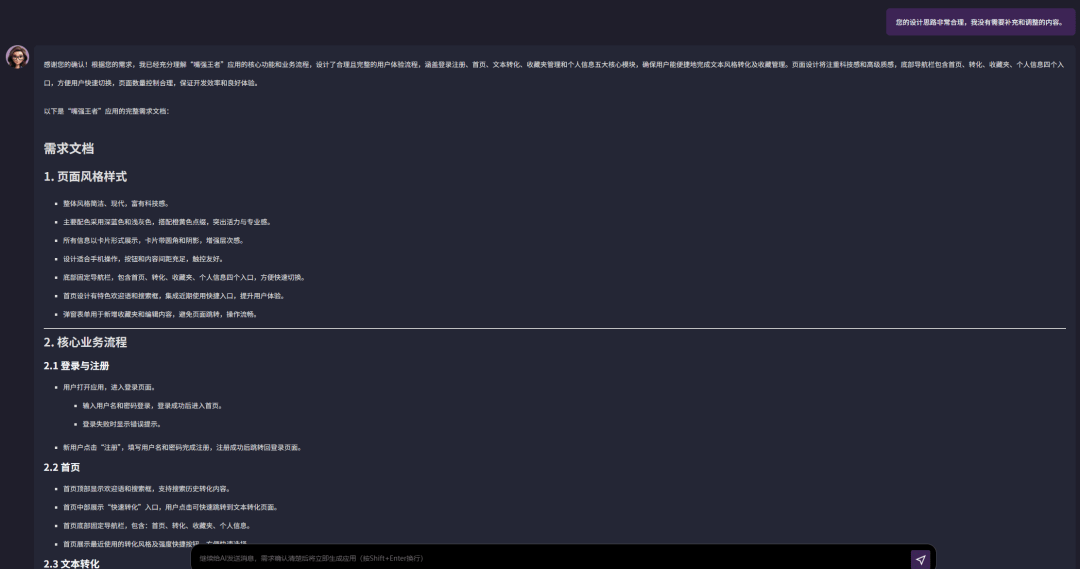
Confirm again:
Here, 3 "employees" start working for us.
The product manager provides the product requirements document, the test manager provides the product test cases, and the architect has completed the architecture design document.
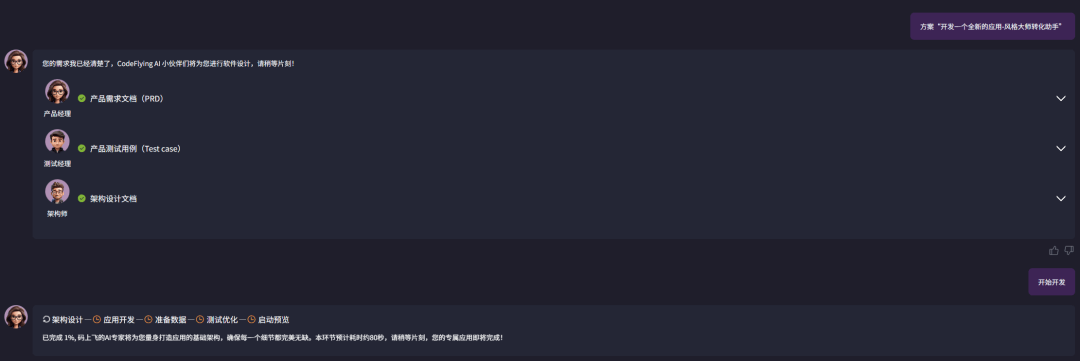
After we confirm again, it will proceed step by step through a series of steps: architecture design - application development - data preparation - testing and optimization - launch preview.
In less than 10 minutes, my application was already developed! This efficiency is amazing.

After it is done, we click Experience Now in the lower right corner and can preview it in real time on the page.
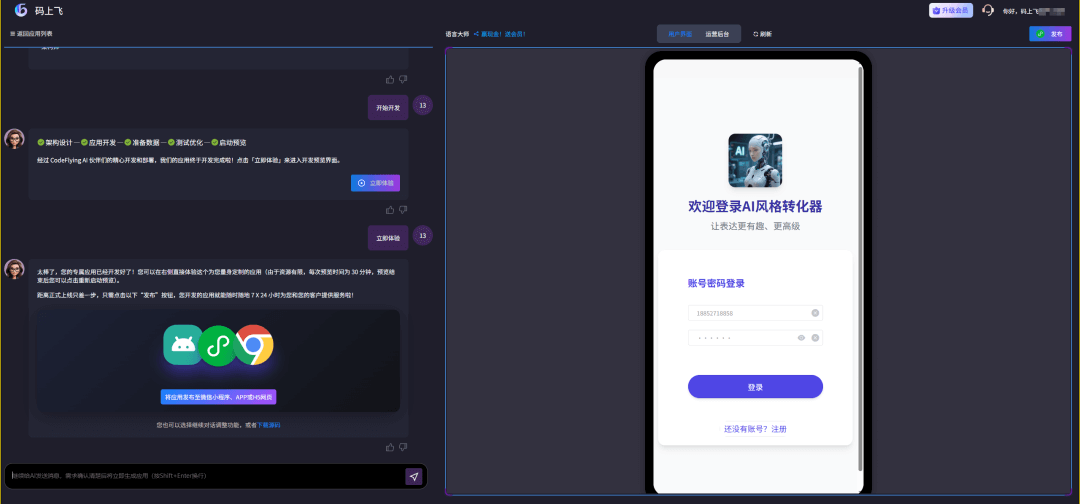
The interface it generates includes a user interface and a backend user management interface.
Let's try it out. The page switching and interaction functions are both good, and the backend management interface functions are also very complete.
User Interface
Operations Backend
Style Conversion Experience
After trying it for a while, I feel that both the functions and the page can be optimized further.
02. Iterate the Application with One Sentence
I feel that style conversion alone is not enough. We can also add a simulated chat function, so we can usually practice more by talking with the AI.

So we directly give it requirements.
Prompt: Add a new function. Users can choose a style and intensity for simulated conversation. When users input text, they will receive a reply in that style and can have multiple rounds of conversation with the user. Users can favorite or delete historical styles, and favorited styles can be used directly by users. 2. Classify the existing favorites according to existing functions into text and style conversation; 3. On the personal information page, add usage instructions for the tool.
Here we get one piece of information: to avoid misunderstanding, wecan only modify one requirement at a time。
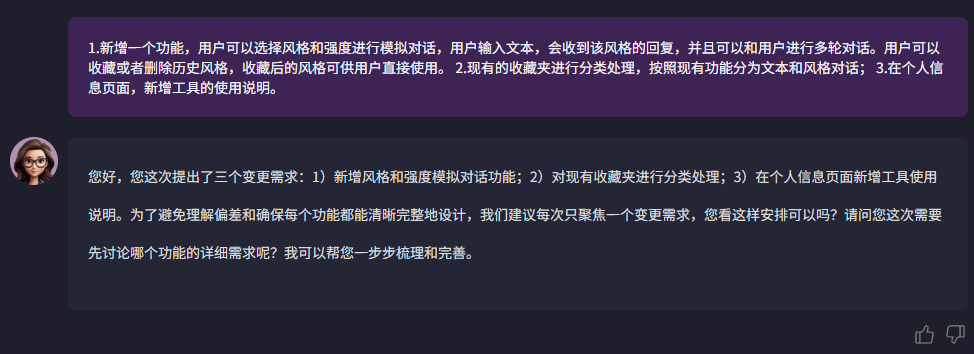
I first chose to change and add the simulated conversation function.
It will regenerate a new requirements document, then update the application according to the new requirements document and provide a preview.
I proposed change requirements step by step, added a favorites folder for simulated conversation, added an interface for simulated conversation on the homepage, and added an image to make the page more visually appealing.
The final product is like this:
03. One-Click Publish as a HarmonyOS Application
As China's first "text-to-application" platform, Mashangfei Intelligent Agent uses multi agent system technology to realize full-process automation of applications from requirements analysis and code generation to testing optimization and deployment launch.
Huawei Terminal CEO He Gang said in a keynote speech: "We hope that through the 'Mashangfei' intelligent agent, everyone can become a HarmonyOS developer.”
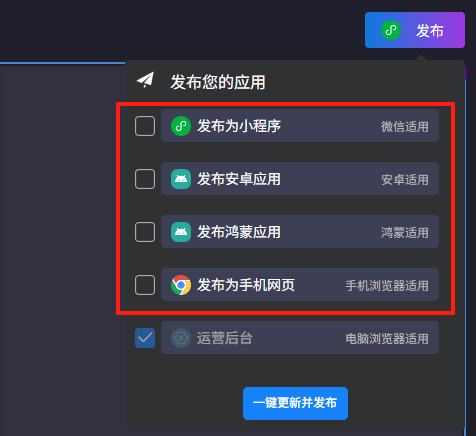
In fact, Mashangfei can not only publish HarmonyOS applications with one click, but is also equally applicable to publishing as mini programs, Android applications, and H5 web pages.
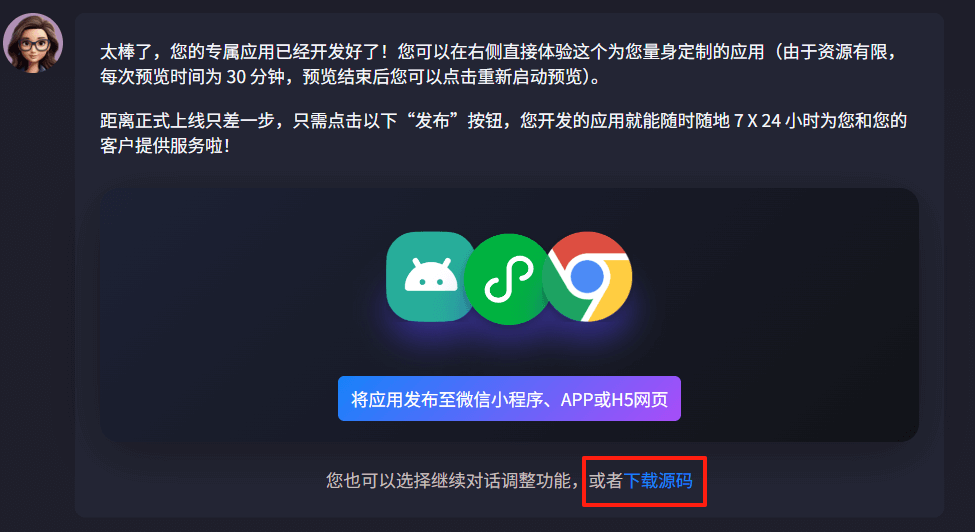
The page also provides source code download, making it convenient for friends with technical backgrounds to carry out secondary development, such as integrating large models like DeepSeek; or deploy it to their own servers.
Mashangfei can connect applications to over a hundred MCP services and AI capabilities.。
In addition to the text generation we used this time, it also supports image generation, image recognition, and voice generation. It can basically help us realize whatever functions we want.
04. Some Sharing
Mashangfei, as the name suggests, means "taking off immediately above code."
Based on the actual experience, this development efficiency is indeed flying speed!
If the first half of AI programming was the "AI Coding" tools for professional developers represented by Cursor, then 码上飞 is the second half, the "AI Development" moment where everyone is a developer.
Complete application development with one sentence, one idea, one requirement,码上飞 is like an "engine" driving AI application development, enabling everyone who does not understand technical development to also join in software development—this is true "democratization of software development."
We are no longer limited by traditional programming thinking, with a 100% user perspective, the emergence of creative and innovative applications is flying in "码"上!
Original link:The world's first AI Agent that supports generating Huawei HarmonyOS applications