
What is AI Sheets
AI Sheets is Hugging Face an open-source no-code data processing tool that provides an Excel-like interface, allowing users to easily invoke thousands of open-source AI models through natural language prompts to build, enrich, and transform data. The tool supports local deployment and online use, ensuring data privacy, and integrates the powerful model ecosystem of Hugging Face Hub, covering tasks such as text generation and image processing. AI Sheets supports batch data processing, real-time collaboration, and web search integration, greatly simplifying the data processing workflow and making it suitable for both technical and non-technical users.
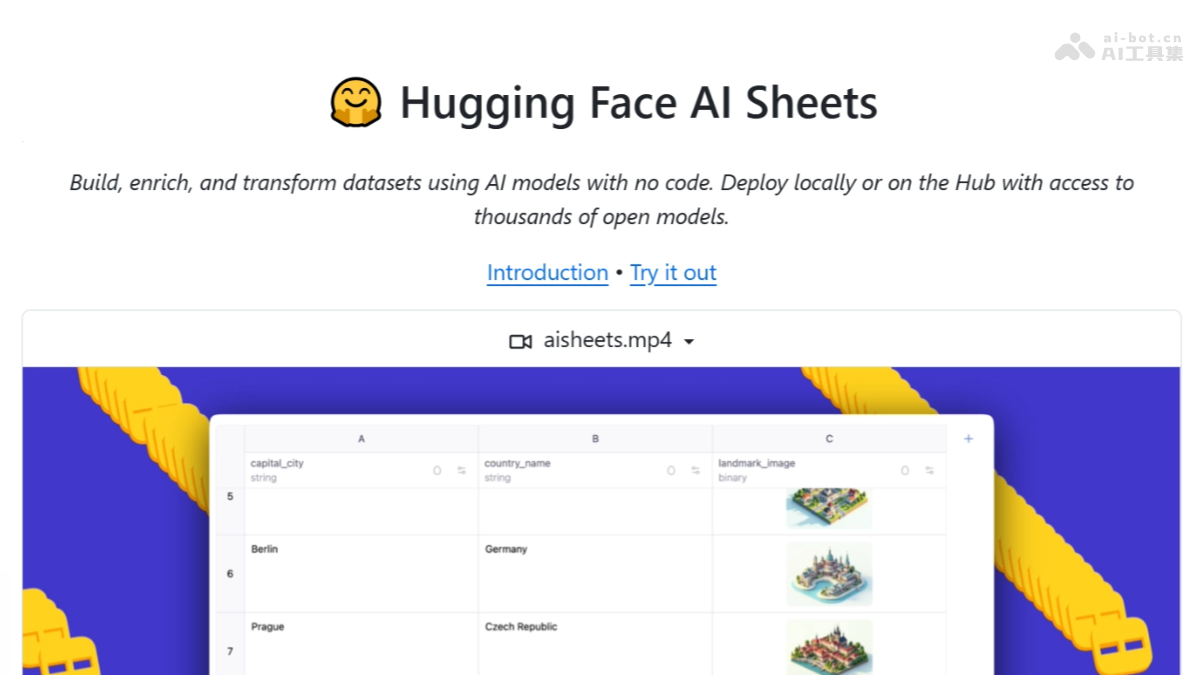
Main Features of AI Sheets
- No-code operation: Provides an Excel-like interface, where users can define tasks based on natural language prompts without writing code.
- Massive model support: Integrates thousands of open-source models from Hugging Face Hub, covering tasks such as text generation and image processing.
- Flexible deployment: Supports local running and online use, with data kept locally to ensure privacy.
- Batch data processing: Efficiently processes large-scale data and supports batch annotation and augmentation.
- Real-time collaboration: Supports multiple users editing datasets in real time, accelerating team collaboration.
- Web search integration: Automatically searches the web for information to populate datasets, improving data richness.
AI Sheets Project Address
- Project official website:https://huggingface.co/blog/aisheets
- GitHub repository:https://github.com/huggingface/aisheets
- Online Demo:https://huggingface.co/spaces/aisheets/sheets
How to use AI Sheets
- Online experience: Directly visit the AI Sheets online Demo address to try AI Sheets in the browser, with no installation or configuration required.
- Docker deployment:
- Get Hugging Face Token: Visit the Hugging Face settings page. Run the following command:
export HF_TOKEN=your_token_here
docker run -p 3000:3000 \
-e HF_TOKEN=$HF_TOKEN \
huggingface/aisheets-
-
In the browser, visit
http://localhost:3000。
-
- Local deployment:
- Install Node.js and pnpm。Clone the project:
git clone https://github.com/huggingface/sheets.git
cd sheets-
- Set environment variables and install dependencies:
export HF_TOKEN=your_token_here
pnpm install-
- Start the development server:
pnpm dev-
-
In the browser, visit
http://localhost:5173。
-
- Production environment deployment:
- Build the production application:
pnpm build-
- Start the production server:
export HF_TOKEN=your_token_here
pnpm serve-
-
In the browser, visit
http://localhost:3000。
-
Application Scenarios of AI Sheets
-
Content creation: Generate product catalogs with descriptions and images, quickly create content-rich story datasets, and build review collections for movies, products, or services.
-
Data analysis and research: Compile research datasets from web sources, convert unstructured content into structured data, and generate synthetic datasets for testing and development.
-
Business applications: Build customer datasets with AI-generated profiles, create text and image content for marketing, and generate training data for machine learning models.
-
Education and training: Generate text, image, and video content for teaching, helping students quickly generate the datasets needed for projects.
-
Personal projects: Generate drafts and illustrations for blog posts, and create datasets for personal interest projects, such as travel plans or collectible catalogs.