
What Is Agent HQ
Agent HQ is an innovative platform launched by GitHub that integrates AI agents, seamlessly incorporating various AI tools into developers' workflows. Through Mission Control, it provides a unified command center, allowing developers to easily assign, guide, and track the tasks of multiple AI agents on the GitHub website, VS Code, mobile, or command-line interface. Agent HQ supports the creation of AGENTS.md files, allowing developers to set rules and behavior patterns for agents to meet specific needs. Agent HQ introduces the Plan Mode feature, which helps developers clarify task requirements through questioning, identify potential issues in advance, and improve code quality and development efficiency. GitHub has partnered with several leading AI companies, including Anthropic, OpenAI, and Google, to integrate their coding agents directly into the GitHub Copilot subscription service. It enhances the development experience and provides enterprises with powerful governance and monitoring tools, such as code quality analysis and AI usage metrics dashboards, ensuring the safe and efficient use of AI within teams.
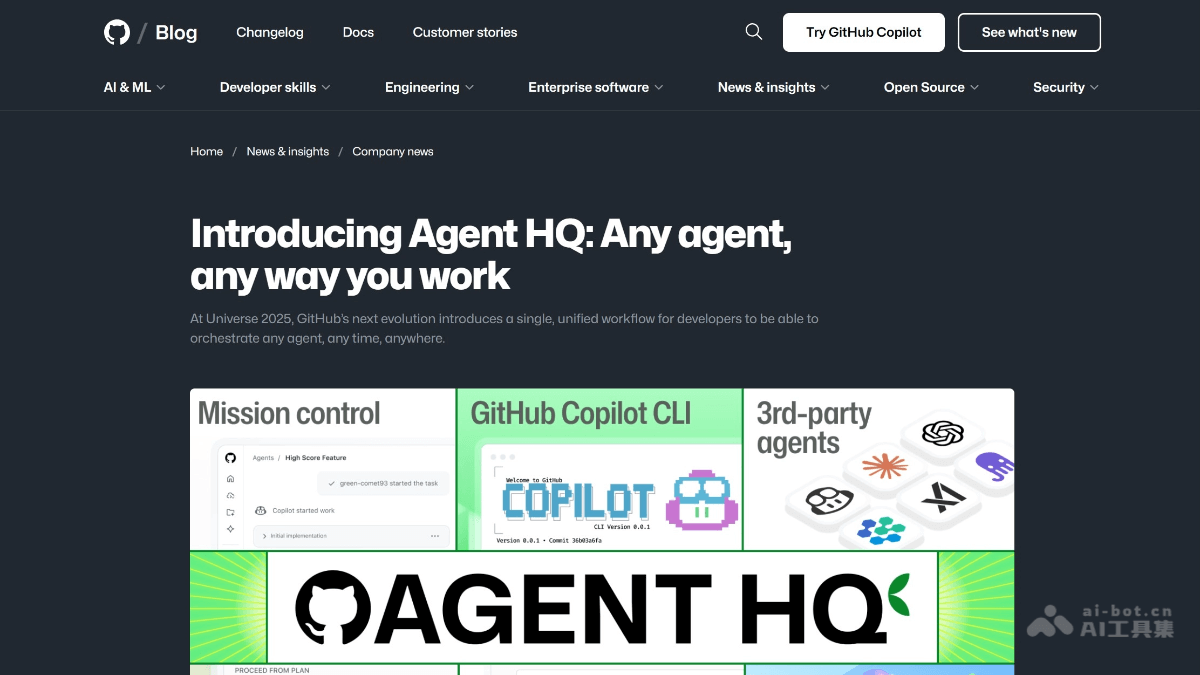
Agent HQ's Main Features
-
Unified Command Center Mission Control: Provides a consistent interface, whether on the GitHub website, VS Code, mobile, or command-line interface, developers can assign, guide, and track the tasks of multiple AI agents.
-
Plan Mode: Before executing tasks, helps developers clarify requirements through questioning, identify potential issues in advance, and optimize code quality and development efficiency.
-
Custom Agents: Through AGENTS.md files, developers can set rules and behavior patterns for agents to adapt to specific development needs.
-
Enterprise-Grade Governance: Provides features such as code quality analysis and AI usage metrics dashboards to help teams monitor and manage AI usage, ensuring code quality and team governance.
-
Multi-Platform Integration: Supports integration with tools such as Slack, Linear, Atlassian Jira, and Microsoft Teams to improve team collaboration efficiency.
Agent HQ's Official Website Address
- Official Website Address:https://github.blog/news-insights/company-news/welcome-home-agents/
How to Use Agent HQ
-
Assign Tasks Through Mission Control: On the GitHub website, VS Code, mobile, or command-line interface, use the Mission Control unified command center to select and assign tasks to different AI agents.
-
Use Plan Mode to Plan Tasks: Enable Plan Mode in VS Code, clarify task requirements by answering a series of questions, generate a detailed execution plan, and then let Copilot execute the task according to the plan.
-
Create an AGENTS.md File: Write an AGENTS.md file in VS Code to set specific rules and behavior patterns for agents, for example specifying a logger or testing method, to customize the agent's behavior.
-
Monitor and Manage Task Progress: Track the task execution status of agents through Mission Control, view progress in real time, and ensure tasks proceed as planned.
-
Integrate Enterprise-Grade Features: Use tools such as code quality analysis and AI usage metrics dashboards to monitor the impact of agents on code quality and team workflows, ensuring AI usage complies with enterprise standards.
Agent HQ's Application Scenarios
-
Code Development and Optimization: Developers can use the AI agents in Agent HQ to assist in writing code and optimizing code quality, plan code logic in advance through Plan Mode, reduce errors, and improve efficiency.
-
Project Management and Planning: Allocate and track tasks through Mission Control, coordinate different agents to complete complex project tasks, and ensure projects advance on schedule.
-
Code Review and Quality Control: With the code quality analysis capabilities of Agent HQ, systematically improve code maintainability, reliability, and test coverage to ensure code quality.
-
Enterprise-Level Governance and Monitoring: Enterprise administrators can manage AI access permissions, set security policies, audit logs, and monitor Copilot usage through the control plane, ensuring the team's AI usage complies with enterprise standards.