
What is Feishu aPaaS
Feishu aPaaS is an efficient application development platform under Feishu that enables the rapid construction of complex business systems with minimal code. Feishu aPaaS deeply integrates AI capabilities, providing AI assistants for pages, data, processes, and more, helping developers efficiently build applications. The platform includes rich templates and solutions, supports agile development and rapid iteration, and can meet ever-changing business needs. Feishu aPaaS features powerful permission management and data security safeguards, helping enterprises achieve digital transformation, improve team development efficiency, and make complex business delivery more agile and usage more intelligent.
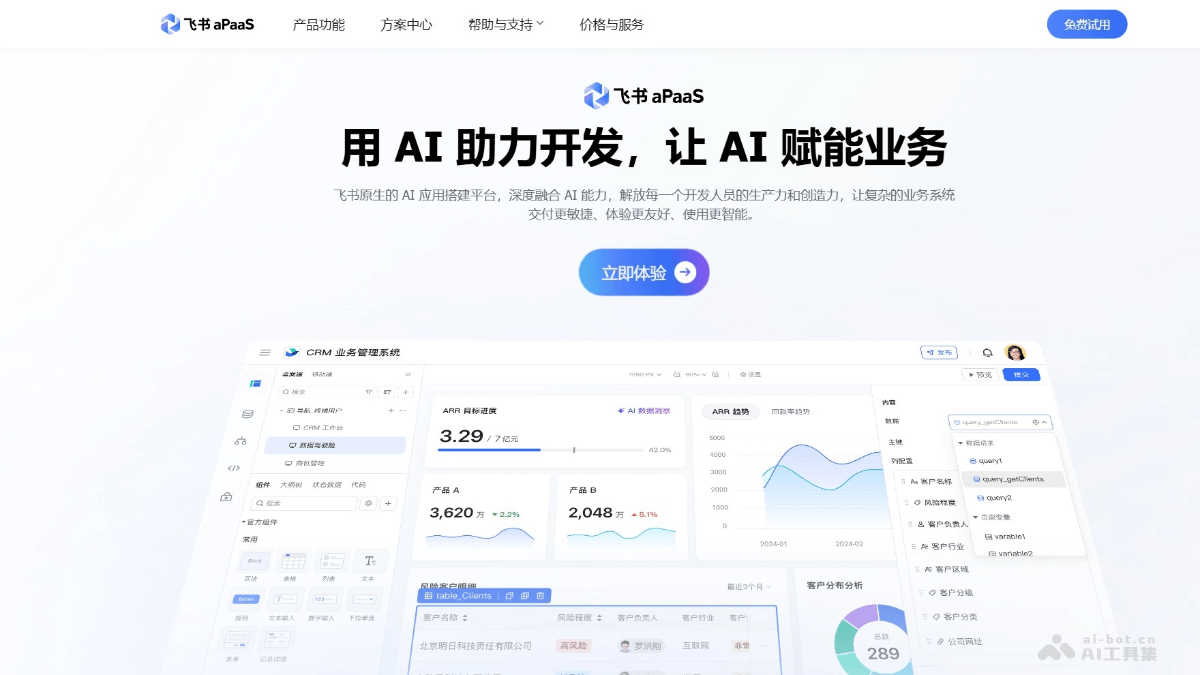
Main Features of Feishu aPaaS
- Full-Stack Development and Full Lifecycle Management: The Feishu low-code platform combines full-code capabilities with a low-code experience, covering the entire process from development to management, helping efficiently deliver complex business systems.
- Development Capabilities: The platform supports complex system development and has powerful interface design capabilities. It can generate AI assistants for business applications with one click, improving development efficiency and business insight.
- Testing and Release: It provides visual testing capabilities to ensure high-quality delivery, while supporting environment isolation and version management to ensure stable online operation.
- Management Features: Equipped with operational reports and log observability, it helps administrators fully grasp application status, provides flexible permission control, and ensures data security.
- Data and Process Management: It supports large-scale data processing and is equipped with rich connectors to implement complex process configuration and data sharing, helping enterprises build a data asset center.
- Security and Permissions: Based on features such as encryption, identity verification, and audit logs, it comprehensively safeguards data and account security, helping enterprises trace risky behavior.
- Open Capabilities: With built-in rich connectors, it supports system interconnection; platform applications have open capabilities and support using APIs to call data and functions, building an enterprise system ecosystem.
How to Use Feishu aPaaS
- Registration and Login: Visit the Feishu aPaaS official website:https://ae.feishu.cn,按提示完成注册和登录。
- Create an Application: On the homepage, select "New Application" to build an application from scratch. Or choose a preset template to quickly generate a basic framework.
- Build the Application:
- Data Modeling: After entering the application, first define the data structure, such as forms, database tables, etc.
- Set Fields: According to business needs, add fields (such as text, number, date, etc.) and configure field properties (such as required, default values, etc.).
- Page Design: Add components (such as forms, charts, buttons, etc.) to the page by drag and drop. Set component properties and styles, such as size, color, layout, etc.
- Add Interaction Logic: Implement page interactions by configuring component events (such as click, submit, etc.) and actions (such as page navigation, data submission, etc.).
- Process Orchestration: Define business processes, such as approval processes, data flows, etc. Add process nodes (such as approvers, conditional branches, etc.) and configure node logic.
- Automated Execution: Configure process trigger conditions and execution logic to achieve automated operation of business processes.
- Permission Management:
- Set role permissions: Assign different permissions based on user roles (such as administrator, regular user, etc.).
- Configure data permissions: Restrict users' data access scope to ensure data security.
- Testing and optimization:
- Preview the application: During development, click the "Preview" button at any time to view the actual effect of the application.
- Test functions: Test each function of the application to ensure that pages display properly, processes run smoothly, and data interactions are correct.
- Optimize and adjust: Based on test results, optimize and adjust the application, such as modifying page layout, adjusting process logic, etc.
- Publish the application: After completing development and testing, click the "Publish" button to publish the application to the online environment.
- Monitor operation: After publishing, use the platform's operations monitoring features to view the application's runtime data and logs to ensure stable operation.
Feishu aPaaS application scenarios
- Project management: Quickly build a project management system to implement task assignment, progress tracking, resource management, and other functions, helping teams collaborate efficiently and ensuring projects are delivered on time.
- Approval process automation: Develop various approval applications (such as leave, reimbursement, and procurement approvals) to achieve automated process flow and real-time notifications, improving approval efficiency and reducing manual intervention.
- Customer Relationship Management (CRM): Build a customer information management system to record customer profiles, follow-up records, sales opportunities, etc., helping enterprises with precision marketing and customer maintenance.
- Data analysis and visualization: Build data dashboards through low-code to achieve real-time display and multi-dimensional analysis of business data, assisting management in making quick decisions.
- Internal tool development: Quickly develop enterprise internal tools (such as work hour statistics, equipment management, knowledge base, etc.) to meet personalized needs and improve work efficiency.