
What Is Accio
Accio is the world's first conversational AI search engine in the B2B sector launched by Alibaba overseas, positioned as a personal procurement agent. Accio filters based on information such as suppliers, customization scope, and prices, providing users with merchants and products that meet their needs. Accio uses a "Multi-Agent" architecture, supports Chinese, English, German, Portuguese, Spanish, French, Korean, and Japanese, covers hundreds of millions of products, simplifies the procurement process, and improves the conversion rate from search to purchase. Accio has recently launched Agent mode, an AI-based automated procurement assistant that can quickly complete the entire process from market research and product design to supplier screening and inquiry, helping users efficiently realize and implement business ideas. Agent mode is currently in beta; visit the official website to get an invitation code to try it.
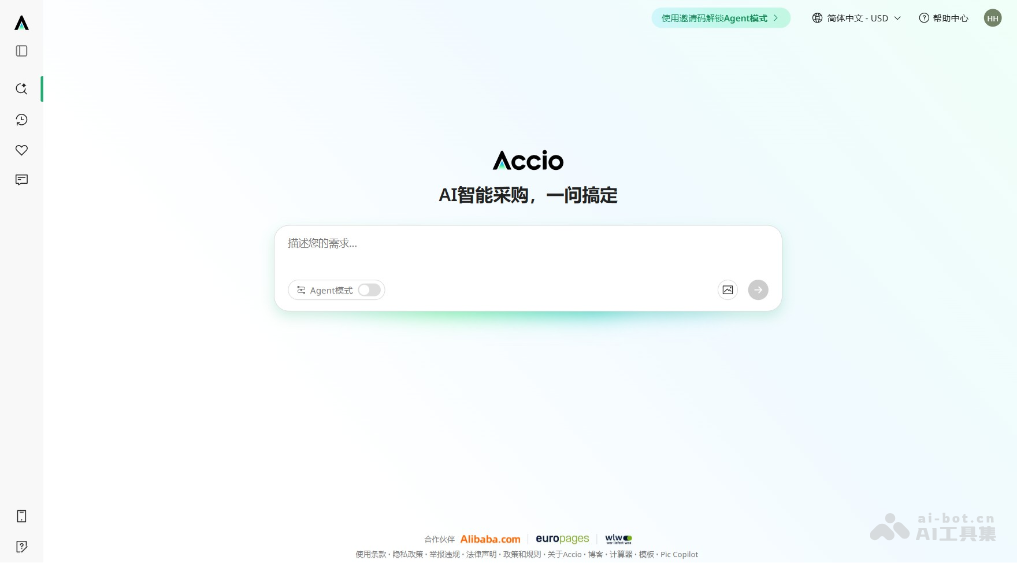
Main Features of Accio
- Conversational Search: Users enter their needs in a dialog box, and Accio understands and responds to user queries in a conversational form.
- Intelligent Filtering: Based on the needs entered by users, Accio filters information such as suppliers, customization scope, prices, end retail sales, and customer reviews, and outputs merchants and products that meet the requirements.
- Real-Time Data: Uses real-time data to provide users with the latest market information and product data.
- Multilingual Support: Accio supports Chinese, English, German, Portuguese, Spanish, French, Korean, and Japanese, making it convenient for users with different language backgrounds.
- Wide Product Coverage: Covers hundreds of millions of products, meeting the diverse procurement needs of different users.
- Agent Mode: Automates the entire process of tasks such as market research, product design, supplier screening, and inquiry communication.
How to Use Accio
-
Visit the Accio Website: Open a browser and visit the Accio official website https://www.accio.com/,或下载Accio APP。
-
Register or Log In: Create a new account or enter existing account information to log in.
-
Get an Invitation Code: Click "Use an invitation code to unlock Agent mode" at the top of the official website, and join the waitlist to get an invitation code.
-
Enter the Invitation Code: After logging in, enter the invitation code and activate it.
-
Enable Agent Mode: After activating the invitation code, enter Agent mode and unlock the core features.
-
Enter Requirements: In Agent mode, enter specific requirements, such as market research, product design, supplier screening, etc.
-
View Results: Accio automatically generates detailed reports or results, such as market analysis, product design drawings, supplier recommendations, etc.
-
Adjust and Optimize: Make adjustments and optimizations based on Accio's results, and Accio further improves based on the feedback.
Accio Official Website Address
- Official Website Address:https://www.accio.com/
Accio Use Cases
- Cross-Border Procurement: Helps global buyers find and screen overseas suppliers and conduct product procurement.
- Market Research: Provides users with market trend analysis, helping them understand the demand and supply situation for specific goods or services.
- Price Comparison: Compares quotes from different suppliers, helping users find the most cost-effective procurement options.
- Custom Production: Provides buyers who need customized products with direct connection to manufacturers, enabling personalized production.
- Supply Chain Management: Helps enterprises manage their supply chains and optimize inventory and logistics.