
What is 7Niu AI
7Niu AI is an efficient and convenientAI PPT generation tool. Users only need to enter a topic or key points to quickly generate a complete PPT draft, greatly saving production time. It has a rich and diverse template library, covering business, education, technology, and other styles to meet the needs of different scenarios. 7Niu AI has intelligent editing features and supports operations such as modifying text, replacing images, and adjusting layouts. It can complete specific editing tasks through instructions. Its unique Excel data linkage feature can directly import data to generate charts, and automatically synchronize when data is updated, ensuring that content is real-time and accurate. It supports importing multiple file formats and does not limit the number of generated PPTs.
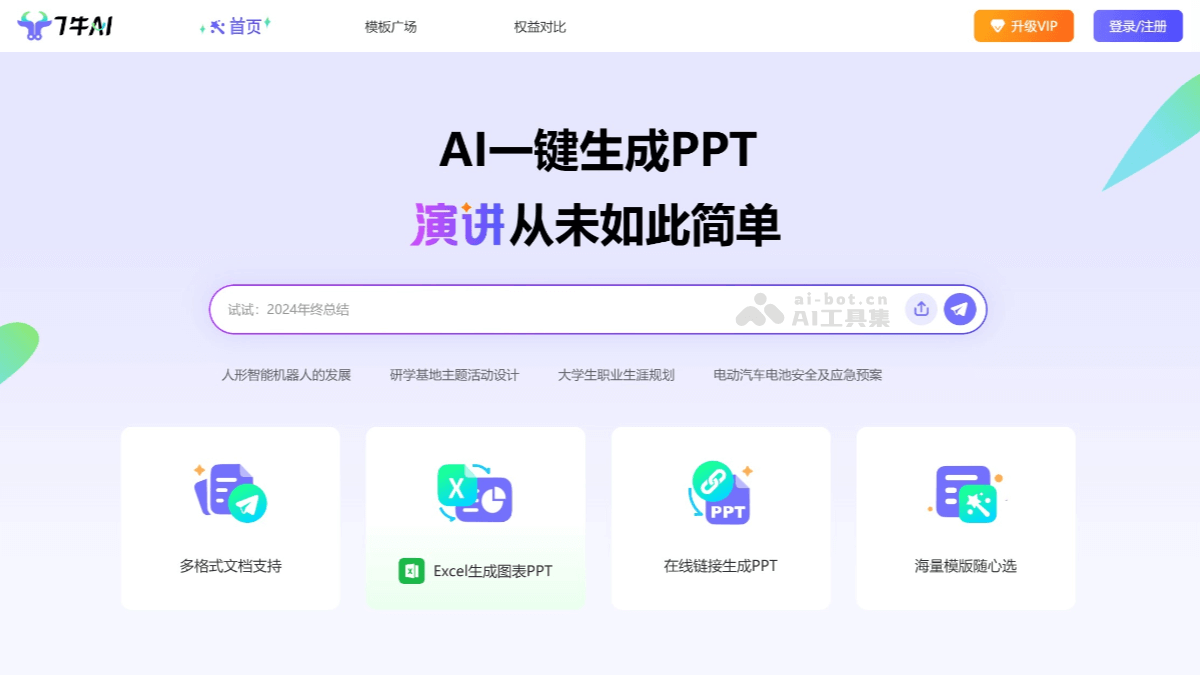
Main features of 7Niu AI
- One-click PPT generation: Users only need to enter a topic or key content, and 7Niu AI can quickly generate a complete PPT draft, including a title page, content pages, summary pages, and more.
- Text editing: Supports modifying and polishing the generated text content, and can complete specific text adjustments according to instructions.
- Layout optimization: Automatically adjusts the slide layout based on the content to ensure overall visual appeal and clear logic.
- Image replacement and beautification: Provides a rich image library, supports one-click image replacement, and can beautify images.
- Rich and diverse templates: Provides templates in multiple styles, covering fields such as business, education, technology, and creativity. Users can choose suitable templates according to their needs and quickly adjust the overall style of the PPT.
- Excel data linkage: Supports importing data from Excel and automatically generating charts. When data is updated, the charts in the PPT can synchronize updates, making it suitable for creating data report PPTs.
- Support for multiple file formats: Supports importing content from multiple file formats, such as TXT, Word, Excel, URL, etc., making it convenient for users to integrate existing materials.
- Dynamic presentation features: Can add dynamic effects to PPTs, such as animations, transition effects, etc., making presentations more vivid and interesting.
- Intelligent prompts and optimization: During the editing process, 7Niu AI provides intelligent prompts based on the content to help users optimize the expression and logic of the PPT.
- Team collaboration features: Supports multiple people collaboratively editing the same PPT, making it convenient for team members to complete projects together.
- Cloud storage and sharing: Supports saving PPTs to the cloud for convenient viewing and editing at any time, and can be shared with others with one click, making collaboration and presentations convenient.
How to use 7Niu AI
- Registration and login: Visit 7Niu AI'sofficial website, and log in or register.
- Create a PPT: After logging in, click "New PPT" and enter the theme or core content of the PPT. Click "Start Generating," and a complete PPT draft will be generated based on the entered content, including a title page, content pages, and summary pages.
- Choose a template: After the draft is generated, the system will recommend multiple template styles, such as business style, technology style, education style, etc. Choose a suitable template and click "Apply" to apply the template style to the generated PPT.
- Intelligent editing
- Modify text: Click the text in the slide to edit or polish it directly.
- Replace Image: Click on the image area and select "Replace Image". You can choose from the system gallery or upload your own image.
- Adjust Layout: Click "Layout Optimization", and the system will readjust the slide layout based on the content to ensure it looks good.
- Add Chart: If you need to insert a chart, you can click "Add Chart", select an appropriate chart type (such as bar chart, line chart, etc.), and import data from Excel to generate the chart.
- Dynamic Effects and Optimization: Click "Animation Effects" and select an appropriate animation effect to make the PPT more vivid. Click "Smart Optimization", and the system will provide optimization suggestions based on the content, such as text polishing, layout adjustments, etc.
- Export PPT: After completing the editing, click "Export", select the save format (such as PPTX, PDF, etc.), and save it locally.
- Share PPT: Click "Share" to generate a sharing link or send it directly to others.
Application Scenarios of 7Niu AI
- Business Reporting: In internal corporate reporting, project presentations, or business speeches, 7Niu AI can quickly generate PPTs with clear structure and rich content.
- Education and Training: For teachers and educators, 7Niu AI can quickly generate teaching courseware. It supports automatically generating illustrated PPTs based on course outlines or knowledge points.
- Academic Research: Researchers and students can use 7Niu AI to create academic reports and thesis defense PPTs. It can present complex experimental data and research results in intuitive chart form, enhancing the persuasiveness of the report.
- Marketing and Promotion: In marketing and product promotion, 7Niu AI can help marketers quickly create product promotional PPTs, event planning PPTs, and more.
- Creative Display: For designers or creative professionals, 7Niu AI provides artistically creative style templates that can help them quickly present design concepts and works.