
What is 33 Subtitles
33 Subtitles is AI subtitle software that supports speech recognition and text translation in nearly 50 languages and can quickly generate precise bilingual subtitles. It supports users in running AI recognition models locally on their computers, enabling free subtitle recognition with no third-party fees. The software supports generating subtitles while recognizing and simultaneous translation, reducing translation costs. 33 Subtitles provides enhanced features such as GPT translation and line search to help users create and manage video subtitles at low cost.
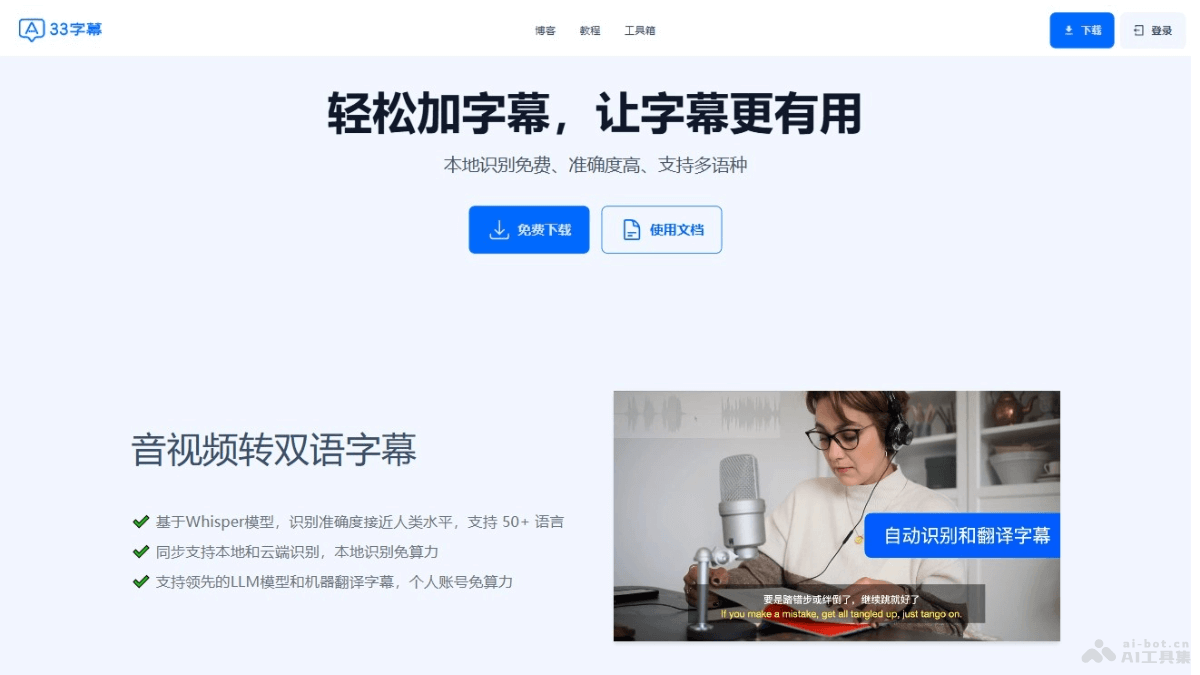
Main features of 33 Subtitles
- Multilingual speech recognition: Supports speech recognition in nearly 50 languages, converting speech in audio and video into text.
- Bilingual subtitle generation: Quickly generates precise bilingual subtitles to help users understand and translate foreign-language content.
- Local AI recognition models: Supports users in running AI recognition models on their own computers, enabling low-cost, free subtitle recognition.
- Subtitles generated while recognizing: Supports simultaneous generation and display of subtitles during video playback, with no need to wait for the entire video to finish recognition.
- Free subtitle translation: Import translation feature; users can use web translation to achieve free subtitle translation.
How to use 33 Subtitles
- Download and install: Visit theofficial websiteof 33 Subtitles and download the software installation package. Install the 33 Subtitles software according to your operating system (Windows, macOS, etc.).
- Register and log in: If you need to use cloud recognition or translation features, you need to register an account and log in.
- Import audio and video files: Open the 33 Subtitles software and import the audio and video files to which you need to add subtitles into the software.
- Select recognition language: According to the language in the audio or video, select the appropriate source language for speech recognition.
- Start recognition: Click Start Recognition, and the software will begin converting the speech in the audio and video into text. Choose whether to use a local AI recognition model or a cloud recognition service.
- Simultaneous translation: If you need bilingual subtitles, select the target language, and the software will automatically translate the recognized text into the target language.
- Edit and adjust subtitles: During recognition and translation, edit and adjust the generated subtitles to ensure accuracy.
- Use API key: If you have a translation API key, set it in the software and use your own translation service.
- Export subtitles: After completing subtitle editing, export the subtitles as SRT or other format files.
- Add subtitles to video: Add the exported subtitle file to video editing software, or use the one-click hardcoding feature of 33 Subtitles to directly embed the subtitles into the video.
- Editing and optimization: Use the editing feature of 33 Subtitles to edit and optimize the video content as needed.
- Save and share: Save the edited video and share it with others.
Product pricing of 33 Subtitles
Computing power consumption occurs where cloud computing resources or third-party service interfaces need to be called. Currently, the places where computing power consumption occurs include cloud recognition, cloud translation, cloud vocal extraction, and cloud LLM summarization.
- 27000 computing power units: 15 yuan
- 60000 computing power value: 25 yuan
- 122000 computing power value: 50 yuan
- 182000 computing power value: 75 yuan
- 246000 computing power value: 100 yuan
- 310000 computing power value: 125 yuan
Application scenarios of 33 subtitles
- Video content creation: Video bloggers and content creators provide subtitles for multilingual audiences, increasing video accessibility and audience reach.
- Education and training: Educational institutions add subtitles to instructional videos to help students with hearing impairments or non-native speakers better understand the course content.
- Corporate training and meetings: Enterprises add subtitles to internal training videos, meeting records, or product introduction videos to make it convenient for employees to review and learn.
- Film and TV drama production: Film and TV drama production teams quickly generate subtitles to accelerate the post-production process.
- Multilingual conferences and speeches: Conference organizers provide real-time subtitles for speeches and discussions to help attendees from different language backgrounds better understand the conference content.